Tutorial on AI Agent: Build and Deploy Agentic AI Workflows
A practical, step-by-step guide to designing, implementing, and deploying AI agents. Learn architecture, data flows, safety, and evaluation for reliable agentic AI systems.


By the end of this tutorial on ai agent you'll be able to design, implement, and deploy a basic AI agent that can perform a defined task with minimal human input. You'll learn to choose a task, outline architecture, wire data flows, evaluate behavior, and iterate safely. This guide is written for developers, product teams, and leaders exploring agentic AI workflows.
What is a tutorial on ai agent?
A tutorial on ai agent provides a structured path from concept to operational agentic AI systems. According to Ai Agent Ops, these tutorials translate abstract ideas into practical, testable implementations. The emphasis is on defining a concrete task, selecting an appropriate architecture, wiring data flows, and iterating with guardrails. Readers will learn to validate behavior, measure impact with qualitative signals, and scale capabilities incrementally as confidence grows. This is not merely theory; it is a hands-on blueprint for turning ideas into working agents that can assist, augment, and automate routine decisions.
In modern product teams, the need for reliable AI agents spans customer support, operations, and automation workflows. A well-structured guide helps engineers avoid common dead ends, such as over-engineering or chasing flashy features without a measurable value proposition. The Ai Agent Ops approach emphasizes clarity of purpose, modular design, and safe experimentation. As you progress, you’ll build intuition for when to deploy and how to monitor agent behavior in production.
prerequisites_note_only_for_prep_and_plan_and_goals_in_order_to_be_successful_fully_none
Tools & Materials
- Development machine (Linux/macOS recommended)(With Python 3.x and a modern package manager installed)
- Python 3.x or Node.js environment(Choose based on your preferred stack; examples include Python for ML/LLMs or Node for orchestration)
- Access to an LLM API or local model(API keys or local deployment for experimentation)
- Version control (Git)(Create a dedicated repo for your agent project)
- Test data and task description(A clearly defined task with success criteria)
- Observability tooling (logs, metrics, tracing)(Optional but recommended for production readiness)
Steps
Estimated time: Estimated total time: 3-5 hours
- 1
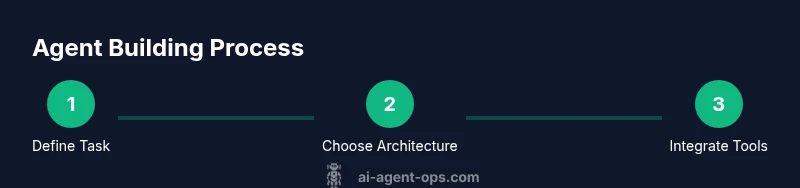
Define the task and success criteria
Start by articulating a single, narrow task the agent will perform. Write clear success criteria and failure modes, so you can measure progress and know when to stop iterating. This foundation keeps the project focused and reduces scope creep.
Tip: Document the task with concrete inputs, outputs, and expected user impact. - 2
Choose architecture and data flows
Select an architectural pattern (recurrent planning, tool-using, or reactive) that fits your task. Map data inputs, system state, tool calls, and model prompts to create a clean data flow diagram. This helps you spot bottlenecks and data leaks early.
Tip: Prefer a modular setup where you can swap components without rewriting core logic. - 3
Set up the development environment
Create a reproducible environment with your chosen language and libraries. Initialize a repo, set up virtual environments, and configure linting and testing. Establish a basic CI workflow to ensure that changes don’t break agent behavior.
Tip: Use a minimal viable config first; expand later as evidence supports it. - 4
Implement the core agent loop
Build the loop that allows the agent to observe, reason, and act. Include a memory mechanism or context store so the agent can refer back to past steps. Implement error handling to gracefully recover from failures.
Tip: Keep the loop small and observable to simplify debugging. - 5
Integrate tools and plugins
Connect external tools (APIs, databases, or software) the agent will use to fulfill tasks. Create safe guards to validate API responses and prevent cascading failures. Build adapters to keep tool changes isolated from core logic.
Tip: Treat tool interfaces as separate modules with clear input/output contracts. - 6
Add safety, testing, and evaluation
Institute guardrails, prompt safety tests, and deterministic evaluation criteria. Create test cases that cover edge conditions and potential negative outcomes. Define metrics for success such as accuracy, latency, and user impact.
Tip: Run tests in a sandbox environment before production. - 7
Deploy, monitor, and iterate
Ship to a controlled environment, monitor behavior with dashboards, and collect feedback. Use this data to refine prompts, data flows, and tool usage. Establish a cadence for retraining or updating the agent as needed.
Tip: Automate rollback if a new change degrades performance.
Questions & Answers
What is an AI agent and how does it differ from a simple automation script?
An AI agent combines perception, reasoning, and action to achieve a goal, often using tools and memory. Unlike static automation, agents can adapt to new contexts, reason about options, and learn from feedback.
An AI agent uses perception, planning, and action to achieve goals, adapting to new contexts more than a fixed automation script.
What are the essential components of an AI agent?
Key components include input perception, a reasoning or planning unit, a memory or context store, action interfaces (tools/APIs), and safeguards to prevent unsafe behavior.
Essential parts are perception, planning, memory, tools to act, and safety controls.
What prerequisites should I have before starting this tutorial on ai agent?
Familiarity with basic programming, APIs, and a simple understanding of prompts or instructions for large language models helps. A defined task and access to development tooling are also important.
You should know basic programming, have access to tools, and a defined task before you begin.
How should I evaluate an AI agent’s performance?
Use explicit success criteria, monitor for errors, collect user feedback, and track metrics like task completion rate, response time, and safety violations. Iterate to improve reliability.
Evaluate with clear goals, monitor errors, gather user feedback, and track key metrics over time.
How long does it typically take to build a basic AI agent?
Time varies with scope, but a basic, functional agent often takes several hours of focused work, plus additional time for testing and iteration.
It depends on scope, but expect several hours to reach a basic, functioning agent, plus testing.
Watch Video
Key Takeaways
- Define a clear, testable task
- Build modular, auditable architecture
- Iterate with guardrails before production
- Integrate tools with well-defined adapters
- Monitor and tighten performance over time