Build AI Agent: A Practical Step-by-Step Guide for AI Teams
Learn how to design, build, test, and deploy reliable AI agents. This practical guide covers goals, data handling, safety, and governance for developers and product teams.


You will learn how to design, assemble, and deploy an AI agent that can autonomously complete tasks within defined goals. This guide covers planning, tool selection, data handling, safety, and monitoring. Before you start, ensure you have a clear objective, a data access plan, and basic coding resources for your project to begin.
build ai agent: why modern automation needs agentic design
In today’s software ecosystems, a well-crafted AI agent can orchestrate tools, fetch data, reason about tasks, and act with autonomy within defined boundaries. According to Ai Agent Ops, building an AI agent isn’t about a single algorithm; it’s about composing capabilities into a reliable decision loop that respects goals, constraints, and safety. This guide will walk you through a practical approach to designing, building, and deploying an agent that can handle real-world tasks—from drafting emails to scheduling resources—without constant manual input. You will learn to frame problems clearly, select the right combination of models and tools, implement robust memory and context strategies, and establish monitoring that keeps behavior aligned with business objectives. By the end, you will have a blueprint you can adapt to your product or team, plus concrete patterns you can reuse across projects.
Core concepts and architecture of an AI agent
An AI agent sits at the intersection of decision making and automation. It observes an environment, selects actions, and receives feedback in the form of state changes and results. A practical agent comprises four core layers: the goal layer (what the agent is trying to accomplish), the plan layer (how to achieve it), the action layer (the tools and commands it can run), and the memory layer (what the agent remembers to inform future decisions). Agentic AI emphasizes persistent, goal-driven behavior rather than one-off prompts. For reliability, you design interfaces that restrict what the agent can do, create auditable logs, and separate model reasoning from action execution. The architecture should support plug-and-play tools, safe wrappers, and clear fallbacks when something goes wrong. In this section we outline a lightweight reference architecture you can implement in a modern dev stack, including memory modules, tool orchestration, and a decision loop that can be tested in isolation.
Planning your AI agent: goals, constraints, and data
Before touching code, invest deeply in problem framing. Define the agent’s objective in a single, verifiable sentence and list non-negotiable constraints (data privacy, latency limits, permission scopes). Establish success criteria that are qualitative (accuracy, usefulness) and, where possible, quantitative (time saved, tasks completed). Map data sources the agent will access, including structured databases, APIs, and documents, and describe how data will flow through the system. Ai Agent Ops’s framework emphasizes starting small, with a narrow task the agent can master, and then expanding capabilities as confidence grows. Create guardrails—limits on actions, escalation paths, and rollback procedures. Document assumptions, inputs, and expected outputs so stakeholders can validate progress. Finally, plan for governance: access controls, audit trails, and compliance with applicable policies.
Data, memory, and environment interaction
A robust AI agent relies on structured data, memory, and context to act consistently. Memory strategies may include short-term context windows for ongoing conversations and long-term memory for recurring tasks or learned preferences. Environment interaction involves defining APIs, file systems, or chat interfaces the agent can call, and ensuring results are verifiable. You should implement adapters that translate high-level intents into concrete API calls, with retry logic and clear error handling. Sensor data, logs, and tool outputs should be normalized and stored in a queryable format so the agent can learn from past experiences. Privacy and security considerations are not afterthoughts; they are integral to the architecture. Use data minimization, encryption in transit and at rest, and access controls that align with your organization’s policies.
Tooling, frameworks, and integration patterns
A practical build ai agent uses a mix of models, tools, and orchestration layers. Core components often include a large language model to reason, a set of tools or plugins to perform actions, memory modules to preserve context, and an orchestrator to sequence steps. Popular patterns include planning with a planner, execution through a tool-using loop, and observation to validate outcomes. Choose a stack that supports modularity, observability, and safety: an LLM provider with clear rate limits, tool adapters that are easy to mock, and a logging framework that captures decisions. You’ll also want versioned prompts, reusable tool templates, and a simple UI for human oversight when needed. This section outlines a practical tech stack you can adapt to your project, with emphasis on maintainability and scalability.
Safety, governance, and compliance in agent design
Autonomous agents can cause unintended consequences if not properly guarded. Implement safety rails such as action whitelists, escalation to human review, and explicit termination conditions for dangerous tasks. Audit logs are essential for tracing decisions and diagnosing errors. Governance should cover data usage, third-party tools, and external dependencies. Design for transparency: expose plannings and decision criteria to stakeholders where appropriate, and provide an easy way to pause or disable the agent in emergency. Regular security reviews, access controls, and minimum-privilege principles reduce risk. Finally, consider compliance with industry standards or organizational policies, including data retention and privacy protections. The goal is to create reliable, trustworthy agents that fit within your business’s risk tolerance.
Lifecycle: development, testing, deployment, and monitoring
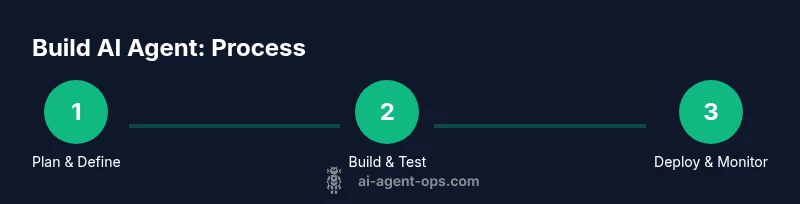
Developing an AI agent is an iterative lifecycle, not a single project milestone. Start with a lightweight prototype, then test in a controlled sandbox before moving to production. Use automated tests that exercise decision paths, not just output quality. Monitor real-time behavior with dashboards that show tool usage, latency, and escalation events. Establish a rollback strategy so you can revert to a safe state if unexpected behavior occurs. Revisit prompts and tool definitions after every major iteration. Finally, plan for continuous improvement: collect feedback, measure impact, and schedule periodic reviews of governance and safety practices.
Patterns, pitfalls, and best practices
To maximize value, adopt patterns like modular tool design, context-aware memory, and clear human-in-the-loop when uncertainty rises. Common anti-patterns include over-automation without safeguards, brittle tool integrations, and confusing prompts that lead to unpredictable behavior. Keep prompts simple, test tools in isolation, and document decisions. Engineer observability from day one: log decisions, outcomes, and errors. Leverage version control for prompts and tool configs, and maintain a living design document that explains architecture choices. By following these patterns, you can shorten feedback cycles and increase the agent’s reliability and maintainability.
Real-world scenario: a customer-support AI agent
Imagine an AI agent that triages customer inquiries, fetches account details, and schedules follow-ups. It begins by reading the ticket, classifies urgency, and selects tools to retrieve order data, account status, and sentiment. If the agent detects a high-risk customer or privacy concern, it escalates to a human agent. The agent maintains a concise, auditable log of its reasoning and the actions taken, so engineers can review decisions later. This scenario illustrates how an agent can automate repetitive tasks while preserving user privacy and providing transparent, controllable outcomes. As you build your own agent, document trade-offs and patterns so your team can reuse them across products.
Tools & Materials
- Development machine with Python and Node.js(Python 3.9+, Node.js 14+, IDE like VS Code; internet access required)
- LLM API access(Obtain API key and review rate limits)
- Code editor(VS Code or equivalent; enable extensions for linting and testing)
- Git and version control(Initialize a repo; use branches for experiments)
- Data sources / sample dataset(For prompts, test prompts while ensuring privacy compliance)
- Sandbox or dev environment(Isolate experiments to prevent production impact)
- Logging and observability tools(Optional but recommended for auditability)
- CI/CD/automation suite(Optional but helps with repeatable deployments)
Steps
Estimated time: 2-4 weeks for a solid prototype; ongoing iterations after deployment
- 1
Define objectives and scope
Capture the problem in a single objective statement and list non-negotiable constraints. Identify success criteria that mix qualitative goals with optional quantitative signals. This step grounds all future decisions and reduces scope creep.
Tip: Write a one-sentence success criterion and outline non-negotiables before coding. - 2
Select data sources and access
Audit available data, permissions, and privacy constraints. Map how data will flow into the agent and which tools will consume it. Prepare data access plans that align with governance policies.
Tip: Prefer data with clear provenance and access controls; document data lineage. - 3
Design capabilities and memory strategy
Decide which capabilities the agent will have and how it will remember context. Choose memory models (short-term context vs long-term memory) that suit the task and ensure privacy.
Tip: Start with a minimal memory footprint and expand only after validation. - 4
Choose tools and integration points
Select LLMs, tool adapters, and an orchestrator that fits your needs. Define interfaces for each tool, including input/output formats and error handling.
Tip: Use mock tools during early testing to speed up iteration. - 5
Build a minimal prototype
Assemble the core decision loop with a tight feedback path. Validate end-to-end flow from goal framing to tool execution and result capture.
Tip: Keep the prototype small; add capabilities in subsequent iterations. - 6
Test, monitor, and deploy
Run automated tests for decision paths, monitor real-world usage, and implement a rollback plan. Iterate once you see stable behavior and clear metrics.
Tip: Set up dashboards that reveal tool usage, latency, and escalation events.
Questions & Answers
What is an AI agent and how does it differ from a bot?
An AI agent autonomously selects actions to achieve goals in a given environment, combining reasoning with tool use. A bot typically follows scripted prompts with limited autonomy. Agents emphasize decision loops, safety, and governance.
An AI agent chooses actions to reach goals using tools, while a bot often follows predefined prompts without deep autonomy.
Do I need advanced data science background to build an AI agent?
Not necessarily. A practical path starts with clear problem framing, basic ML/LLM concepts, and hands-on experimentation with templates and tooling. You can learn by building small, safe pilots.
You don’t need an advanced data science degree—start with a clear problem, basic concepts, and hands-on practice.
What are safety considerations when building AI agents?
Implement action restrictions, escalation paths, and explicit termination conditions. Maintain audit logs and ensure human oversight for high-risk tasks.
Use safety rails, escalation to humans when needed, and keep thorough logs for accountability.
Which tools are best for building AI agents?
A mix of an LLM, tool adapters, memory modules, and an orchestrator works well. Prioritize modularity, observability, and safe execution over all else.
Choose modular tools with good observability and safe execution.
How do I test an AI agent’s behavior?
Create automated tests that cover decision paths and tool interactions. Use sandboxed environments and guardrails to validate safety and reliability before production.
Test decision paths in a sandbox with guardrails before going live.
How do I deploy and monitor an AI agent in production?
Deploy with a rollback plan, set up dashboards for monitoring tool usage and latency, and schedule periodic governance reviews to ensure ongoing compliance.
Deploy with a rollback plan and dashboards to monitor performance and safety.
Watch Video
Key Takeaways
- Define a clear objective and scope for your AI agent.
- Choose data sources and tools with strong governance in mind.
- Design memory and environment interfaces for reliability.
- Implement safety rails, auditing, and rollback capabilities.
- Iterate from prototype to production with strong monitoring.