How to Build an AI Agent: A Practical Guide
Learn step-by-step how to build an AI agent, from defining goals and architecture to safety, testing, and iteration. A comprehensive guide for developers and leaders exploring agentic AI workflows.


In this guide you will learn how is an ai agent build and what it takes to design, assemble, test, and deploy an agent that can perceive, reason, and act. According to Ai Agent Ops, the process centers on defining a task, selecting modular components, and validating outcomes through iterative experiments. This quick answer outlines the core steps and prerequisites you need to start.
What is an AI agent and how is an ai agent build
An AI agent is a software entity that observes its environment, reasons about goals, and takes actions to achieve outcomes. Building an AI agent starts with translating a business objective into concrete tasks and measurable criteria. The phrase 'how is an ai agent build' is commonly asked by teams exploring agent-centric automation, and the answer depends on a modular stack rather than a single monolith. According to Ai Agent Ops, successful agent construction begins with clear goals, a flexible component model, and robust validation. In practice, you define what the agent should accomplish, how you will know if it succeeded, and what data sources it may access. This foundation informs every subsequent decision about tools, interfaces, and safety controls. A well-scoped project reduces complexity and accelerates learning as you move from a minimal viable version to a fully capable agent. By starting with a precise scope and a plan for measurement, teams avoid feature creep while maintaining the ability to demonstrate tangible value early on.
The first principles of agent design
Effective AI agents share a common design philosophy: separation of concerns, explicit goals, and observable behavior. You should separate perception (input processing), reasoning (planning and decision making), and action (execute outputs and interact with tools). Each component should have a clear interface and be testable in isolation. The Ai Agent Ops framework emphasizes incremental delivery: begin with a tiny, well-defined task, then expand capabilities as you validate outcomes. This disciplined approach helps teams manage risk and build trust with stakeholders. As you structure your project, keep in mind the lifecycle: design, implement, test, monitor, and iterate. This lens helps you prioritize safety, explainability, and maintainability throughout the build.
Tools & Materials
- Developer workstation(8-core CPU, 16 GB RAM minimum; SSD preferred)
- Programming language(Python 3.10+ is common for AI agent prototyping)
- Access to AI platform APIs(API keys, quota, and rate-limit awareness)
- Code editor/IDE(VSCode, PyCharm, or equivalent)
- Version control(Git with remote repository (GitHub, GitLab, etc.))
- Testing environment(Isolated sandbox with mock data and rate-limiting)
- Vector database / embeddings store(Used for memory and retrieval; examples include vector stores)
- Tooling for orchestration(A framework or library to manage tools, memory, and planning)
- Secret management(Vault or secure environment variables for credentials)
Steps
Estimated time: 4-6 weeks
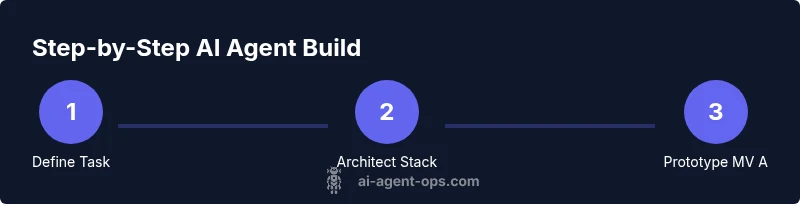
- 1
Define task and success criteria
Articulate the agent's goal in clear, measurable terms. List the inputs, constraints, and what constitutes success (metrics, time, quality). This step anchors the entire build and guides design decisions.
Tip: Document KPIs and create a one-page task brief. - 2
Map architecture and data flows
Sketch how perception, reasoning, memory, and action interact. Identify external data sources and the signals that trigger decisions. Define data formats, latency targets, and failure modes.
Tip: Use diagrams to visualize end-to-end flows. - 3
Choose a modular stack
Select the core components: language model, tool interfaces, memory layer, and orchestrator. Favor loose coupling so you can swap components as needed without reworking the entire system.
Tip: Prefer well-defined interfaces and versioned contracts. - 4
Design perception and environment interfaces
Specify how the agent perceives input (text, images, events) and how it interacts with its environment (APIs, databases, local apps). Include input validation and normalization steps.
Tip: Guard inputs against unexpected formats and noise. - 5
Prototype a minimal viable agent
Build a small agent that demonstrates core behavior with a single goal and limited tool use. This MV A validates feasibility before expanding capabilities.
Tip: Start simple to learn quickly and reduce risk. - 6
Implement tools and safe tool usage
Wrap external calls in safe wrappers, with error handling, retries, and auditing. Define which tools the agent can use and under what conditions.
Tip: Limit tool surface area to minimize risk. - 7
Add safety rails and monitoring
Incorporate guardrails, rate limits, content filters, and anomaly detection. Establish logging to trace decisions and outcomes for debugging.
Tip: Log decisions with context for traceability. - 8
Test with scenarios and iterate
Create representative scenarios to exercise the agent’s decision paths. Use both synthetic data and realish data to validate robustness and identify failure modes.
Tip: Automate scenario tests and regression checks. - 9
Evaluate readiness and plan deployment
Assess reliability, latency, and safety at a system level. Prepare rollback plans and performance dashboards before going live.
Tip: Have a staged rollout with monitoring and alerting.
Questions & Answers
What is an AI agent?
An AI agent is a software entity that perceives its environment, reasons about goals, and takes actions to achieve outcomes. It combines perception, planning, and action with external tools or data sources.
An AI agent is a smart system that perceives, reasons, and acts to meet its goals, using tools and data.
How does an AI agent interact with tools?
An agent uses a defined set of tools through wrappers or APIs. It selects tools based on goal-driven plans and includes safeguards like error handling and rate limits.
The agent chooses tools, calls them through safe wrappers, and handles failures gracefully.
What role does memory play in an AI agent?
Memory stores context, past actions, and retrieved data to inform current decisions, enabling continuity across steps and scenarios.
Memory keeps track of what happened before so the agent can reason with context.
How long does it take to build an AI agent?
Time depends on scope, but expect an iterative cycle of design, prototype, test, and refine. Start with a minimal viable agent to accelerate learning.
It varies, but start small and iterate. A basic agent can be prototyped in weeks.
What are the biggest risks when building AI agents?
Risks include data privacy, unsafe actions, tool misuse, and unpredictability. Mitigate with guardrails, auditing, and governance.
Key risks are privacy, safety, and unpredictable behavior; guardrails help.
What is the difference between an agent and a bot?
An agent typically reasons about goals and uses tools to achieve outcomes, whereas a bot often performs scripted tasks without adaptive decision-making.
Agents reason and decide; bots follow fixed rules.
Watch Video
Key Takeaways
- Define clear success criteria and metrics.
- Build with modular components for flexibility.
- Prioritize safety, logging, and monitoring.
- Iterate with realistic scenarios and data.
- Evaluate build-vs-buy tradeoffs early.