What Is AI Agent and How to Build It: A Practical Guide
Explore what AI agents are, their core components, architectures, and a step-by-step approach to designing, building, and deploying agentic AI workflows in real-world projects.


An AI agent is a software system that autonomously perceives its environment, reasons about goals, selects actions, and uses tools or APIs to achieve tasks. This guide defines the concept and presents a practical, repeatable process to design, prototype, test, and deploy agentic AI workflows in real projects for developers and teams. The AI agent paradigm emphasizes autonomy, adaptability, and tool integration to accelerate automation.
What is an AI agent? Foundations and definitions
In the simplest terms, an AI agent is a software entity designed to perceive its environment, reason about goals, decide on a course of action, and execute tasks through tools or APIs. This is the essence of agentic AI: a loop of sensing, deciding, acting, and learning from outcomes. To answer what is ai agent and how to build it, start with a clear definition that separates agents from traditional automation: agents operate autonomously, adaptively, and with some level of intent, rather than simply running predetermined scripts. A well-built AI agent frames goals, constraints, and success criteria, then orchestrates perception (data from sensors, events, or user input), reasoning (planning or reactive rules), and action (calling tools, updating state, or prompting a model). Across industries, effective agents combine a lightweight architecture with disciplined engineering practices—modular components, clean interfaces, and robust safety guards. According to Ai Agent Ops, the best starting point is to articulate the agent’s intended outcomes, the tools it can use, and the boundaries within which it must operate. This framing makes subsequent design decisions more concrete and repeatable for teams of developers, product managers, and business leaders exploring agentic AI workflows.
Core components of an AI agent
An AI agent typically comprises several core components that work together to achieve goals. First, a clear goal or intent specification defines what success looks like and what constraints apply. Second, perception modules gather data from sensors, logs, APIs, or human input. Third, a reasoning layer determines how to achieve the goal, either through planning, rule-based inference, or reactive decision-making. Fourth, an action engine executes tasks via tools, API calls, or prompt-driven interactions with a model. Fifth, memory and state management store context across turns and tasks, enabling continuity and learning. Finally, a safety and governance layer enforces boundaries, rates limits, and auditing. Together, these parts form a feedback loop: observe, decide, act, observe results, and adapt. Practical design favors modularity: each component can be improved or swapped without overhauling the entire system. This modularity also supports testing, scaling, and maintenance over the life of the project.
Agent architectures: Plan-based, reactive, and hybrid
Agents come in several architectural styles, each with trade-offs. Plan-based agents maintain explicit goals and generate long-term plans, then execute steps. They excel at complex, multi-step tasks but can be brittle if plans become outdated. Reactive agents respond to events or prompts with immediate actions, offering speed and robustness in dynamic environments but risking short-sighted decisions. Hybrid approaches combine planning for high-level direction with reactive rules for rapid adaptation, balancing foresight with responsiveness. When choosing an architecture, align with the task complexity, required reliability, and integration needs. A small, real-world project often starts as a reactive agent and evolves into a hybrid design as requirements grow. Remember to document decision criteria and evolve the architecture alongside user feedback and changing constraints.
Tools and data: Memory, context, and tooling
Effective agents rely on well-managed context and reliable tooling. Memory stores are essential for preserving state across conversations or tasks, enabling continuity and personalized interactions. Context windows or embeddings help determine what information to fetch or prioritize in a given moment. Tooling layers expose capabilities: APIs, databases, file systems, search services, or external models. A robust design treats tools as interchangeable adornments rather than hard-wired dependencies, enabling you to swap providers with minimal changes to higher-level logic. Data governance matters here: ensure proper access control, credential management, and auditing so the agent’s actions are transparent and compliant. Finally, latency and resilience are critical: design for retries, fallbacks, and graceful degradation when a tool is unavailable.
The agent lifecycle: from design to deployment
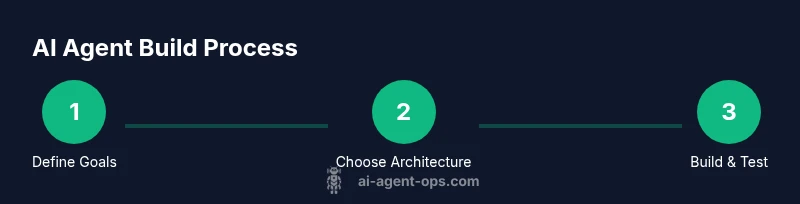
A practical lifecycle starts with problem framing: define goals, success metrics, and constraints. Next is rapid prototyping: build a minimal viable agent that can perform a small, concrete task. Then, iterate through testing, feedback collection, and refinement. Deployment introduces monitoring, observability, and governance checks. Continuous improvements come from running real tasks, collecting data on failures, and updating models, prompts, or tools. A disciplined lifecycle also includes rollback plans and versioning to protect against regressions. By treating the agent as an evolving product, teams can deliver steady value while maintaining safety and quality.
Building safely: governance, safety, and monitoring
Safety must be built in from day one. Implement guardrails that constrain actions, enforce rate limits, and require human oversight for high-risk tasks. Maintain detailed logs of decisions, actions, and outcomes to enable post-mortems and audits. Use sandboxed environments for testing, with synthetic data where possible. Establish access controls for tools and credentials, and rotate secrets regularly. Define escalation paths if the agent encounters ambiguous prompts or tool failures. Finally, monitor performance, reliability, and bias indicators to detect drift and maintain user trust. A principled approach to safety reduces risk without stifling innovation.
Practical implementation patterns: LangChain, agents, and orchestration
In practice, teams adopt patterns that separate reasoning from action. Pattern A uses a central orchestrator that selects tools and prompts the model with structured plans. Pattern B relies on an agent library that coordinates calls to a set of tools, memory stores, and evaluation steps. Pattern C emphasizes orchestration across multiple agents or agents collaborating to complete a task. Start with a minimal pattern, then incrementally add tooling, memory, and governance components. Embrace observability: structured logs, standardized interfaces, and clear metrics. This modular approach keeps complexity manageable while enabling scalable agent networks.
Evaluation and iteration: testing scenarios and metrics
Evaluation should cover functional correctness, reliability, and user impact. Create realistic test scenarios that reflect actual workflows and edge cases. Metrics to monitor include task success rate, response quality, latency, and tool failure rates. Use A/B testing or controlled experiments to compare design choices, such as planning depth or tool sets. Collect qualitative feedback from users to identify friction points and areas for improvement. Iterate quickly: adjust prompts, tweak tool integrations, or rewrite decision logic based on data. A disciplined evaluation mindset accelerates learning and reduces risk as you scale.
Real-world examples and next steps for teams
Teams can start by identifying a high-value, narrow task suitable for an AI agent, such as triaging support tickets or automating data gathering for a report. Define clear goals, required tools, and safety boundaries. Build a small MVP, validate it with real users, and measure impact against concrete metrics. As confidence grows, expand the agent’s scope, integrate additional tools, and establish governance practices. The journey from concept to production is iterative and collaborative, requiring cross-functional alignment and ongoing learning.
Tools & Materials
- Code editor and runtime environment(Set up Python 3.x or Node.js environment with virtualenv or nvm)
- API keys and access to tooling(Use sandbox/test credentials; never hard-code keys)
- Documentation and design artifacts(Goals, success criteria, data flows, and risk register)
- Test data and synthetic scenarios(Include representative edge cases; avoid real PII in tests)
- Logging and observability stack(Structured logs, tracing, metrics dashboards)
- Version control(Git repository with branching strategy for experiments)
- Security and credential vault(Secret management for API keys and tokens)
Steps
Estimated time: 4-6 hours
- 1
Define the goal and success criteria
Clarify the task the AI agent should perform, the desired outcomes, and measurable success criteria. Align with stakeholders and establish safety boundaries from the start.
Tip: Document acceptance criteria and escalation rules before coding. - 2
Choose an agent architecture
Select between plan-based, reactive, or hybrid approaches based on task complexity and reliability requirements.
Tip: Start with a simple reactive loop and evolve to a hybrid if needed. - 3
Define actions and tool access
List the tools (APIs, databases, search) the agent will use and define safe invocation patterns.
Tip: Prefer uniform tool interfaces to reduce integration friction. - 4
Design memory and context management
Implement a memory layer that preserves relevant state across turns and tasks.
Tip: Limit context size to essential information to optimize performance. - 5
Implement safety guardrails
Add prompts, constraints, and validation to prevent harmful or unintended actions.
Tip: Include an explicit human-in-the-loop decision point for high-risk tasks. - 6
Prototype and test with scenarios
Build a minimal viable agent and validate against representative tasks and edge cases.
Tip: Use synthetic data to isolate behavior before live data. - 7
Deploy with observability
Roll out to a staging environment with dashboards for latency, success rate, and failures.
Tip: Enable structured logging to simplify debugging. - 8
Iterate based on feedback
Collect user feedback, analyze failures, and refine prompts, tools, and governance rules.
Tip: Treat deployment as an ongoing product rather than a one-time build.
Questions & Answers
What exactly is an AI agent and how is it different from automation?
An AI agent combines perception, reasoning, and action to autonomously perform tasks using tools. Unlike scripted automation, agents adapt to inputs, goals, and new data, and they can decide when and how to act. The difference is autonomy and adaptability, not just execution.
An AI agent acts on its own using tools and data, adapting to new situations beyond fixed scripts.
Which architecture should I start with for a simple task?
For a simple task, start with a reactive design that responds to inputs with immediate actions, then consider adding planning for more complex workflows if needed.
Begin with a reactive setup, then grow into a hybrid architecture as requirements grow.
What tools or integrations are essential when building an AI agent?
Essential tools include API access to required services, a memory/context store, a structured orchestrator, and a logging/observability stack to monitor performance and safety.
You’ll need tools for APIs, memory, orchestration, and good logs to watch how it behaves.
How can I ensure safety and governance without slowing development?
Incorporate guardrails early, use sandbox environments, and implement escalation points for high-risk tasks. Regular auditing and incremental rollout help balance safety with speed.
Add guardrails up front and test in safe environments; escalate when tasks are high risk.
How do I measure the success of an AI agent?
Measure task completion rate, latency, reliability, and user impact. Use these metrics to guide iterations and improvements.
Track completion, speed, and reliability to guide improvements.
What is the typical lifecycle of an AI agent project?
Begin with framing the problem, build a minimal viable agent, test, deploy with monitoring, and iterate based on feedback and metrics.
Frame the problem, build a small agent, test, deploy, and iterate.
Watch Video
Key Takeaways
- Define clear goals and success criteria.
- Choose an architecture that fits task complexity.
- Modularize components for maintainability.
- Prioritize safety, governance, and observability.
- Iterate with real-world scenarios and data.