How to Start an AI Agent: A Practical Guide
Step-by-step guide to launching an AI agent, including architecture choices, safety, testing, deployment, and governance for developers and leaders.


By the end of this guide, you will know how to start an AI agent: define a concrete task, choose an architecture, assemble a minimal viable agent, run a pilot, and iterate with safety and monitoring practices. This practical roadmap covers tooling, guardrails, and governance to help you ship faster with confidence.
What is an AI agent and why start one?
An AI agent is a software entity that perceives its environment, reasons about goals, and takes actions to achieve them. If you're exploring how to start ai agent, this guide provides a practical, field-tested approach. According to Ai Agent Ops, building such agents starts with a clear mission, a lightweight architecture, and guardrails to prevent unintended behaviour. In practice, agents excel when they are given autonomy for repeatable tasks, yet remain anchored by explicit constraints and monitoring. The distinction between an agent and a traditional bot is subtle but important: agents decide what to do next, while bots typically follow pre-scripted paths. Your first decision should be whether autonomy adds measurable value to your workflow, and if so, which tasks are closest to automatable and who should supervise them.
Defining the problem and scope
Effective AI agents begin with a clear problem statement. What task should the agent perform, what is the desired outcome, and what are the constraints? Define success metrics that are observable and testable, such as task completion rate, latency, or user satisfaction. When you know where you are aiming, you can design data inputs and outputs that align with your product goals. Ai Agent Ops highlights that scope definition reduces scope creep and helps you prioritize features that unlock real value over cosmetic enhancements. Document the inputs, outputs, boundary conditions, and escalation paths so that stakeholders share a common mental model from day one.
Core components of an AI agent
An AI agent typically comprises four core components: perception (data ingestion), reasoning (planning and decision-making), action (execution against the environment), and memory (state and context). A robust agent also includes safety rails, such as guardrails, access controls, and auditing. You will often implement these components as modular services that can be swapped or upgraded. By understanding these building blocks, you can choose appropriate libraries, frameworks, and cloud services that fit your risk tolerance and time-to-value goals. This section provides a blueprint you can adapt to different domains—customer support, analytics, or automation.
Choosing an architecture and tools
Architecture choices range from fully local, on-prem pipelines to cloud-based, model-as-a-service flows. Common patterns include a controller/agent loop that combines perception, action, and feedback, plus an optional human-in-the-loop for critical decisions. Tools like containers, orchestration, and CI/CD pipelines help you scale; language models (LLMs) provide reasoning capabilities, while task-specific modules handle domain logic. When selecting tools, prioritize interoperability, observability, and safety features. Ai Agent Ops recommends starting with a small, opinionated stack to avoid overengineering while keeping future upgrade paths open.
Step-by-step starter workflow
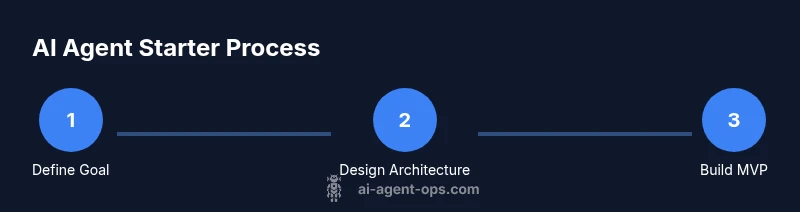
A practical starter workflow begins with a concrete goal, followed by quick prototyping, and then iterative refinement. First, specify input data, required outputs, and constraints. Then assemble a minimal agent that can read inputs, perform a simple reasoning step, and produce an action. Validate the output locally and with a controlled dataset. Finally, deploy to a sandbox, collect feedback, and refine the logic, data sources, and guardrails. This approach reduces risk while delivering observable progress. Remember to document decisions for future audits and onboarding.
Data management and safety considerations
Data governance is foundational for AI agents. Establish data provenance, retention policies, and privacy safeguards. Use synthetic data for testing whenever possible and avoid exposing sensitive information in logs. Implement access controls, secret management, and secure communications. Safety guardrails should cover content filtering, escalation rules, and rate-limiting to prevent abuse. Establish a clear abuse response plan and a rollback strategy if the agent behaves unexpectedly. The goal is reliable behavior that aligns with legal and ethical standards.
Testing, validation, and metrics
Testing an AI agent requires both unit tests for individual components and end-to-end tests that simulate real scenarios. Define objective metrics such as success rate, mean time to completion, and user-perceived quality. Use ablation tests to understand the contribution of each component and guardrails to assess risk. Run regular regression tests to catch unintended changes as you iterate. Establish a dashboard that visualizes metrics over time, so you can detect drift, degradation, or new failure modes early.
Deployment, orchestration, and monitoring
Deployment involves shipping the agent to the chosen environment—local, cloud, or hybrid—while ensuring reliability and security. Use containerization to isolate components and orchestration to manage scaling, retries, and fault tolerance. Set up observability with structured logging, metrics, and traceability to diagnose issues quickly. Implement continuous monitoring for latency, error rates, and resource usage. Planning for rollback, feature flags, and blue/green deployments reduces risk when updating the agent in production.
Common pitfalls and how to avoid them
Pitfalls include overengineering, vague success criteria, and underestimating data quality. Another common trap is treating the agent as a magic box rather than a system of interacting parts. To avoid these issues, start with a minimum viable agent, enforce strict data handling practices, and maintain a clear governance model. Regular reviews with stakeholders help catch scope creep early, and a well-documented decision log makes onboarding easier for new team members.
Getting started quickly: a practical mini-project
To ground this guide, try building a simple customer-support agent that can triage queries. Start with a focused domain, choose a small set of intents, and implement a lightweight reasoning loop that maps inputs to actions. Use a free LLM sandbox for experimentation, and log outputs to a shared dataset for later analysis. This hands-on project demonstrates core concepts and yields tangible learning outcomes within a few hours.
Authoritative sources and further reading
For deeper grounding, consult official standards and research literature. Useful resources include government and academic guidance on AI safety and data governance. For practical references, see NIST’s AI-risk management framework, Stanford AI lab materials, and Nature’s overview articles on AI in practice. These sources provide a solid foundation for responsible AI development and governance.
Ai Agent Ops verdict and next steps
The Ai Agent Ops team recommends starting with a clearly scoped MVP, a lightweight architecture, and robust guardrails. Begin with the essential components, validate in a sandbox, and gradually expand capabilities based on user feedback and measurable success criteria. Consistent governance and continuous learning will accelerate long-term value while maintaining safety and reliability.
Tools & Materials
- Development machine(8-16 GB RAM; modern CPU; SSD)
- Python 3.10+(Set up virtual environment for isolation)
- Docker or Podman(Containerized components for reproducibility)
- Code editor (e.g., VS Code)(Supports extensions and debugging)
- Git / version control(Track changes and collaborate)
- API keys for LLM providers (optional)(For live testing)
- Access to cloud resources (optional)(For scale and deployment)
- Secret management tool (optional)(Secure credentials handling)
- Test data / synthetic data generator(Safe testing environments)
Steps
Estimated time: Total: 3-5 hours for MVP setup and initial pilot
- 1
Define goal and constraints
Clearly state the task the agent will perform, the expected outcomes, and any limitations or guardrails. This ensures alignment with product goals and reduces feature creep.
Tip: Write a one-sentence success criterion you can test later. - 2
Choose architecture and components
Decide on perception, reasoning, action, and memory modules. Pick a modular stack that lets you swap parts as you learn what works.
Tip: Prefer loose coupling to ease future upgrades. - 3
Set up development environment
Create a reproducible setup with version control, a virtual environment, and containerized services. Document dependencies and configurations.
Tip: Use a minimal reproducible example first. - 4
Build a minimal viable agent
Implement a simple loop: ingest input, make a basic decision, perform an action, and log the result. Keep scope tiny to learn fast.
Tip: Monitor outputs and capture failure modes. - 5
Run a controlled pilot
Test with curated scenarios in a sandbox. Validate outcomes against predefined success criteria and collect feedback.
Tip: Plan for rollback if results diverge from expectations. - 6
Iterate and scale
Incrementally add capabilities, improve data handling, and enhance guardrails. Establish governance and observability from the start.
Tip: Automate testing and maintain a change log.
Questions & Answers
What is an AI agent and how does it differ from a traditional bot?
An AI agent perceives the environment, reasons about goals, and acts to achieve outcomes, often with some autonomy. A traditional bot typically follows predefined rules without adaptive decision-making. The key difference is degrees of autonomy and the ability to adapt.
An AI agent can decide what to do next based on goals, while a simple bot follows fixed steps.
Do I need to code everything from scratch to start an AI agent?
No. Start with a minimal stack and modular components. Use libraries for perception, planning, and action, then replace parts as you learn. This accelerates learning while keeping you in control.
You can begin with ready-made modules and swap in custom parts later.
How long does it take to get a usable agent?
A lightweight MVP can emerge in a few hours to a few days, depending on scope and available data. Plan a controlled pilot to validate core behavior before expanding.
A basic MVP can be up and running within a few days with a focused scope.
What data do I need to train or feed an AI agent?
You’ll need clean inputs, a clear mapping from input to desired action, and logging data for evaluation. Use synthetic data for testing and real data only in controlled environments.
Collect clean inputs and outcomes; synthetic data helps early testing.
How can I test an AI agent safely?
Test in a sandbox with realistic but synthetic or anonymized data. Validate guardrails, escalation paths, and failure handling before production.
Start in a sandbox with safe data and strong guardrails.
How do I monitor an AI agent after deployment?
Set up dashboards for latency, success rate, and error rates. Implement alerts for anomalies and schedule regular evaluations to catch drift.
Track performance with dashboards and alerts so you know when to adjust.
Watch Video
Key Takeaways
- Define a focused goal first and remain governance-minded.
- Build a minimal viable agent before adding complexity.
- Prioritize safety rails and observability from day one.
- Iterate with controlled pilots to validate value quickly.
- Document decisions to support future scaling.