How to Create AI Agent Workflow
A comprehensive, step-by-step guide to designing, building, and validating AI agent workflows for smarter automation. Learn patterns, components, testing, and governance to deploy reliable agent-based solutions.


You're about to learn how to create ai agent workflow that coordinates tasks across services, selects suitable LLMs and tools, and enforces safety checks. By the end you can design, prototype, and test an end-to-end agent workflow for real-world use cases. Key prerequisites include a clear use case, accessible APIs, a lightweight dev environment, and a simple testing plan.
Why a well-designed AI agent workflow matters
In many modern organizations, AI agents act as copilots, orchestrating tasks across tools, services, and data stores. If you want to scale automation while maintaining reliability, you need a disciplined approach to building and operating these agent workflows. If you’re learning how to create ai agent workflow, start by framing the problem and outputs. According to Ai Agent Ops, a well-defined workflow minimizes handoffs, clarifies ownership, and enables safer experimentation. This is not just about code; it’s about governance, observability, and clear decision boundaries. Start by articulating the use case: what decision will the agent make, what inputs will it require, and what outputs will it produce? Define success criteria that are specific, measurable, and time-bound. Finally, outline how humans will intervene if the agent encounters situations outside its design envelope.
The first real win comes from narrowing scope. Too broad an automation can become brittle, especially when dealing with noisy data or flaky external services. A focused scope gives you faster feedback loops, meaningful metrics, and a safer environment for experimentation. As you sketch your initial workflow, remember that you are designing a system that will evolve; plan for modularity and replaceability from day one. This mindset makes it easier to add new tools, swap LLMs, or adjust prompts without rewriting large portions of the pipeline.
If you are serious about this topic, you’ll want to map inputs, outputs, and decision points early. This mapping informs error handling, rate limits, cost controls, and user-facing guarantees. The Ai Agent Ops team emphasizes that governance cannot be an afterthought; it should run alongside development, guiding how data moves, how results are interpreted, and how the system recovers from failures.
If you’re curious about practical outcomes, consider this: a well-scoped AI agent workflow reduces misinterpretations by providing explicit prompts, tool contracts, and observable traces. When teams learn how to create ai agent workflow with disciplined design, they unlock faster iteration, safer experimentation, and more predictable results.
tipListNoteFallbackNeeded
Tools & Materials
- API keys and access tokens(For OpenAI, Azure, or other providers; store securely)
- Development machine with Python 3.x or Node.js 18+(Choose based on your stack; ensure local dev is reproducible)
- Code repository (Git)(GitHub, GitLab, or other VCS; enable protected branches)
- LLM provider access(Account with appropriate plan; manage usage limits)
- Task orchestration platform(Airflow, Temporal, or a lightweight runner)
- Testing and mock services(Postman/Insomnia, mock servers, and data generators)
- Observability stack(Logging, metrics, tracing (e.g., OpenTelemetry))
- Policy and governance documents(Data handling, security, and risk guidelines)
Steps
Estimated time: Estimated total time: 3-5 hours
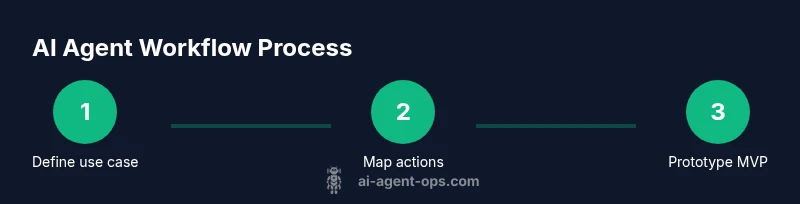
- 1
Define the use case and success criteria
Clarify what decision the agent makes, inputs required, and expected outputs. Write measurable acceptance criteria and a minimal viable outcome.
Tip: Write acceptance criteria as testable experiments you can automate. - 2
Map tasks to actions and data flows
Break the use case into discrete tasks the agent will perform, map data inputs/outputs, and identify decision points.
Tip: Draw a lightweight data flow diagram to surface dependencies. - 3
Choose architecture and components
Select LLMs, tools, memory strategy, and an orchestrator. Decide stateless vs. stateful boundaries.
Tip: Prefer modular, replaceable components to ease testing. - 4
Prototype a minimal viable workflow
Build a small end-to-end loop that performs core actions with minimal risk exposure and visibility.
Tip: Start with the simplest loop you can validate. - 5
Add safeguards and observability
Instrument the workflow with logging, tracing, retries, timeouts, and guardrails around sensitive actions.
Tip: Enable alerting on failures and unexpected outputs. - 6
Test, iterate, and optimize
Run automated tests, simulate edge cases, review results, and refine prompts, tools, and policies.
Tip: Treat testing as a product habit, not a one-off.
Questions & Answers
What is an AI agent workflow?
An AI agent workflow is a structured sequence of decisions and actions where an AI agent uses tools and data to complete tasks with minimal human input. It includes components for planning, execution, monitoring, and governance.
An AI agent workflow is a structured sequence of decisions and actions where an AI agent uses tools and data to complete tasks, with monitoring and governance built in.
How is it different from automation or chatbots?
Automation follows predefined steps, while an AI agent workflow adapts to inputs, selects tools, and reasons about outcomes. Chatbots interact with humans; AI agents perform multi-step tasks with data integration.
Automation follows fixed steps; AI agents choose actions and coordinate tools, often with data-driven decisions.
What are essential components to start?
Key components include an LLM, a set of tools, an orchestrator, memory or context, and observability with logging and monitoring. Start small and iterate.
You need an LLM, tools, orchestration, and good visibility to start.
How do you test AI agent workflows safely?
Use a sandboxed environment, mock services, and simulated inputs. Validate outputs against acceptance criteria and monitor for unexpected prompts or tool misuse.
Test in a safe sandbox with mocks and clear success criteria.
What are common pitfalls to avoid?
Overcomplicating the workflow, ignoring safeguards, and poor observability. Start small, enforce security, and iterate with feedback.
Don’t overbuild; add governance and visibility from the start.
Watch Video
Key Takeaways
- Define a clear use case and measurable success criteria.
- Choose modular components for flexibility and testing.
- Incorporate observability and governance from day one.
- Prototype quickly with a minimal viable workflow and iterate.