How to Do AI at Home: A Practical Guide for Developers
A comprehensive, beginner-friendly guide to doing AI at home. Learn setup, safety, projects, and step-by-step workflows for building small home AI agents.


By following this guide, you can run practical AI experiments at home using a local Python setup, CPU-friendly models, and small agents that perform useful tasks. Start with offline workflows to protect privacy before integrating cloud APIs. The quick answer: set up an environment, choose lightweight tools, and build a basic home AI agent. This approach keeps costs predictable and encourages safe experimentation.
Why learning how to do ai at home matters
Learning how to do ai at home opens doors to practical experimentation without huge teams or cloud costs. If you’re a developer, product manager, or tech leader, knowing how to do ai at home empowers rapid prototyping, privacy-preserving testing, and reliable cost control. This guide lays out a safe, achievable path to build small, useful AI agents using offline tools, desktop hardware, and open-source models. You’ll learn to plan goals, choose right tools, and run repeatable experiments that demonstrate tangible value.
Key idea: work locally first to understand data flows, model behavior, and integration points before committing to cloud-based pipelines. By keeping data on-device and using CPU-friendly models, you reduce risk and speed up iteration. This is especially important for teams exploring agentic AI workflows, where early experiments inform architecture decisions and governance.
From Ai Agent Ops’s perspective, starting small at home creates a low-friction testing ground where you can validate concepts, test safety controls, and build reusable components for larger-scale deployments. This approach also helps you develop a personal workflow that can scale later—when you’re ready to move to more capable hardware or hybrid cloud setups.
In short: learning how to do ai at home equips you with hands-on experience, demystifies complex ideas, and accelerates the path from idea to impact. Let’s walk through the practical steps, tools, and best practices to get you started today.
Tools and safe setup for home AI experiments
Getting started with home AI requires a thoughtful mix of hardware, software, and guardrails. The goal is to create a safe, repeatable environment where you can test ideas without exposing personal data or running risky models. Start with a desktop or laptop you already own, plus a CPU-friendly software stack. You’ll want to install Python, create isolated environments, and select lightweight libraries that run efficiently on consumer hardware.
Hardware-wise, prioritize a machine with at least 8 GB RAM and an SSD for fast data access. A reliable internet connection helps for API keys and model downloads, but offline-first workflows are preferred for privacy. Software-wise, install Python 3.x, set up a virtual environment, and install core libraries such as NumPy, Pandas, and a CPU-friendly ML toolkit. If you later upgrade to a GPU, you can switch to compatible versions with minimal friction.
Below is a minimal setup checklist you can follow, along with notes on why each item matters. Keeping this list lean helps you focus on learning AI concepts rather than chasing the latest hardware.
- Computer with Python installed (8–16 GB RAM recommended)
- Python 3.x and pip
- Virtual environment tool (venv or conda)
- CPU-friendly libraries (NumPy, Pandas, transformers with CPU or lightweight alternatives)
- A small offline model or micro-tuned model for local inference
Core concepts you should master before building at home
Before you start coding, grasp these core concepts to avoid common missteps. First, understand the difference between a model and an agent: a model is a fixed predictor; an agent is a system that can take actions in the world, using tools. Second, learn how prompts, tool use, and feedback loops shape behavior. Third, plan data flows and safety checks to prevent leakage or misuse. Fourth, recognize the limits of CPU-bound inference and when to leverage cloud APIs.
If you’re learning how to do ai at home, practice with simple tools: a local language model, a text-processing pipeline, and a small task you can complete offline. Track inputs, outputs, and latency to evaluate performance. Build a minimal agent that can perform a single task—e.g., draft a simple summary or fetch data from a local CSV—before scaling to multi-step workflows.
Understanding evaluation metrics, error handling, and fail-safes is essential. For example, implement basic input validation, guardrails against unsafe content, and a simple retry policy when a model returns uncertain results. Finally, document decisions, version your code, and maintain a changelog so that you can reproduce experiments later.
Build your first home AI workflow (example)
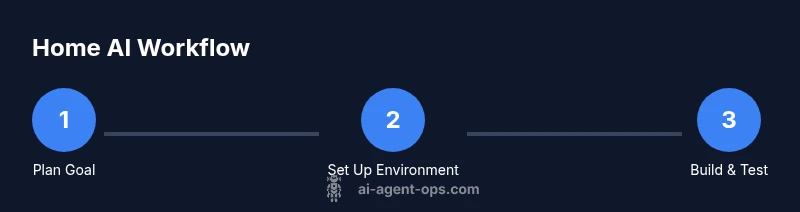
A practical starting project is a local assistant that can parse notes, answer questions about a dataset, and suggest next steps. Start by loading a small dataset (CSV) locally, then implement a simple inference loop that prompts a model to summarize data or answer questions. Keep all data on your machine and avoid sending anything to external services unless you explicitly opt-in. The core pattern is: load data -> prepare prompt -> run model locally -> post-process results -> store output.
If you’re using no-code tools, you can still implement a local agent by wiring together pre-trained models with simple scripts. The value comes from seeing how the pieces fit, not from the particular model you choose. Keep experiments scoped to a single capability to avoid complexity.
Working offline first preserves privacy and reduces costs. When you’re ready, you can connect to cloud APIs for capabilities like image analysis or advanced reasoning, but only after validating the offline version.
Realistic home AI projects to start today
Choose projects that align with your daily routines and data you already own. A local data assistant can categorize notes, summarize documents, or answer questions about a personal dataset. A home automation monitor can ingest CSV logs from smart devices and flag anomalies. A lightweight coding assistant can review small code snippets and propose improvements without sending data to external servers. Start with one project and scale only after you’ve mastered the basics.
When selecting a project, outline the goal, data inputs, expected outputs, success criteria, and a plan for privacy. This clarity helps you measure progress and decide when it’s time to seed larger models or cloud capabilities.
If you want broader ideas, consider building a tiny agent that can read your to-do list, extract action items, and propose a daily plan. Or build a local search tool that indexes documents and returns relevant passages with minimal latency.
Privacy, data handling, and safety at home
Privacy is a core concern when doing ai at home. Keep sensitive data on-device whenever possible, avoid uploading personal information to cloud services, and use data minimization practices. When you must use external APIs, ensure you understand the data you’re sending and implement explicit opt-in controls for your data.
Security basics include using isolated environments, keeping dependencies updated, and avoiding risky prompts that could exfiltrate data. Run models with restricted permissions and minimal network access. If you experiment with image or audio models, consider local-only pipelines or encrypted data handling. Finally, document decisions and review governance implications with your team or household.
Next steps and learning path
After you’ve established a basic local AI workflow, you can begin to scale safely. Start by documenting experiments, cataloging prompts, and versioning your code. Consider educational resources from AI communities and university labs to deepen your understanding of agentic AI concepts. As you grow, you may explore hybrid setups that blend offline capabilities with selective cloud access for more advanced reasoning, while maintaining strong privacy controls. The key is to iterate deliberately and keep learning.
Anti-duplication note and summary
As you move from theory to practice, remember that the goal of home AI work is to learn rapidly while reducing risk. Build small, reusable components, maintain clean code, and test often. This approach will help you transition from home experiments to formal proofs-of-concept in larger projects.
Tools & Materials
- Computer with Python installed (8–16 GB RAM recommended)(Any modern laptop/desktop suffices for CPU-based experiments)
- Python 3.x and pip(Install from python.org; ensure PATH is set)
- Virtual environment tool (venv or conda)(Isolate dependencies for repeatable experiments)
- CPU-friendly libraries (NumPy, Pandas, CPU-backed transformers)(Prefer CPU builds; avoid GPU-optimized packages unless available)
- Small offline model or micro-tuned local model(Select a model suitable for CPU inference)
- External storage or backup (optional)(Useful for datasets and model checkpoints)
- Internet connection (for initial downloads and API keys)(Offline-first workflow preferred; have offline resources ready)
Steps
Estimated time: Total time: 2-4 hours
- 1
Install Python and create a virtual environment
Install Python 3.x and ensure it is accessible from the command line. Create a dedicated virtual environment for your AI project to keep dependencies isolated. This prevents conflicts with other software on your machine.
Tip: Use python3 -m venv venv and activate it before installing packages. - 2
Install core libraries
Within the active virtual environment, install NumPy, Pandas, and a CPU-friendly ML toolkit. If you plan to run a small model locally, install a lightweight framework compatible with CPU inference.
Tip: Pin versions to avoid breaking changes during updates. - 3
Choose and configure a lightweight local model
Select a small pre-trained model suitable for CPU use. Download the model file locally and set up a simple inference script to verify it runs on your hardware.
Tip: Start with a tiny model and evaluate latency and accuracy before scaling up. - 4
Create a minimal home AI workflow
Design a simple agent that performs a single task (e.g., data summarization or local Q&A) using your model and a small dataset. Implement a loop that prompts, runs, and post-processes results.
Tip: Keep inputs small and outputs deterministic during initial testing. - 5
Run locally and observe results
Execute your workflow, measure latency, outputs, and resource usage. Note failure modes and identify safe fallbacks when results are uncertain.
Tip: Log inputs, outputs, and timings for reproducibility. - 6
Iterate and document
Refine prompts, improve data handling, and expand capabilities in small increments. Version your code and maintain a changelog for reproducibility.
Tip: Create a README with goals, data sources, and evaluation criteria.
Questions & Answers
What does it cost to start AI experiments at home?
Starting AI at home can range from a few hundred to a few thousand dollars, depending on hardware and software needs. You can begin with what you already own and scale gradually as you validate concepts.
Starting AI at home can range from a few hundred to a few thousand dollars; begin with existing hardware and scale as you validate concepts.
Do I need a GPU to get meaningful results at home?
Not necessarily. CPU-friendly models run well on common laptops for many beginner-friendly tasks. GPUs help with larger models, but offline, CPU-based experiments remain a solid starting point.
You don’t need a GPU to begin. Start with CPU-friendly models and offline experiments; GPUs help for larger models later.
Is it safe for beginners to experiment with AI at home?
Yes, as long as you keep data local, avoid sensitive information, and follow basic guardrails. Start with small, well-defined tasks and gradually expand capabilities while monitoring system behavior.
Yes, but start small, keep data local, and apply guardrails as you learn.
Can I use no-code tools to experiment at home?
No-code tools can help prototyping, but for deeper learning focus on code-based workflows to understand data handling, prompts, and model behavior. You can combine no-code tooling with coding for flexibility.
Yes, no-code tools can help you prototype, but combine them with code-based workflows for deeper understanding.
What is agentic AI, and can I experiment with it safely at home?
Agentic AI refers to systems that can take actions beyond generating text, such as calling tools. You can experiment safely at home by starting with simple agents and strong guardrails, before exploring more complex tool use.
Agentic AI involves systems that act beyond text. Start simple and add safeguards as you go.
Watch Video
Key Takeaways
- Plan goals and data flows before coding
- Start offline to protect privacy
- Use CPU-friendly models for home experiments
- Document your experiments for reproducibility
- Iterate gradually and measure outcomes