AI Agent Tutorial for Beginners: A Practical Step-by-Step Guide
A practical, beginner-friendly guide to building AI agents—from fundamentals to a hands-on mini-project. Learn core concepts, tools, and best practices for real-world automation.


This guide helps beginners build a simple AI agent using a lightweight decision loop, covering setup, core concepts, and a hands-on mini-project. According to Ai Agent Ops, starting small with a clear goal accelerates learning and builds confidence in perception, decision, and action. You’ll walk away with a practical framework you can reuse in future agent projects.
Introduction to AI agents for beginners
In this Ai Agent Ops–led era, an AI agent is a software entity that observes its environment, reasons about choices, and takes actions to achieve a goal. For beginners, the idea can feel abstract, but the core components are simple: input signals, a processing loop, and an output action. In this ai agent tutorial for beginners, we’ll ground theory in concrete steps and a friendly project. According to Ai Agent Ops, the best way to learn is by starting with a small, well-scoped task that demonstrates perception, decision-making, and feedback. You’ll encounter key terms like environment, state, action, and reward (success signal). By the end of this section you should be able to describe what an agent does, what it cannot do yet, and how it fits into broader automation goals. We’ll compare three architectures—rule-based, search-based, and learning-based—at a high level so you know where to dive deeper later. The goal is steady progress, not perfection in one sitting. Let’s keep our first goal modest and expandable.
What you will build in this guide
This tutorial guides you through a small, tangible project: a simple task runner agent that picks actions based on a minimal decision loop. The agent will operate in a tiny simulated environment with a single objective, such as completing a checklist or selecting the next task. You’ll learn enough to extend the project later with richer goals or more advanced perception. The hands-on portion emphasizes safety boundaries, clear state representation, and reproducible experiments so you can compare quick iterations. By the end, you’ll understand how agents are structured and how to validate their behavior in repeatable tests.
Core concepts: agents, environments, and goals
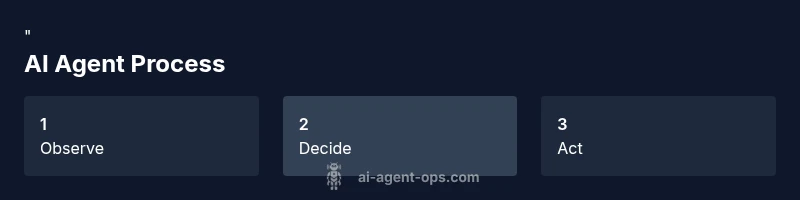
An AI agent is defined by its ability to observe, decide, and act. The environment is everything the agent interacts with, including rules, resources, and the current state. A goal is the desired outcome the agent tries to achieve, while the state captures the current situation. Actions are the moves the agent can take to transition from one state to another. A simple policy maps observations to actions; a reward signals success or progress. Understanding this trio—environment, goal, and action—lets you reason about how to design, test, and improve your agent. We’ll also touch on perception (how the agent reads signals) and the idea of a closed loop where results influence future choices.
Setting up your workspace and tools
Before you can code, ensure your workspace is organized for repeatable experiments. Prepare a lightweight Python setup, a code editor, and a minimal environment where the agent can run without external dependencies. Use version control to track changes and revert when needed. We’ll outline a practical toolset: a computer with internet, a code editor (like VS Code), Python 3.x, and core libraries for array manipulation and simple simulations. You’ll also want a small sample environment to test the agent’s behavior. Keeping the environment deterministic (same inputs yield the same outputs) makes debugging far easier. Finally, establish a simple script structure: agent.py for the agent logic, environment.py for the test environment, and run.py to execute experiments.
Step-by-step plan to get started
A clear roadmap helps beginners stay on track. Start by defining a tiny problem your agent can solve in under 30 minutes. Next, sketch a minimal state representation and a tiny action set. Then, implement a simple decision loop that reads a state, chooses an action, and updates the state. Add a basic test harness that runs the agent through several trials and records outcomes. Finally, run iterative tweaks, compare results across runs, and document what changes improved performance. This plan emphasizes small, observable wins and repeatable tests to build confidence.
Hands-on mini-project: a simple task runner agent
The mini-project focuses on a single, concrete goal: complete a checklist in a fixed order. Your agent will read the current checklist state, decide the next unchecked item, and mark it complete. The environment will provide feedback after each action, mimicking a real task-running scenario. You’ll implement a tiny loop: observe → decide → act → observe. Keep the action space limited so the agent can learn quickly. The emphasis is on clarity of state representation and deterministic testing so you can verify progress and debug more easily. After you finish, you’ll have a reusable pattern for similar automation tasks.
Scaling from basics: next steps and best practices
Once you’ve built a working mini-agent, you can scale by adding modest realism: richer environments, multi-step goals, and more complex actions. Prioritize clean interfaces, modular design, and thorough testing. Explore safer, bounded exploration to prevent runaway behavior and ensure the agent remains within defined limits. Document decisions, log results, and compare different policy approaches (rule-based vs. learning-based) to understand trade-offs. Finally, reflect on integration: how will your agent interact with other automation components or services in a real project? The path from beginner to capable practitioner emphasizes iteration, safety, and measurable progress.
Tools & Materials
- A computer with internet access(Any modern OS (Windows/macOS/Linux) will work)
- Code editor(VS Code or similar editor)
- Python 3.x(Prefer 3.9+; set up a virtual environment)
- Python packages(numpy, gymnasium or a simple simulator, and a minimal AI library (optional))
- Git(Optional version control to track changes)
- Notebook or console(Jupyter or plain terminal for experiments)
- Sample environment data(A tiny, deterministic environment to test the agent)
Steps
Estimated time: 30-45 minutes
- 1
Set up the environment
Install Python and create a virtual environment. Install minimal dependencies and set up a project structure with agent.py, environment.py, and run.py. Ensure the environment runs deterministically for repeatable tests.
Tip: Use a virtual environment to avoid conflicting packages. - 2
Define a tiny goal
Choose a single, small objective the agent should achieve (e.g., complete a checklist). Document the goal clearly and keep the state representation simple.
Tip: A well-scoped goal reduces complexity and speeds up learning. - 3
Create a minimal action set
List only a few actions the agent can take to move toward the goal. Each action should have a well-defined effect on the state.
Tip: Limit actions to safe, bounded choices to prevent loops. - 4
Implement a decision loop
Code a simple loop that reads the current state, selects an action, executes it, and updates the state. Ensure it terminates when the goal is reached.
Tip: Keep the loop deterministic for initial testing. - 5
Add a basic test harness
Create tests that run the agent in controlled scenarios and log outcomes. Use fixed seeds to ensure repeatability.
Tip: Automated tests reveal regressions after changes. - 6
Run, observe, and iterate
Execute the agent multiple times, observe results, and adjust the state representation or actions to improve performance.
Tip: Document what changes improve success rates.
Questions & Answers
What is an AI agent and how does it differ from a bot?
An AI agent is a capable software entity that perceives its environment, decides on actions, and executes them to achieve goals. Unlike simple bots, agents typically incorporate a decision loop, state management, and the possibility of learning or adapting strategies over time.
An AI agent perceives its environment, makes decisions, and acts to reach a goal, often with a loop that lets it improve over time.
Do I need programming experience to start?
Some basic programming experience helps, but beginners can start with a gentle path using Python and simple simulations. Focus on understanding the concepts first, then translate them into code incrementally.
A little programming helps, but you can start with Python and build concepts step by step.
Which tools are essential for beginners?
You’ll need a computer, a code editor, Python, and a simple simulator or environment to test the agent. Optional tools include a notebook for experimentation and version control for tracking changes.
A computer, a code editor, Python, and a small simulator are enough to begin.
Can I run these agents in a browser?
Basic agents can run in a browser using JavaScript or WebAssembly, but starting with Python in a local environment makes it easier to focus on the conceptual aspects before porting to the web.
Yes, but start with Python locally to master the concepts first.
How long does it take to learn the basics?
Mastering the basics typically takes a few hours of focused practice, with longer time needed to tackle more ambitious goals. The focus should be on consistent, incremental progress.
A few hours for basics, with more time for bigger projects.
What are common pitfalls for beginners?
Common pitfalls include overcomplicating the state space, creating unsafe or infinite loops, and skipping tests. Start simple, validate early, and iterate with small changes.
Watch out for overly complex state, unsafe loops, and skipping tests.
How can I scale a beginner project later?
Plan for modular design, replace rigid rules with adaptable policies, and gradually introduce richer environments and goals. Ensure you keep tests reliable as complexity grows.
Plan modularly and test often as you scale up.
Watch Video
Key Takeaways
- Define a small, testable goal.
- Keep state representation simple and explicit.
- Iterate with deterministic tests for reliability.
- Document decisions and outcomes for reuse.