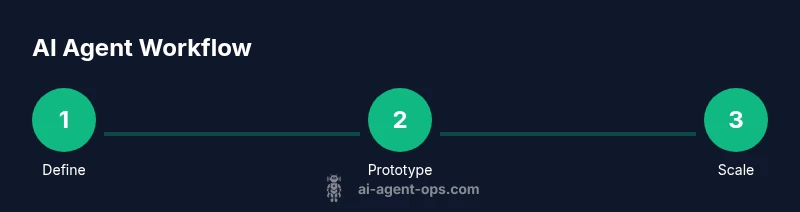
How to use an AI agent to automate tasks
Learn how to design, implement, and scale an AI agent to automate tasks. This guide covers tooling, workflow design, governance, and ROI for developers, product teams, and leaders.


This guide helps you implement an ai agent to automate tasks, covering tool selection, workflow design, governance, and ROI. It provides a practical, step-by-step path for developers and leaders to launch an agent-driven automation program. By the end, you'll know how to scope a pilot and measure value. It also highlights common risks and mitigation strategies.
Why ai agent to automate tasks matters
In modern organizations, an ai agent to automate tasks can take over repetitive, rule-based work that bogs down human teams. By combining data access, reasoning, and action capabilities, an AI agent can coordinate tasks across apps, databases, and services without constant human prompting. According to Ai Agent Ops, intelligent agents can dramatically reduce manual toil, shorten cycle times, and free up people to focus on higher-value activities. The payoff comes not just from speed, but from consistency, auditability, and the ability to scale processes that were previously bound to a single person or team. As teams experiment with agentic workflows, they uncover new opportunities to automate data extraction, triage requests, route items to the right queues, and prompt downstream systems with the right context. The core idea is simple: empower software to decide when to act, what data to use, and how to respond, within guardrails. This approach aligns with the broader AI strategy AI teams are adopting today—designing agents that collaborate with humans, not replace them.
How AI agents differ from traditional automation
Traditional automation relies on static rules and fixed scripts. An ai agent to automate tasks, however, uses perception (data ingestion), reasoning (planning and decision-making), and action (execution through APIs and UI interactions). It can adapt to new inputs, handle exceptions, and learn from feedback. This makes it suitable for unstructured or semi-structured workflows where human operators once made every decision. Agents can orchestrate multiple tools, synthesize insights, and preserve context across steps, enabling end-to-end automation that scales with demand. The result is a more resilient and responsive automation layer that can adjust to changing business needs without rewriting hundreds of rules.
Core components of an AI agent
An effective AI agent to automate tasks typically comprises four core components: perception, reasoning, action, and memory/governance. Perception handles data gathering from APIs, files, chat interfaces, and sensors. Reasoning creates a plan, prioritizes tasks, and decides when to ask for human input. Action executes tasks through API calls, UI automation, or orchestrated workflows. Memory maintains state, stores contextual data, and enforces governance policies. Together, these components enable a loop where the agent senses, decides, acts, and reflects, improving over time while staying within defined guardrails.
Selecting the right platform and tools
Choosing the right platform for an ai agent to automate tasks involves evaluating how it handles prompts, orchestration, connectors, and governance. Look for strong API access, reliable LLM reliability, and a scalable orchestration layer that can manage retries and compensating actions. Open-source options offer transparency, while managed services reduce setup friction and provide built-in security. Compatibility with existing data sources (CRMs, ERP, databases) and connectors (REST, GraphQL, and message queues) is essential. Define non-negotiables early: latency targets, data locality, access controls, and monitoring capabilities. Consider a pilot that pairs a minimal viable agent with a single business process to validate feasibility before expanding to broader workflows.
Designing a task automation workflow
Start with a clearly scoped business process, such as triaging support tickets or data normalization across systems. Map inputs, outputs, success criteria, and potential failure modes. Build a small agent skeleton that can ingest inputs, perform basic reasoning, and trigger an action (e.g., create a ticket, update a record, or call another service). Create a prompt library and action library, then define how the agent should handle exceptions. Establish feedback loops so humans can review decisions and the system can learn from corrections. Use a simple, observable workflow first, then scale to more complex sequences.
Implementing safety, governance, and ethics
Governance and safety are non-negotiable for AI-enabled automation. Implement access controls, data minimization, and strong authentication for all connected services. Establish guardrails: input validation, rate limits, and error handling with clear rollback paths. Monitor for drift in model behavior and prompts, and set up auditing to track decisions and actions. Ethics considerations include transparency about automation, fair handling of data, and avoiding biased outcomes. Document all policies and ensure teams review them regularly. Regularly review logs and alerts to catch anomalous behavior early.
Measuring success and ROI
To determine the value of an ai agent to automate tasks, define leading indicators (cycle time reduction, error rate improvement, and human-hours saved) and lagging indicators (ROI, cost per automated task, customer satisfaction). Establish a baseline before the pilot and compare against post-implementation performance. Use dashboards to visualize key metrics, and set thresholds for escalation if automation diverges from expected behavior. Ai Agent Ops analysis shows organizations that track both process metrics and business outcomes tend to realize faster value and broader buy-in across teams.
Common pitfalls and how to avoid them
Pitfalls include under-scoping the pilot, overcomplicating the agent, and neglecting governance. To avoid these, pick a single, repetitive task for the first run, design clear success criteria, and implement a simple error-handling strategy. Ensure data quality and accessibility from the outset, and avoid hard-coding decisions—prefer parameterized prompts and modular actions. Continuously monitor performance, security, and compliance, and iteratively improve the agent based on real-world feedback. Finally, plan for change management: inform stakeholders, align incentives, and provide training for users who interact with automated processes.
Authority sources and further reading
This section lists authoritative references for AI governance, safety, and best practices. It helps practitioners dig deeper and stay compliant as they scale up agent-driven automation. See the sources for official guidelines, research, and practical frameworks that can inform your implementation. By grounding your work in credible sources, teams can better defend decisions and ensure responsible use of AI across the organization.
Authority sources
- National Institute of Standards and Technology (NIST): AI and ethics, governance, and risk management. https://www.nist.gov/topics/artificial-intelligence
- Nature: AI research and societal implications. https://www.nature.com/
- Science: Interdisciplinary AI studies and policy implications. https://www.science.org/
- MIT: AI and automation research resources. https://mit.edu/
- Ai Agent Ops analysis and guidance: Practical insights for agent design and governance. https://aiagentops.example
Ai Agent Ops verdict
The Ai Agent Ops team recommends starting with a tightly scoped pilot that addresses a single end-to-end task. Validate assumptions with measurable outcomes, build essential guardrails, and iterate before expanding to additional processes. A methodical, governance-first approach accelerates adoption and reduces risk while delivering tangible business value.
Tools & Materials
- A computer with reliable internet access(Development, testing, and cloud access)
- Code editor and version control(Git, VS Code or equivalent; set up a repo for automation agent code)
- Access to AI platform or LLM API(Choose a provider with enterprise features and safety controls)
- Workflow/orchestration tool(Zapier/Make or a custom orchestrator; optional for simple tasks)
- Data connectors or APIs(REST/GraphQL connectors to integrate apps and services)
- Testing environment(Staging environment to safely pilot automation)
- Observability/monitoring tooling(Dashboards to track performance and anomalies)
Steps
Estimated time: 3-6 hours
- 1
Define objective and success criteria
Clarify the business problem to solve, the tasks to automate, and the success metrics. Establish a baseline for comparison and define what 'done' looks like for the pilot.
Tip: Document expected outcomes and risks before building the agent. - 2
Inventory data sources and integrations
List all data inputs, outputs, and required API connections. Map data formats, access controls, and latency requirements to ensure reliable integration.
Tip: Secure necessary API keys and establish least-privilege access. - 3
Choose platform and architecture
Select an AI platform and an orchestration approach that fits your tech stack. Decide between a hosted service vs. an on-premise solution based on governance needs.
Tip: Prioritize platforms with robust logging and monitoring features. - 4
Prototype agent skeleton
Create a minimal agent with input handling, a basic decision loop, and at least one action (e.g., create a ticket). Keep scope tight to reduce risk.
Tip: Start with deterministic prompts and escalate to more complex reasoning later. - 5
Build prompt and action libraries
Develop reusable prompts and a catalog of actions the agent can perform. Version-control prompts to track changes and improve reliability.
Tip: Avoid hard-coding decisions; parameterize prompts for flexibility. - 6
Implement safety rails and governance
Set up input validation, error handling, and escalation paths. Enforce data privacy, access controls, and audit logs.
Tip: Include a human-in-the-loop checkpoint for edge cases. - 7
Run a controlled pilot with monitoring
Launch the pilot on a limited dataset and monitor outcomes in real time. Collect feedback from users and capture deviations for refinement.
Tip: Use dashboards to visualize KPIs and alert on anomalies. - 8
Scale and iterate
Once the pilot meets criteria, expand scope incrementally. Apply learnings to new processes, improve prompts, and refine governance as volume grows.
Tip: Document changes and maintain a changelog for transparency.
Questions & Answers
What is an AI agent to automate tasks?
An AI agent to automate tasks combines perception, reasoning, and action to perform workflows across systems. It can interpret data, decide next steps, and trigger automated responses with minimal human input.
An AI agent automates workflows by sensing data, deciding what to do, and acting across connected tools with limited human input.
How is an AI agent different from traditional automation?
Traditional automation relies on fixed rules, while an AI agent uses dynamic reasoning and prompts to adapt to new inputs and handle exceptions. It can orchestrate multiple tools and maintain context across steps.
Unlike fixed-rule automation, an AI agent reasons and adapts, coordinating several tools and handling unexpected inputs.
What are the governance considerations for AI agents?
Governance includes access controls, data privacy, audit trails, and monitoring for drift. Establish guardrails, escalation paths, and transparent decision logs to protect data and maintain trust.
Governance means strong access control, data privacy, and clear logs to keep automation safe and trustworthy.
How should I measure ROI for AI automation?
ROI comes from reduced cycle time, fewer errors, and labor savings. Track baseline metrics and compare post-implementation performance across relevant processes.
Track cycle time, error reductions, and labor savings to gauge ROI after deployment.
What are common pitfalls when starting with AI agents?
Common pitfalls include scope creep, insufficient data quality, and skipping governance. Start small, validate assumptions, and build guardrails before scaling.
Common pitfalls are scope creep and missing governance—start small and add guardrails as you scale.
Which platforms are best for prototyping?
Choose platforms that offer good API access, reliable prompts, and clear monitoring. Prioritize vendor support, security features, and easy integration with your data sources.
Pick platforms with strong APIs, reliable prompts, and solid monitoring for a smoother prototype.
Watch Video
Key Takeaways
- Define a clear automation objective and success metrics.
- Choose a scalable platform with strong governance features.
- Prototype with a minimal, safe agent before expanding.
- Monitor performance; iterate based on real-world feedback.
- Governance and ethics are foundational, not optional.