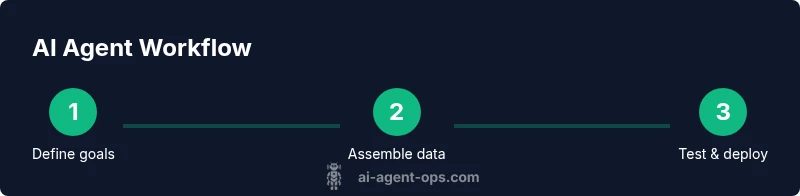
How to Use AI Agent: A Practical Guide for Teams
Learn how to use ai agent to automate tasks, orchestrate tools, and scale workflows. This guide covers goals, data, safety, and governance for successful automation.


By the end of this guide you will know how to use ai agent to automate tasks, orchestrate tools, and continuously improve workflows. You will define goals, select an architecture, connect data sources, design prompts and policies, and set up monitoring and governance. The approach emphasizes small, measurable pilots, clear success criteria, and iterative learning.
What is an AI agent and why use ai agent
As you explore how to use ai agent, it's helpful to define what an agent is. An AI agent is a software component that observes its environment, reasons about possible actions, and executes tasks through integrations with other systems. When designed well, agents can operate across data sources, apps, and APIs with minimal human input. They are not just chatbots; they are autonomous or semi-autonomous units that can plan, decide, and act.
Why bother? Because AI agents can compress decision cycles, scale repetitive work, and free teams to focus on higher-value problems. The goal is to combine perception (seeing what matters), reasoning (choosing the best actions), and action (triggering workflows). The result is a loop of continuous improvement: collect signals, adjust behavior, and learn from outcomes. In practice, using ai agent means crafting a pipeline where sensing, thinking, and acting happen in concert, with clear guardrails to prevent unintended side effects.
According to Ai Agent Ops, the strategic value of AI agents comes from pairing domain models with controllable workflows. The Ai Agent Ops team found that even modest pilots can yield outsized gains when you limit scope, define success criteria, and monitor results closely. This article provides a practical, step-by-step approach to adopting AI agents in product teams, engineering groups, and business units.
Defining your automation goals
Before you wire up any AI agent, define the outcomes you want to achieve. Start with a problem that is bounded, measurable, and valuable. For example, reducing manual triage time by 50% in a support workflow, or auto-resolving a subset of customer inquiries with a safe fallback. Write 2-3 success criteria that are observable, verifiable, and time-bound. Include both process metrics (cycle time, error rate) and business metrics (conversion rate, cost per transaction).
Next, map out the data and tools the agent will need. List the data sources, APIs, dashboards, and human-in-the-loop prompts. Decide on a minimum viable capability—what the agent must do to be deemed useful in the pilot. Align stakeholders early; set expectations for what will and will not be automated, and define guardrails to prevent scope creep. Finally, plan for governance: who owns the agent, how decisions are audited, and how changes are rolled out. A well-scoped pilot reduces risk and accelerates learning, helping teams see the value of use ai agent without overcommitting.
Choosing the right agent architecture
There are multiple architectures for AI agents, from autonomous agents that act with little human input to assisted agents that request approval for certain actions. Start with a layered approach: perception, reasoning, action. Perception interfaces capture signals from data streams, user interactions, and external events. Reasoning uses models to choose an action, apply constraints, and plan a sequence of steps. Action executes through connected systems such as CRMs, ticketing, or data stores.
Select tools that fit your environment: a language model provider, connectors, and a middleware layer for orchestration. For many teams, the recommended starting point is a modular stack that can swap out components as needs evolve. Consider cost and latency; a fast, scoped agent is often more valuable than a slow, feature-heavy system. Finally, design a clear escape hatch: if the agent cannot complete a task safely, it should defer to a human or a safe fallback. This disciplined design reduces risk while keeping automation moving forward.
Data, integration, and safety considerations
A reliable AI agent depends on quality data and robust integration. Start by auditing data sources for relevance, freshness, and privacy constraints. Ensure APIs you connect have stable schemas and agreed rate limits. Establish versioning so you can roll back changes easily. Security is essential: implement least privilege access, secret management, and audit logging for all connectors.
Safety considerations include guardrails that prevent unsafe actions. Use conservative prompts and strict decision boundaries, especially for actions with financial, legal, or regulatory impact. Build in human-in-the-loop checks for high-stakes steps and set explicit fallback behaviors if data is missing or ambiguous. Finally, log outcomes and maintain an evidence trail to support debugging and governance. With strong data hygiene and safeguards, you unlock reliable automation that scales across teams without compromising safety.
Designing agent workflows: prompts, policies, and memory
The heart of an AI agent is its workflow: the prompts, the policies that constrain behavior, and the memory or context it uses to maintain continuity. Start with task prompts that define goals, constraints, and acceptable actions. Pair prompts with explicit policies: what the agent can do, what it cannot do, and how it should handle uncertainty. Implement memory responsibly: store relevant context, results, and decision rationale in a retrievable, auditable store.
Use function calls and tool APIs to connect to external services when needed. Keep prompts short and specific, and stack prompts with fallback prompts for when confidence is low. Build a testing harness that simulates real-world scenarios and measures outcomes. Finally, design prompts to handle edge cases, such as data gaps or conflicting signals, so the agent can gracefully ask for human input when necessary.
Implementation: integration, deployment, and monitoring
Implementing an AI agent requires careful integration into existing workflows. Start by wiring the agent to a staging environment that mimics production and run end-to-end tests. Connect logging, metrics, and alerting so you can observe behavior in real time. Deploy in small, controlled increments: a single workflow, then a handful of users, with a clear rollback plan. Monitor key signals such as success rate, latency, and user satisfaction, and adjust thresholds as you learn.
Establish governance around changes: who can modify prompts, policies, or data sources, and how approvals are recorded. Use feature flags to enable gradual rollout and maintain traceability for audits. Provide clear escalation paths if the agent makes an error or encounters conflicting signals. Finally, prepare a plan for ongoing improvement: schedule reviews, post-mortems, and a cadence for retraining models or updating prompts when necessary.
Governance, risk, and ethics
As you deploy AI agents, governance becomes a key enabler of responsible automation. Define ownership and accountability for the agent’s decisions, including who can modify behavior and how outcomes are audited. Conduct risk assessments that consider data privacy, bias, and systemic impact. Establish transparency: document prompts, policies, and decision criteria so teams can review and improve.
Ai Agent Ops analysis emphasizes the need for guardrails, human oversight, and documentation to prevent unintended consequences. Regularly review performance to detect drift or errors, and maintain a policy for user consent when agents operate on sensitive data. Invest in explainability where possible: provide simple rationales for automated actions to help users understand the agent’s choices. Finally, ensure compliance with applicable laws and internal standards by keeping a living policy catalog and a clear rollback process.
Case studies and practical examples
Real-world examples illustrate how use ai agent can transform teams. In a customer-support context, a modest agent can triage tickets, fetch relevant data, and route issues to humans when confidence is low. In product operations, an agent can monitor product health metrics, surface anomalies, and initiate remediation tasks automatically. In software development, an agent can pull data from issue trackers, summarize updates, and prepare release notes for stakeholders. The common thread is starting small, measuring impact, and expanding scope as confidence grows. The most effective pilots integrate with existing dashboards and alerts so stakeholders can observe improvements in real time.
Scaling AI agents across teams
Once pilots prove value, scale systematically across teams and contexts. Create a shared catalog of prompts, policies, and connectors so teams can reuse proven patterns. Invest in discovery: catalog opportunities, estimate impact, and prioritize work based on business value. Build a lightweight center of excellence to share lessons, guardrails, and best practices for use ai agent. Align incentives: reward teams for measurable outcomes and create governance rituals to prevent fragmentation. The Ai Agent Ops team recommends starting with a single, well-defined workflow and expanding to adjacent areas only after achieving reliable performance and measurable gains.
Tools & Materials
- Project brief with objective and success criteria(One-page doc outlining goals, success criteria, and guardrails)
- Data source inventory(List all data sources, owners, access methods, and privacy constraints)
- Data connectors and API keys(Secure storage and rotation policy; least-privilege access)
- Development environment(IDE, version control, and a testing sandbox)
- Testing sandbox / staging environment(Isolated environment to validate behavior without production impact)
- Security & governance tooling(Audit logs, role-based access, and policy catalogs)
- Monitoring and observability tools(Dashboards, alerts, and performance metrics)
Steps
Estimated time: 6-12 hours
- 1
Define scope and success criteria
Clarify the problem to solve, align stakeholders, and set measurable targets. Document what success looks like and what decisions require human approval.
Tip: Write 2-3 concrete metrics and a go/no-go threshold before coding begins. - 2
Choose architecture and tooling
Select an agent architecture (autonomous vs assisted) and pick modular components that can be swapped as needs evolve. Confirm latency, cost, and security requirements.
Tip: Prefer a layered design with a safe escape hatch for high-risk tasks. - 3
Audit data sources and plan integrations
Inventory data sources, ensure data quality, and map out integration points to services the agent will touch.
Tip: Start with bounded data and a single integration to minimize risk. - 4
Design prompts, policies, and memory
Create task prompts, constrain behavior with policies, and implement a retrievable memory for context and decisions.
Tip: Keep prompts explicit and store decision rationales for audits. - 5
Build agent skeleton and connect services
Assemble the minimal viable agent and wire it to one or two services, validating the end-to-end flow.
Tip: Use feature flags to enable incremental rollout. - 6
Test in a sandbox with realistic scenarios
Run end-to-end tests that mimic real-world use cases, including failure modes and edge cases.
Tip: Automate tests for regression and drift. - 7
Deploy to staging and run a pilot
Move from sandbox to a controlled environment with a small group of users and a rollback plan.
Tip: Document every decision and monitor early outcomes closely. - 8
Monitor, log, and govern
Set up dashboards, alerts, and governance processes to track performance and compliance.
Tip: Establish a post-mortem cadence for failures. - 9
Measure, learn, and iterate
Evaluate outcomes against success metrics, retrain prompts if needed, and expand scope gradually.
Tip: Treat every iteration as a learning experiment.
Questions & Answers
What is an AI agent and how is it different from a chatbot?
An AI agent perceives, reasons, and acts across systems, automating sequences of tasks. A chatbot primarily engages in conversation without broad automation across services. Agents can operate with autonomy, while chatbots typically require ongoing user prompts.
An AI agent acts across tools and data with some autonomy; chatbots mainly chat. This distinction matters for building end-to-end automation.
How do I start using an AI agent in my product?
Begin with a small, well-scoped pilot that automates a single workflow. Define success metrics, establish guardrails, and connect one data source. Review results, then expand gradually.
Start with a small pilot, set clear metrics, and expand once you see reliable performance.
What risks should I anticipate with AI agents?
Risks include data privacy concerns, model drift, bias, and the potential for unintended actions. Mitigate with guardrails, logging, human-in-the-loop, and regular audits.
Watch for drift and bias; use guardrails and audits to stay in control.
What tooling do I need to build AI agents?
You need data source inventory, an LM provider, connectors, a testing sandbox, and governance tooling. Plan for secure access, versioning, and observability.
Gather data sources, an LM, connectors, a sandbox, and governance tools.
How can I scale AI agents across teams?
Standardize patterns, maintain a shared library of prompts and policies, and establish a center of excellence to share guardrails and learnings.
Create shared libraries and governance to scale responsibly.
How do I measure the success of AI agents?
Define metrics for performance, reliability, and business impact. Track them over time and adjust prompts, data sources, and governance as needed.
Track defined metrics over time and adapt as you learn.
Watch Video
Key Takeaways
- Define scoped goals before building.
- Design with guardrails and clear ownership.
- Pilot first, then scale with governance.
- Monitor outcomes and iterate quickly.