AI Agent Security Testing: A Practical Guide
Learn how to securely test AI agents, identify prompt injection and data leakage risks, and implement a repeatable workflow for safer, more reliable agent systems.


Goal: perform rigorous security testing of AI agents to uncover prompt-injection, data leakage, and control-hijacking risks. You'll define scope, build a sandbox, and run targeted tests across prompts, tools, and APIs. Prepare threat models, test cases, and remediation criteria, then validate fixes in a repeatable, auditable workflow. This quick guide aligns with Ai Agent Ops guidance.
What is ai agent security testing?
AI agent security testing is the practice of evaluating how AI-enabled agents behave under adversarial conditions and real-world usage. It combines traditional software security testing with AI-specific assessment, focusing on how agents interpret prompts, access tools, manage memory, and handle sensitive data. From an architectural perspective, the goal is to verify that the agent adheres to defined policies, resists perturbations, and fails safely when encountering unexpected input. According to Ai Agent Ops, effective testing starts with a clear definition of success criteria, a risk-aware scope, and a reproducible testing workflow. By treating security testing as an ongoing, collaborative discipline—integrated into development sprints rather than a final audit—you reduce risk as your AI agents evolve. This block lays the foundation for practical, repeatable tests that teams can tailor to their domain, whether customer support bots, data assistants, or decision-making agents.
Threat surfaces and attack vectors
Security testing for AI agents must map out where things can go wrong. Key surfaces include the prompt interface, the tool-usage layer, data storage and memory, and integration points with external services. Common attack vectors are prompt-injection attempts that steer behavior, data leakage through prompts or memories, model manipulation via crafted inputs, and abuse of tool APIs to perform unintended actions. Supply chain concerns—such as compromised libraries or misconfigured plugins—also deserve scrutiny. A thorough assessment identifies which surfaces carry the highest risk for your specific agent role and data sensitivity, while avoiding false positives through carefully crafted, repeatable tests.
Security testing strategy and governance
A robust strategy starts with threat modeling, risk scoring, and clear governance. Define objectives, success metrics, and a reporting cadence that fits your release velocity. Establish roles for developers, security engineers, and product owners, plus a change-control process for remediation. Incorporate security tests into CI/CD pipelines and maintain an auditable backlog of findings with prioritized fixes. Ai Agent Ops emphasizes aligning testing with business goals and regulatory requirements, so you can demonstrate due diligence to stakeholders while maintaining product velocity.
Test environment and data handling
Security testing should occur in a sandbox that mirrors production without exposing real user data. Use synthetic or redacted data, and enforce strict data access controls, encryption at rest and in transit, and strict memory isolation. Maintain separate test keys and incident response playbooks for rapid containment if a test uncovers a vulnerability. Document environment configuration, data flows, and access permissions so tests are reproducible and safe. This approach minimizes risk to customers while enabling realistic assessments.
Testing techniques and scenarios
Employ a mix of automated and manual techniques tailored to AI agents. Techniques include fuzzing prompts to expose edge-case behaviors, red-teaming to explore operational boundaries, prompt engineering to test resilience, input validation to prevent dangerous commands, and memory leakage checks to ensure data is not retained improperly. Scenario-based testing combines realistic user interactions with adversarial inputs, system failures, and recovery drills. Track how the agent handles exceptions, whether safety guards trigger, and how fallbacks affect user experience.
Remediation and verification workflow
When a vulnerability is found, document its root cause, implement a fix, and re-test. The workflow should include code changes, policy updates, and explicit rollback plans if fixes introduce regressions. After remediation, run a fresh round of focused tests and then broader regression tests to verify no new issues were introduced. Maintaining an auditable trail of changes and test results is essential for accountability and continuous improvement.
Operational considerations: logging, monitoring, and ethics
Comprehensive logging and real-time monitoring are critical during security testing. Capture all test inputs, agent decisions, tool interactions, and outcomes, while respecting privacy and data protection rules. Establish anomaly detection, alert thresholds, and dashboards that help teams spot suspicious patterns quickly. Ethical guidelines matter: avoid unnecessary data exposure, respect user consent, and ensure testing activities do not disrupt real users or violate platform policies. Ai Agent Ops highlights that responsible testing builds trust with customers and regulators.
Example test plan blueprint
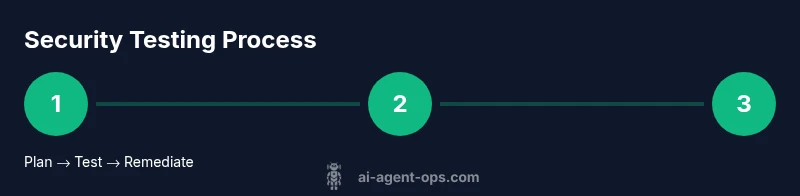
A practical blueprint covers planning, environment setup, test case development, execution, analysis, and remediation. Plan: define scope and success criteria, assemble the test team, and prepare synthetic datasets. Execute: run automated tests and guided manual reviews, then capture results in a centralized defect tracker. Analyze: prioritize findings by risk, group by surface, and propose concrete remediations. Close: verify fixes, document lessons learned, and schedule follow-up testing to confirm durability of protections.
Scaling security testing for teams
To scale, adopt reusable test suites, standardized threat models, and automated pipelines that run on every release. Invest in security champions within teams, share reproducible test data and scripts, and continuously refine detection rules. Regularly review policies for new risks introduced by new AI capabilities and integrations. The goal is to maintain a living, scalable security testing program that grows with your AI agents.
Tools & Materials
- Secure test environment(Isolated sandbox or dedicated VM with network controls)
- Synthetic data sets(Non-production data that resembles real inputs)
- Test harness and frameworks(Prompts, API mocks, and automation scripts)
- Fuzzing and red-team tools(Optional but recommended for edge-case discovery)
- Monitoring and logging stack(Centralized logs, dashboards, and alerting)
- Threat modeling templates(Documentation to capture risk surfaces)
- Access control and secrets vault(Secure storage for test credentials)
- Documentation repository(Consolidated test plans, findings, and fixes)
- Policy and compliance guides(Industry standards relevant to your domain)
Steps
Estimated time: 4-6 hours
- 1
Define scope and threat model
Identify assets, data sensitivity, and access paths. Create explicit success criteria and align with business goals. This sets the boundaries for what will be tested and what constitutes a failure.
Tip: Involve product, security, and legal early to avoid scope creep. - 2
Set up a secure test environment
Provision an isolated sandbox that mirrors production but cannot access real user data. Enforce strict access controls and network segmentation.
Tip: Use ephemeral environments to prevent cross-test contamination. - 3
Catalog assets and data flows
Map inputs, outputs, memory usage, and external tool interactions. Document where data resides and how it moves through the agent.
Tip: Create a data lineage diagram for quick reference. - 4
Design test cases for main risk areas
Develop prompts for injection, data leakage, tool abuse, and failure modes. Include positive and negative scenarios to probe resilience.
Tip: Peer-review prompts to catch hidden biases or loopholes. - 5
Implement test harness and data mocks
Build repeatable scripts to drive prompts, collect results, and compare against expected safety gates. Integrate with CI where possible.
Tip: Keep test data separate from production data to avoid leakage. - 6
Run automated tests and manual reviews
Execute tests across multiple configurations and document any deviations. Combine automated scoring with human judgment for edge cases.
Tip: Schedule periodic exploratory testing to surface novel threats. - 7
Analyze results and identify root causes
Group findings by surface, map to root causes, and estimate risk levels. Prioritize fixes that unlock the greatest safety gains.
Tip: Trace each vulnerability to a concrete remediation task. - 8
Remediate and re-test
Implement code or policy changes, then re-run the targeted tests to confirm effectiveness and check for regressions.
Tip: Automate re-testing to speed up verification. - 9
Document, report, and plan continuous improvement
Capture lessons learned, update threat models, and integrate security testing into the product roadmap. Schedule recurring reviews.
Tip: Maintain a living security testing playbook. - 10
Scale testing for teams
Create reusable templates, empower security champions, and build a pipeline that runs on every release.
Tip: Encourage cross-team knowledge sharing to reduce duplication.
Questions & Answers
What is ai agent security testing and why is it important?
AI agent security testing evaluates how autonomous AI systems behave under adversarial conditions to protect data, users, and operations. It helps prevent prompt injection, data leakage, and misbehavior that could harm users or business processes.
AI agent security testing evaluates how autonomous AI systems behave under adversarial conditions to protect data and users.
How do I begin building a threat model for an AI agent?
Start by listing assets, data flows, and entry points. Identify potential adversaries and their goals, then map threats to surfaces like prompts, tools, and memory. Prioritize risks using a simple risk matrix.
Begin with assets and entry points, map threats, and prioritize risks using a simple matrix.
What are common attack vectors against AI agents?
Prompts designed to alter behavior, data leakage through inputs or memory, unauthorized tool use, and supply chain risks from plugins or libraries. Understanding these helps craft effective tests.
Common vectors include prompt manipulation, data leakage, tool abuse, and supply chain risks.
Should testing happen in production or a sandbox?
Always start in a sandbox that mirrors production but protects real data and users. Move to staged environments before production, ensuring data policies remain intact.
Test first in a sandbox, then in staged environments before production.
What metrics indicate testing quality?
Track coverage of attack surfaces, rate of vulnerability discovery, remediation time, and post-remediation verification success. Collect qualitative feedback from product and security teams.
Look at attack surface coverage, remediation speed, and verification success.
How often should security testing be performed for AI agents?
Integrate testing into ongoing development cycles. Re-test after significant model updates, policy changes, or new plugin integrations to catch regression risks.
Retest after major updates and on a regular cadence with releases.
Watch Video
Key Takeaways
- Define clear scope and success criteria before testing.
- Use a safe, isolated environment to mimic production.
- Combine automated tests with expert review for depth.
- Remediate promptly and verify with re-testing.
- Integrate security testing into the CI/CD lifecycle.