How to Build a Simple AI Agent with LangChain
Learn to build a simple AI agent with LangChain in Python. This educational guide covers setup, core components, and a runnable pattern you can extend for real tasks in AI agent workflows.


You will learn to build a simple ai agent with LangChain in Python. This quick guide covers installing LangChain, selecting an LLM, wiring a few basic tools, and running a local test. You'll see a minimal, runnable example that you can extend for real tasks. By the end, you'll have a reusable pattern you can apply to chat assistants, data queries, or automation tasks.
What is a simple ai agent with langchain?
A simple ai agent with langchain is a compact, extensible pattern for solving user goals with an AI model and a small toolbox of actions. In practice, you connect a language model (LLM) with one or more tools (such as a search function, a calculator, or a data fetcher), and you give the agent a lightweight memory to recall prior steps. The result is a reusable scaffold that you can customize for chat assistants, data querying, or task automation without building a full agent platform. For developers, engineers, and product teams exploring AI agents and agentic AI workflows, this approach lowers the barrier to experimentation while preserving enough structure to be robust. This is where the keyword simple ai agent with langchain comes into play: the goal is clarity, not complexity. LangChain provides core abstractions such as prompts, chains, and an agent framework that coordinates LLM reasoning with tool invocation. By focusing on a small, well-defined set of tools, you can observe how the agent makes decisions, how the memory influences replies, and how to monitor performance. In short, you get a practical blueprint you can extend as your needs grow.
Why LangChain is a good fit for lightweight agents
LangChain is designed to orchestrate large language models (LLMs) with a set of reusable components. It excels for lightweight AI agents because you can compose prompts, memory, and tools without writing a lot of boilerplate. The framework supports Python and Node.js, letting teams pick environments they are already using. With LangChain, you can implement a simple agent that performs a sequence: interpret the user goal, decide on a tool, execute, and present results. This modularity also makes testing easier: swap in a different LLM, add a new tool, or adjust memory behavior without rewiring the entire system. For teams pursuing faster iteration on AI agents, LangChain provides a practical, battle-tested scaffold that keeps you focused on outcomes rather than infrastructure.
Core components you'll use
- LLM (e.g., a text-generation model) to reason about tasks and choose actions
- Prompt templates to define how the agent should think and respond
- Tools (see examples: search, calculator, data fetcher) that the agent can invoke
- Memory or state to recall prior steps and maintain context across turns
- Agent framework (AgentExecutor or similar) to coordinate reasoning and tool use
- Execution loop that ends when the user goal is achieved or a stop condition is met
These elements form the backbone of a simple ai agent with langchain. You’ll start with a tiny toolset and a straightforward memory pattern, then scale with more capabilities as needed.
Step-by-step design pattern for a simple agent
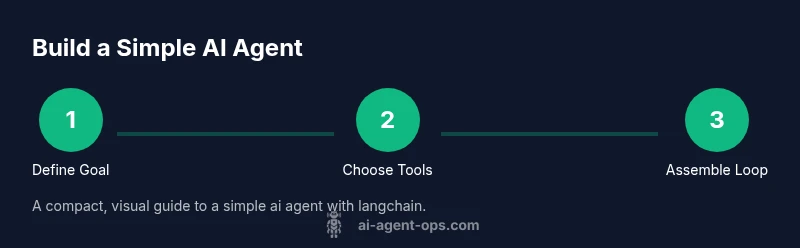
- Define the goal: clarify what the agent should accomplish and what counts as success. Keep the scope small to ensure reliability.
- Identify tools: pick 1–2 primary tools that directly support the goal (for example, a data fetcher and a calculator).
- Design prompts and memory: craft prompts that instruct the agent to use tools when needed, and design a lightweight memory to retain recent context.
- Build the loop: create a simple decision loop where the agent asks, acts with a tool, and returns results. Terminate when the goal is reached or after a fixed number of steps.
- Test and iterate: run scenarios, observe tool usage, and adjust prompts or tool access to improve reliability.
- Consider safety and observability: add basic input validation, error handling, and logging to monitor behavior.
Common pitfalls and how to avoid them
- Overcomplicating the agent: start with 1–2 tools and a clear goal. Complexity grows with time, not immediately.
- Poor prompt design: keep prompts explicit about when to use tools and how to structure outputs.
- Missing memory: without memory, the agent loses context. A tiny memory store improves relevance across turns.
- Tool misuse: validate tool inputs to prevent accidental misuse and guard against unexpected results.
- Neglecting testing: test in controlled scenarios before moving to real tasks and monitor logs for anomalies.
Next steps and advanced ideas
After establishing a solid baseline, you can add long-term memory, richer tooling, and small evaluators to measure accuracy and cost. Consider integrating with external data sources, adding user authentication, and deploying as a microservice with observability dashboards. The goal is to migrate from a runnable scaffold to a maintainable component in a broader AI agent workflow, while keeping the core pattern stable and reusable.
Authority sources
- LangChain documentation and community resources to understand the library’s capabilities and recommended patterns.
- General AI research publications to support design decisions and safety considerations.
- Industry best practices for testing, deployment, and observability in AI applications.
Tools & Materials
- Python 3.9+ installed(Ensure pip is available; prefer a virtual environment (venv) for isolation)
- LangChain library (Python)(Install with: pip install langchain)
- OpenAI API key or local LLM(Set OPENAI_API_KEY or choose a local model; store keys securely)
- Code editor(VS Code or another editor helps during development)
- Sample data or prompts(Prepare a minimal dataset to test the agent against real tasks)
- Test harness or logger(Optional but recommended for observability and debugging)
Steps
Estimated time: 60-90 minutes
- 1
Define the goal and scope
Specify the user objective the agent must achieve and outline what success looks like. Keep the scope small so you can validate behavior quickly.
Tip: Document inputs, outputs, and termination criteria to guide later tests. - 2
Set up your environment
Install Python and LangChain in a clean environment. Configure the API keys and ensure you can run a simple script without errors.
Tip: Use a virtual environment to avoid conflicts with other projects. - 3
Create a minimal LLM prompt and tools
Design a prompt that tells the agent when and how to use a tool. Add 1–2 basic tools (e.g., data fetch, calculator) to keep the loop simple.
Tip: Keep prompts explicit about tool invocation to reduce ambiguity. - 4
Assemble the agent executor
Wire together the LLM, the tool set, and an optional memory module. Build a small loop that iterates until the goal is reached.
Tip: Test with a controlled goal first to verify tool usage. - 5
Run a test scenario and iterate
Execute a representative conversation, log actions, and adjust prompts or tool interfaces based on results.
Tip: Enable verbose logging during initial experiments to diagnose issues. - 6
Extend with memory and basic error handling
Add a compact memory store to preserve recent context and implement fallbacks for tool failures.
Tip: Use try/catch blocks and sensible defaults to keep the agent robust.
Questions & Answers
What is LangChain and how does it enable AI agents?
LangChain is a framework for building language-model-powered applications. It provides components to chain prompts, manage tools, and coordinate memory to create AI agents capable of performing multi-step tasks.
LangChain is a framework that helps you build AI apps by chaining prompts, tools, and memory to create agents.
Can I use LangChain with Python or Node.js?
LangChain supports both Python and Node.js. This allows teams to choose the environment they are most comfortable with and integrate LangChain into existing stacks.
Yes, LangChain works with Python and Node.js, so you can pick the environment you prefer.
What kinds of tools can an AI agent use?
An agent can use APIs, data fetchers, calculators, search utilities, and any custom function that can be invoked programmatically. Tools enable the agent to act beyond language modeling.
Tools include APIs, search, and custom functions that the agent can call to get results.
What are common safety concerns when building agents?
Key concerns include protecting secrets, preventing unsafe actions, and ensuring outputs stay within expected bounds. Implement input validation, token limits, and monitoring.
Be mindful of secrets in logs, tool misuse, and output safety; validate inputs and monitor results.
How do I test and debug a simple LangChain agent?
Start with controlled scenarios, enable verbose logging, and use unit tests for individual components. Validate tool results and prompts, then iterate.
Test in a controlled environment, log decisions, and iterate prompts and tooling.
What are good next steps after building a simple agent?
Add longer-term memory, expand tools, implement evaluators, and plan deployment with observability. Focus on reliability, cost, and security as you scale.
Extend with memory, more tools, and deployment planning; monitor cost and safety.
Watch Video
Key Takeaways
- Define a clear, focused goal before building.
- Keep the agent simple and observable for easier debugging.
- Test early and iterate as you add memory and tools.
- Scale gradually by extending tooling and memory with safeguards.