Run AI Agents Locally: A Practical How-To Guide
Learn to run AI agents locally with a step-by-step approach, covering prerequisites, hardware needs, environment setup, data handling, performance, and troubleshooting for privacy-focused workflows.


By the end of this guide, you will know how to run an AI agent locally, what hardware and software you need, and how to set up a repeatable workflow. You’ll understand privacy and performance trade-offs, plus how to test, debug, and safely iterate a local agent before integrating it into your product.
Why run AI agents locally
Local execution offers tighter control over data, privacy, and latency. When an AI agent runs on your machine or in a private network, core inference and decision logic can operate without constant calls to remote services. This reduces exposure to external providers and supports offline operation for flaky connections. In practice, teams report faster feedback during development and easier testing in privacy-sensitive scenarios. According to Ai Agent Ops, running AI agents locally can improve responsiveness in interactive workflows and simplify compliance by keeping sensitive data on-premises. The Ai Agent Ops team found that many teams start with a small, containerized agent that can operate without frequent cloud access, then progressively extend capabilities as confidence grows. Before you begin, define the local use case, success criteria, and the boundaries of what runs locally versus what can be accessed remotely. Expect a higher upfront setup time, but lower long‑term operational risk and more predictable performance once the environment is stable. Design security boundaries from day one: isolate the agent, restrict access, and log actions for auditability.
Core prerequisites and environment setup
To run an AI agent locally, you’ll need a reliable baseline setup. Start with hardware that supports your model footprint, an OS that you’re comfortable with, and a clean software stack that can be reproduced. Use a virtual environment to manage Python dependencies and consider a container runtime for isolation. Prepare for local storage and logs, and ensure you can secure credentials in a vault or secret manager. The goal is to have a stable, reproducible environment where you can iterate quickly without relying on external cloud services for every inference. If your workflow requires frequent model updates, plan a versioning strategy so you can roll back safely.
Runtime choices for local execution
Local execution can be achieved via several approaches, each with trade-offs. In-process runtimes run directly in your host process for the smallest footprint but may impose memory constraints. Containerized runtimes provide isolation and reproducibility, making it easier to manage library versions and dependencies. For offline operation, you’ll typically pair an inference engine with a local model or a distilled/quantized version to fit memory limits. Consider learning curves, development velocity, and support resources when selecting a runtime. Regardless of the path, ensure deterministic behavior by pinning dependencies and recording environment metadata for each run.
Step-by-step overview
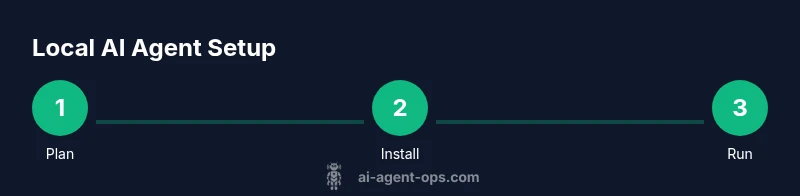
This section provides a high-level roadmap that complements the detailed step-by-step guide that follows. Start with scoping your use case, then install the chosen runtime and dependencies, and finally configure a local workspace for testing. Establish a testing protocol that includes offline mode, latency measurements, and result validation. Maintain secure handling of credentials and sensitive data, and set up lightweight monitoring to observe agent behavior without exposing private data. The goal is to build a repeatable, auditable process that keeps core reasoning on the local host while allowing safe access to external data sources when necessary.
Data handling and offline storage
Local runs must account for data storage and privacy. Store logs, artifacts, and model weights on encrypted disks or within secure containers. Implement access controls so only authorized processes or users can read or modify assets. When appropriate, use ephemeral storage for temporary data and clear caches after each run to preserve privacy. Document data retention policies and ensure your local environment aligns with organizational compliance requirements. If your workflow involves sensitive user data, consider data minimization practices and on-device processing whenever possible.
Performance optimization for local agents
Performance tuning is essential for a responsive local agent. Use lightweight models or distilled variants when feasible, and enable quantization to reduce memory usage. Cache frequently used prompts or context, and batch non-critical inferences where appropriate to reduce per-call overhead. Profile CPU and memory usage, identify bottlenecks, and adjust thread counts or concurrency limits accordingly. Regularly refresh model artifacts to reflect improvements while maintaining a stable environment. Remember that local latency is driven by both compute and I/O, so optimize storage access patterns as well as compute.
Security and safety considerations when running locally
Even on a single machine, security matters. Isolate the agent in a sandbox or container, limit network exposure, and implement strict access controls for API keys and credentials. Use code signing and integrity checks to prevent tampering with binaries or models. Maintain an audit trail of agent actions and ensure sensitive data never leaves the host without explicit authorization. Keep dependencies up to date and apply security patches promptly. Finally, run safety checks on outputs to guard against unintended behavior, especially in autonomous or semi-autonomous modes.
Testing and validation workflows for local agents
A robust testing strategy includes unit tests for individual components, integration tests for end-to-end flows, and manual exploratory testing for edge cases. Validate that offline mode remains reliable and that the agent gracefully handles degraded connectivity. Include latency benchmarks, correctness checks for decision logic, and reproducibility tests across environment re-runs. Document test results and maintain a changelog so you can track regressions and improvements over time. Ai Agent Ops emphasizes building verifiable tests that reflect real-world usage to sustain confidence in local deployments.
Common pitfalls and troubleshooting tips
Typical pitfalls include environmental drift, missing dependencies, and insufficient isolation leading to unintended data exposure. Ensure you pin library versions and reproduce environments exactly across machines. If an inference call fails, check model paths, file permissions, and cache states before debugging logic errors. For intermittent issues, isolate network calls and verify offline paths are functioning as intended. Keep a minimal viable setup for testing before expanding capabilities to avoid introducing compounding failures.
Tools & Materials
- High-performance workstation(8+ core CPU, ample RAM, fast storage; scalable as model size grows)
- Operating system with container support(Linux preferred for stability; Windows/macOS with WSL or Docker Desktop is acceptable)
- Python 3.9+ and virtual environment tooling(Create isolated environments for dependency management)
- Container runtime (e.g., Docker) or alternative isolation(Optional but strongly recommended for reproducibility)
- Local model weights and an inference engine(Have a proven model artifact and a compatible runtime)
- Git and command-line tools(For version control and reproducible setup scripts)
- Secure storage for logs and artifacts(Encryption at rest and proper access controls)
Steps
Estimated time: 60-90 minutes
- 1
Define scope and success metrics
Articulate the exact use case for local execution. Establish latency targets, data boundaries, and success criteria to determine when the local setup meets requirements.
Tip: Document metrics and decision thresholds upfront to guide implementation. - 2
Install runtime and dependencies
Set up the chosen local runtime and pin dependency versions. Create a dedicated virtual environment and test a minimal inference pipeline.
Tip: Use containerization to avoid OS drift and simplify replication. - 3
Prepare environment and artifacts
Create a clean workspace, download or place model weights, and verify file integrity. Adjust paths to be portable across machines.
Tip: Keep a manifest of all artifacts with versions for traceability. - 4
Configure local agent with offline mode
Set environment variables and config files to enable offline reasoning where possible. Ensure fallbacks to safe defaults when connections fail.
Tip: Test offline circuits with representative datasets to validate behavior. - 5
Run the agent in a sandbox
Execute the agent within a contained environment. Validate that outputs are deterministic under identical inputs and log all results.
Tip: Capture logs and metrics to a centralized dashboard for easy review. - 6
Measure performance and iterate
Benchmark latency, memory, and throughput. Iterate on model size, quantization, or code paths to meet targets.
Tip: Rollback capability is essential—document how to revert to prior states.
Questions & Answers
What does it mean to run an AI agent locally?
Running locally means the agent executes on your own hardware or within a private network, reducing reliance on remote cloud services for core inference. You can still access external data when needed, but the compute and memory are hosted locally. This approach improves privacy and can lower latency in interactive workflows.
Local execution means the agent runs on your own hardware, not in the cloud, which helps with privacy and speed when possible.
Which hardware do I need to run a typical AI agent locally?
A modern multi-core CPU with sufficient RAM and fast storage is advisable, along with a compatible operating system and a container runtime for isolation. Start with a minimal setup and scale hardware as your model size and workload grow. Avoid overcommitting resources at the outset to prevent bottlenecks.
You’ll want a capable CPU, plenty of memory, and fast storage, plus a container runtime to keep things isolated.
How do I ensure data privacy when running locally?
Keep all sensitive data on the local device and minimize data leaving the host. Use encryption, strong access controls, and secrets management. Regularly audit logs and implement a policy for data retention and deletion.
Keep data on-device, encrypt assets, and control who can access secrets and logs.
Can I run large language models locally?
Yes, with careful planning. Use smaller or distilled variants when possible, or employ quantized versions to fit memory constraints. Ensure you have the hardware headroom and a workflow that supports offline operation and safe fallbacks.
You can run smaller or quantized models locally if you have enough hardware headroom.
What are common issues when running locally and how to fix?
Frequent problems include environment drift, missing dependencies, and misconfigured paths. Reproduce environments with containerization, verify model artifacts, and check file permissions. If issues persist, isolate network calls and validate offline paths first.
Typical problems are drift, missing dependencies, and path issues. Reproduce environments and verify artifacts first.
Should I monitor my local agent, and how?
Yes. Implement lightweight observability for inputs, outputs, and latency. Use structured logs, metrics dashboards, and alerts for anomalous behavior. Start with essential signals and expand monitoring as you gain confidence.
Yes—monitor inputs, outputs, and latency with lightweight logs and metrics.
Watch Video
Key Takeaways
- Define clear local-use goals before setup.
- Invest in RAM, storage, and a reproducible environment.
- Test offline mode to verify privacy and reliability.
- The Ai Agent Ops team recommends starting small and iterating with guardrails.