How to Write AI Agent: A Practical Guide
A comprehensive, step-by-step guide to building autonomous AI agents, covering goals, tooling, data, safety, and deployment for developers and product teams.


Here’s how to write ai agent: define a concrete goal, select a tooling stack, and implement perception, reasoning, and execution loops. You’ll test in a sandbox, establish safety constraints, and iterate based on real-world feedback. This quick answer outlines the core steps and measurable outcomes to help you plan milestones and success criteria.
What is an AI agent and why write one?
An AI agent is software designed to achieve goals by perceiving its environment, reasoning about options, and taking actions. In practice, agents combine language models with action spaces, such as APIs, databases, or devices, to accomplish tasks with minimal human input. Writing an AI agent lets teams automate knowledge work, orchestrate tools, and scale decision workflows. The emphasis is on safety, governance, and measurable outcomes as you move from concept to deployment. This is also a practical exercise in how to write ai agent, focusing on real-world applicability over demo moments.
From a product and engineering perspective, AI agents unlock smarter automation, faster decision cycles, and more consistent workflows. For developers, product teams, and business leaders exploring AI agents and agentic AI workflows, grounding design in clear goals and robust testing is essential.
Core concepts: goals, autonomy, environment, and memory
At a high level, an AI agent has a goal, perceives inputs from an environment, reasons about possible actions, and executes those actions through available tools. Autonomy means the agent can operate with limited human prompts, but is still bounded by safety constraints and policy limits. The environment can be a chat interface, an API ecosystem, or a combination of both. Memory and state management help the agent track context across interactions, enabling coherent long-running tasks. Understanding these concepts helps you choose the right architecture and integration pattern for reliable results.
Defining success: measurable criteria and constraints
Before you start building, articulate what the agent must achieve and how you will measure progress. Define success metrics such as task completion rate, response quality, latency, and user satisfaction. Establish constraints: data privacy, rate limits, safety guardrails, and governance policies. Concrete criteria prevent scope creep and guide testing, evaluation, and iteration. Ai Agent Ops analysis shows that clear success criteria correlate with faster iteration and better governance, especially when you tie metrics to customer outcomes.
Design patterns and architectures for AI agents
Explore common patterns: single-task agents, multi-step planners, tool-using agents, and agent ensembles. Architecture choices include a central planner, a memory module, an action executor, and a tool registry. For reliability, separate planning from execution, favor deterministic components where possible, and implement robust retries. Consider whether to use a monolithic agent or orchestrate several specialized agents to handle different domains.
Data, prompts, tools, and memory management
Prompts define context and goals; tools provide capabilities like web access, databases, or software APIs. Data pipelines ensure input quality and consistency across sessions. A memory module enables continuity across interactions, supporting both short-term context and long-term state. Use reusable prompts and templates, version prompts, and implement guardrails to prevent drift or unsafe actions. Planning how prompts and tools evolve together is key to a scalable solution.
Building blocks: perception, memory, actions, and feedback loops
Break the architecture into four core blocks: perception (input handling and normalization), memory (stateful context), actions (execution of tasks via tools), and feedback loops (monitor outcomes and adapt). Perception translates raw user or sensor input into structured data; memory stores history and preferences; actions trigger tool calls or environment changes; feedback uses results to refine future decisions. A well-designed loop reduces duplication and improves reliability over time.
Safety, governance, and evaluation
Governance begins with access controls, logging, and auditable prompts. Safety guardrails include input sanitization, rate limiting, and explicit fail-safes for critical actions. Evaluation should combine quantitative metrics with qualitative reviews, including bias checks, explainability, and red-teaming scenarios. Documentation and versioning are essential so you can reproduce decisions and track changes across iterations.
End-to-end development lifecycle for an AI agent
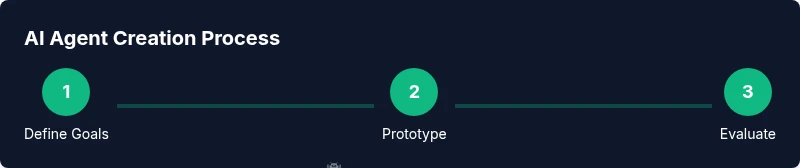
Adopt a lifecycle that starts with clear goals, proceeds through design and implementation, and ends with deployment and ongoing monitoring. Emphasize testing in sandbox environments, formal safety reviews, and staged rollouts. The lifecycle should be iterative, with feedback from real users driving improvements and new capabilities being added in controlled increments.
Real-world example: a simple AI agent for customer support
Imagine an agent that can check order status, retrieve product details, and create a ticket for human follow-up. It uses a memory module to track the user’s recent inquiries, integrates with a CRM API, and follows guardrails to escalate when confidence is low. This example demonstrates end-to-end integration, from prompt design to action execution and monitoring, and shows how to write ai agent that can scale in a live environment.
Tools & Materials
- Laptop or workstation with a modern OS(Adequate CPU, RAM, and network access for development)
- Development language/runtime(Python 3.x or Node.js 18+)
- LLM access or API key(Provider such as OpenAI, Cohere, or local model)
- IDE or code editor(VS Code or JetBrains IDE)
- Version control (Git)(For reproduction and collaboration)
- Sandboxed testing environment(Isolated environment to avoid production impact)
- Documentation and prompts library(Templates and examples for reuse)
- Monitoring/logging toolkit(Observability for failure analysis)
Steps
Estimated time: 4-6 weeks
- 1
Clarify goals and success metrics
Define the agent’s core objective, expected outcomes, and how you will measure success. Create concrete user stories and acceptance criteria to guide later work.
Tip: Link metrics to business outcomes and user value. - 2
Choose runtime and toolset
Select the language, framework, and APIs that will power perception, reasoning, and action. Decide on tool integration strategies and data handling rules.
Tip: Prefer modular components that can be swapped without rewiring the entire agent. - 3
Design perception and action interfaces
Define input formats, normalization steps, and public actions the agent can perform. Establish how inputs map to tool calls.
Tip: Document interfaces with clear edge-case handling. - 4
Build memory and state management
Implement short-term context tracking and long-term memory as needed. Ensure context is retrievable across sessions.
Tip: Use versioned memory schemas to avoid drift. - 5
Prototype prompts and planners
Create prompts that provide goals, constraints, and tool usage. Build a planner or decision module to choose actions.
Tip: Test prompts in isolation before full integration. - 6
Implement safety guardrails
Add input validation, rate limits, and escalation rules for high-risk actions. Log decisions for auditability.
Tip: Design guardrails that fail-safe and provide explanations. - 7
Test in sandbox and iterate
Run realistic scenarios, capture failures, and refine prompts, tools, and memory handling.
Tip: Automate regression tests for core goals and safety checks. - 8
Deploy and monitor in production
Move to staged rollout, monitor performance, and establish a feedback loop to improve the agent.
Tip: Set alert thresholds and establish a rollback plan.
Questions & Answers
What is an AI agent?
An AI agent is software that perceives its environment, reasons about possible actions, and executes those actions to achieve a goal. It combines language models with tool usage to automate tasks.
An AI agent perceives input, reasons about actions, and acts to reach a goal using tools.
How is an AI agent different from a chatbot?
A chatbot focuses on conversation; an AI agent has autonomy to perform actions and use tools to achieve outcomes. Agents can plan, execute, and adapt, not just talk.
Agents act and decide, while chatbots mainly converse.
What tools do I need to build one?
You’ll need a development environment, access to an LLM or model, an API or tool suite, and a sandbox for testing. Version control and observability are essential for reliability.
A development setup, models, tool APIs, and a safe test environment are essential.
How do I evaluate an AI agent?
Define quantitative metrics like task success rate and latency, plus qualitative reviews for safety and explainability. Run structured test scenarios and track results over time.
Use concrete tests and metrics to assess performance and safety.
What safety considerations matter?
Implement guardrails, access controls, data privacy, and logging. Regularly audit decisions and train on bias reduction and transparent reasoning.
Guardrails, privacy, and audits keep agents trustworthy.
How long does it take to build an AI agent?
Timeline varies with scope, but expect multiple iterations across several weeks. Start with a minimal viable agent and expand capabilities gradually.
Start small, iterate, and scale capabilities over time.
Watch Video
Key Takeaways
- Define clear goals and success criteria.
- Design modular components for scalability.
- Prioritize safety, governance, and observability.
- Iterate with real user feedback and controlled experiments.