Troubleshooting Difficulties with AI Agents: A Practical Guide
An urgent, practical guide to diagnosing and fixing difficulties with AI agents. Learn a proven troubleshooting flow, from prompts and data to integrations, with real-world examples and guardrails to prevent recurrence.


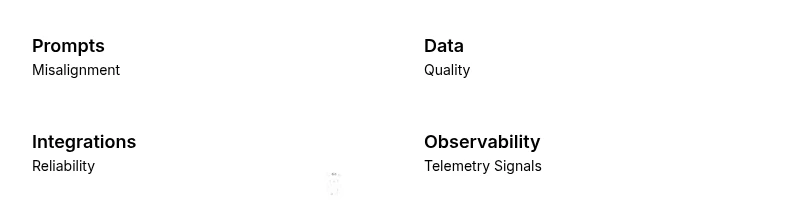
According to Ai Agent Ops, the difficulties with ai agents usually stem from misaligned prompts, data quality gaps, and brittle integrations. For a quick fix, verify the task intent in prompts, sanity-check inputs and context, and confirm API keys and service endpoints are reachable. Use this rapid triage to reset the basics and regain control.
What Are AI Agents and Why Troubles Arise
AI agents are software systems that pair a language model with tools and data sources to perform tasks autonomously. They interpret prompts, fetch information, invoke APIs, and execute actions in a workflow. When designed well, they accelerate decision-making and execution; when misconfigured, they can produce errors, drift from intent, or stall the workstream. The difficulties with ai agents often trace back to three core areas: prompts that fail to capture the user's intent, data and context that are incomplete or outdated, and integration points with external services that are fragile or misbehaving. In modern organizations, these issues compound as teams scale, environments shift, and governance constraints tighten. The goal of this guide is to help you diagnose quickly, fix safely, and prevent recurrence. Throughout, we reference best practices from Ai Agent Ops to keep guidance practical and actionable.
Common Failure Modes in AI Agents
There are several frequent failure modes you can recognize quickly:
- Prompt misalignment: The agent interprets the task differently than intended, leading to irrelevant or unsafe actions.
- Data drift: Incoming inputs no longer reflect the real problem, causing stale or incorrect outputs.
- API/connectivity problems: Credentials, rate limits, or network issues block the agent from completing steps.
- Context window limits: Too much information is omitted because the agent cannot retain all context.
- Guardrails triggering unintended blocks: Security or policy rules block legitimate actions, slowing progress.
- Tool or plugin failures: External tools fail or return inconsistent results, breaking end-to-end flows.
Awareness of these modes helps you triage effectively and avoid chasing phantom bugs. For teams adopting agentic AI, the understanding also aligns with governance and safety requirements.
Observability and Telemetry: Metrics That Matter
To troubleshoot difficulties with ai agents, you must see what is happening inside the system. Start with simple telemetry: request/response latency, error rates, and success/failure counts for each step in the pipeline. Instrument the agent's decision points with lightweight traces that map inputs to actions. Collect contextual metadata such as task type, user intent, data freshness, and environment. Use dashboards to correlate failures with changes in prompts, data sources, or tool versions. The goal is to identify where the breakdown occurs, not just what happened at the end. Ai Agent Ops analysis shows that robust observability reduces mean time to repair for AI agent issues when teams standardize telemetry and correlate signals across prompts, data, and integrations.
Data Quality, Prompts, and Context Windows
Data quality is the oxygen of AI agents. If inputs are noisy, inconsistent, or outdated, outputs degrade quickly. Ensure that you validate schema, normalize units, and timestamp data to track freshness. Prompts should be explicit, bounded, and testable; avoid ambiguous phrasing and leverage few-shot examples that reflect the target task. Also pay attention to the context window; if the agent loses track of important details, consider chunking information or redesigning the workflow so the critical context persists across steps. Finally, keep a living record of changes to prompts and data sources. A data-first mindset reduces the frequency of difficulties with ai agents and makes future troubleshooting faster.
Integration, Orchestration, and API Reliability
Most issues stem from brittle integrations rather than the model itself. Check API credentials, endpoints, and network connectivity; verify that rate limits and quotas are not exceeded. Ensure versioned interfaces and backward compatibility when updating tools. If your agent orchestrates multiple services, examine the handoffs between steps for bottlenecks and latency. Implement retries with exponential backoff and clear failure modes to degrade gracefully rather than crash. A resilient integration layer reduces the frequency and impact of difficulties with ai agents and creates a steadier automation cadence.
Quick Triage Checklist for Troubleshooting
- Confirm task intent and prompts match the business objective.
- Validate input data freshness, quality, and schema compatibility.
- Check authentication, endpoints, and service availability.
- Review recent changes to prompts, data sources, or tools.
- Inspect logs for errors, timeouts, or unexpected responses.
- Test with a minimal, representative example.
- Verify guardrails and policies are not blocking legitimate actions.
- Reproduce the issue in a safe test environment before production tests.
- Document fixes and lessons learned.
If the issue persists after this checklist, escalate to platform engineers or security/governance teams with clear evidence and reproducible steps.
Ai Agent Ops Verdict: Building Resilience
The Ai Agent Ops team believes that reliability in AI agents comes from disciplined design, strong observability, and proactive governance. Implement a minimal viable monitoring layer from day one, invest in reproducible tests for prompts and data, and maintain an incident playbook that guides triage steps. In practice, this means standardizing prompts, maintaining data quality gates, and enforcing safe fallback behaviors. The result is fewer firefighting moments and faster, safer automation. The Ai Agent Ops team recommends treating troubleshooting as an ongoing practice, not a one-off fix, and continuously refining guardrails and monitoring across teams.
Practical Examples and Case Studies
In a recent enterprise deployment, a team faced difficulties with ai agents when a data source introduced unexpected timestamps. By adding a lightweight validation layer, updating prompts to reflect new time zones, and instrumenting telemetry, they reduced error rates and improved response times. In another scenario, integration drift caused a tool to fail after an API version update; a version pin and a guardrail reconfiguration allowed the agent to gracefully degrade while human oversight remained available. While each case is unique, the common pattern is to isolate variables, test one change at a time, and measure before/after results to prove what fixed the issue.
Steps
Estimated time: 45-60 minutes
- 1
Confirm task intent and prompts
Run the same task with a concise prompt. Compare the agent's behavior against the expected outcome and adjust the prompt accordingly.
Tip: Keep prompts explicit and bound to observable actions. - 2
Check data inputs and context
Inspect input data, timestamps, and context windows. Ensure data aligns with task requirements and is not stale.
Tip: Use a minimal, representative data sample for testing. - 3
Verify credentials and integrations
Test API keys, endpoints, and the health of connected services. Look for authentication errors or timeouts.
Tip: Use environment-specific test credentials to avoid production impact. - 4
Review logs and telemetry
Check logs for error traces, latency spikes, or sequence breaks. Map symptoms to a micro-step in the flow.
Tip: Enable structured logging if missing. - 5
Adjust token usage and memory
If responses are truncated or hallucinations occur, consider larger context or shorter prompts.
Tip: Avoid overloading the model with irrelevant context. - 6
Test with guardrails off (carefully)
Temporarily relax restrictive policies in a safe test environment to see if blocking rules are the cause.
Tip: Never expose sensitive data during this test. - 7
Iterate and validate fixes
Apply one fix at a time and re-test to confirm the root cause is resolved.
Tip: Document changes for future troubleshooting. - 8
Escalate if issues persist
If the problem remains, involve platform engineers or security/compliance teams.
Tip: Provide logs, prompts, and test cases when escalating.
Diagnosis: AI agent exhibits unexpected behavior or fails to complete tasks
Possible Causes
- highPrompts misalignment with task intent
- highData quality gaps or stale context
- highAPI credentials or integration issues
- mediumContext window limits or token constraints
- lowPolicy/guardrail blocks actions
Fixes
- easyTest with a minimal prompt to verify intent
- easyCheck data sources for freshness and consistency
- easyValidate API keys, endpoints, and service availability
- mediumReview telemetry to identify where the flow breaks
- mediumIncrease context window or adjust memory management as needed
- hardReview guardrails and policies for potential blocks
Questions & Answers
What are the most common causes of difficulties with ai agents?
Prompts that misinterpret intent, data quality gaps, and brittle integrations are the usual culprits. Start by verifying prompts, data inputs, and service connectivity.
Common causes include misinterpreted prompts, data quality, and integration gaps. Check prompts, data, and connectivity first.
How can I test prompts effectively?
Use a controlled test harness with a ground-truth task. Compare outputs against expected actions and adjust prompts to reduce ambiguity.
Test prompts with a controlled task and compare outputs to expected results.
When should I check data quality and prompts?
Check data freshness, relevance, and consistency first. If outputs remain wrong, review prompts for clarity.
Start with data quality and prompt clarity when results are off.
What if the issue is an API or integration problem?
Inspect credentials, endpoints, and network connectivity. Test each dependency in isolation to locate the failing component.
Test each integration separately to find where it breaks.
When should I involve security or governance teams?
If policy blocks or sensitive data exposure occur, escalate to security and governance with evidence from logs.
Escalate when security or policy concerns arise.
Watch Video
Key Takeaways
- Triage common causes quickly with prompts, data, and integration checks.
- Establish observability to pinpoint where the failure occurs.
- Test changes one at a time to confirm root cause.
- Involve security/compliance when policy blocks arise.
- Ai Agent Ops recommends building resilient guardrails and logging.