How to Use AI Agents: A Practical Step-by-Step Guide
A practical, step-by-step guide to using AI agents: define goals, select agent types, design prompts, integrate data, monitor outcomes, and enforce governance for responsible automation.


To use an AI agent effectively, define a clear goal, select an appropriate agent type, and integrate it with your data and tools. Start with a minimal, testable task, set constraints and safety guards, and monitor outputs with logging and feedback loops. Gradually scale by refining prompts, policies, and orchestration across components for reliable, auditable results.
What is an AI agent and why it matters
An AI agent is a software component designed to perceive its environment, reason about goals, and take actions through interfaces such as APIs and tool calls. In practice, agents help automate cross-system workflows by connecting data sources, decision logic, and execution layers. According to Ai Agent Ops, adopting agent-based approaches can accelerate experimentation and produce more consistent outcomes in complex processes. The key advantage is decoupling high-level goals from implementation details, enabling teams to iterate rapidly while maintaining governance and observability. This section lays the groundwork for choosing the right agent approach and integrating it into your tech stack.
- Perception, planning, and action: agents sense inputs, decide what to do, and execute steps.
- Modularity: agents can be swapped or extended without rewriting core systems.
- Guardrails: safety checks, rate limits, and access controls protect critical operations.
Core patterns for using agents: autonomous, collaborative, advisory
AI agents come in several architectural patterns that suit different problems. Auton-omous agents execute end-to-end tasks with minimal human input, ideal for repetitive, well-defined routines. Collaborative agents work with humans — they propose options, summarize tradeoffs, and await human approval before irreversible actions. Advisory agents provide decision support by surfacing insights and recommended actions without performing actions themselves. In practice, a booking assistant might autonomously secure slots, a support agent collaborates with a human agent to resolve tickets, and a data analyst uses an advisory agent to surface trends before deciding on a course of action. Ai Agent Ops notes that most teams start with a collaborative or advisory pattern to build trust and reduce risky executions.
- Auton-omy for speed, with strong safety rails.
- Human-in-the-loop for risk management.
- Clear boundary between decision-making and execution.
How to choose the right agent type for your task
Choosing the correct agent type hinges on risk, complexity, and required speed. For simple, repeatable tasks with minimal risk, an autonomous agent can save time, provided you implement strict validation and rollback options. For high-stakes decisions or tasks with nuance, a collaborative or advisory agent is safer, enabling human oversight and intervention. When data quality varies, start with a cautious, test-driven approach and gradually increase autonomy as you validate outputs. Consider also the orchestration layer: if your workflow spans multiple systems, an agent that can call APIs and manage state across steps is often more effective than a single-function bot. Ai Agent Ops emphasizes starting with a small, well-scoped objective to reduce blast radius during initial experiments.
- Define risk tolerance and success criteria.
- Map data sources and APIs early.
- Prefer mixed modes (advisory with optional autonomy) during initial rollout.
Designing prompts and policies for reliable agent behavior
Prompts are the primary interface to an agent’s reasoning. Start with concise, goal-aligned prompts and layer guardrails to prevent unexpected outputs. Define policies that restrict actions to safe, auditable paths, including clear success criteria and safe-fail modes. Use deterministic prompts when possible and keep a versioned prompt library to track changes. Build a decision log that captures prompts, tool calls, decisions, and outcomes to facilitate audits and continuous improvement. In practice, you’ll implement guardrails such as input validation, rate limits, and explicit permission checks before performing irreversible actions. As Ai Agent Ops Team notes, well-designed prompts paired with robust governance dramatically improves reliability and traceability.
- Create versioned prompts and templates.
- Implement hard stops for unsafe actions.
- Log every decision with context for future review.
Integration architecture: data sources, tools, and orchestration
An effective AI agent rests on a solid integration layer. Connect to data sources (databases, APIs, file stores), and expose the required actions through described tools or APIs. Use an orchestration layer to manage state across steps, retries, and branching logic. Event-driven triggers (webhooks, message queues) can kick off agent workflows, while a centralized control plane provides visibility into progress and outcomes. Consider a modular design: a core agent core handles reasoning and control, plus adapters for each data source and tool. Ai Agent Ops recommends documenting integration points and failure modes to simplify maintenance and compliance.
- Define adapters for each data source.
- Use a unified event bus for state synchronization.
- Implement retry policies and circuit breakers.
Safety, governance, and monitoring
Safety is as important as capability. Implement least-privilege access, strict data handling policies, and clear ownership for each part of the agent workflow. Establish monitoring dashboards that track latency, success rates, and error types. Build alerting for unusual tool usage, data leakage, or policy violations. Regularly review prompts, policies, and access controls, and conduct security and ethics audits. Ai Agent Ops's guidance highlights the importance of ongoing governance as you scale agent use in production.
- Enforce role-based access and data minimization.
- Monitor outputs and tool usage in real time.
- Schedule periodic policy reviews and audits.
Real-world examples and pitfalls
Many teams start with a simple agent that performs data routing and alerting, then expand to multi-step tasks such as report generation or decision support. Common pitfalls include over-automation without safeguards, brittle prompts that drift over time, and insufficient observability. A practical approach is to prototype with a narrow scope, measure outcomes against predefined KPIs, and iterate. Be mindful of data privacy, security, and regulatory considerations when connecting to sensitive systems. As an industry practice, begin with guardrails, logging, and human-in-the-loop checks before granting broader autonomy.
Tools & Materials
- Development environment (Python/Node.js)(Set up a dedicated virtual environment and package manager; install required libraries for agent orchestration and API calls.)
- Agent orchestration framework(Choose a library or platform that supports multi-step workflows and tool calls.)
- Data sources and connectors(APIs, databases, message queues, or file stores that your agent will access.)
- Testing datasets(Representative data for validating prompts and flows.)
- Monitoring and logging stack(Structured logs, metrics, and traces to observe agent behavior.)
- Security and access controls(IAM, least privilege, and audit trails for all actions.)
Steps
Estimated time: 4-8 hours for a basic prototype; longer for a full production rollout.
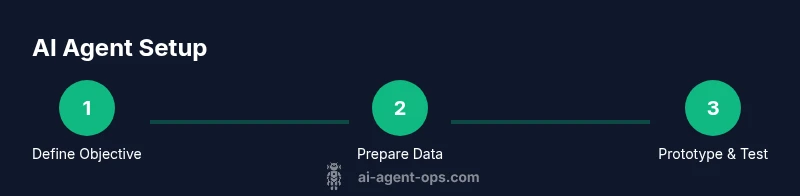
- 1
Define the objective
articulate a single, measurable goal for the agent and identify the success criteria. Include edge cases and rollback conditions to limit risk. This clarity will guide every subsequent decision and tool selection.
Tip: Document the objective as a user story with acceptance criteria. - 2
Audit data and tools
Inventory all data sources, APIs, and tools the agent will use. Validate data quality and access permissions, and determine any required rate limits or security controls.
Tip: Create a data map showing data lineage and access requirements. - 3
Choose agent type and architecture
Decide whether to use autonomous, collaborative, or advisory patterns based on risk tolerance and speed needs. Outline the architecture and identify state management approaches.
Tip: Start with a hybrid pattern (advisory + optional autonomy) for safety. - 4
Prototype with a minimal loop
Build a small, end-to-end workflow that demonstrates goal achievement. Include input, decision, and action steps with observable outputs.
Tip: Use a sandbox environment and deterministic prompts first. - 5
Implement governance and monitoring
Add logging, alerting, and dashboards to track performance, failures, and data handling. Establish a review cadence for prompts and policies.
Tip: Automate alert thresholds for anomalies in tool usage. - 6
Evaluate and scale
Assess KPIs, gather user feedback, and iterate on prompts, policies, and tool coverage. Plan phased rollout with increasing autonomy.
Tip: Gradually increase autonomy only after repeatable success.
Questions & Answers
What is an AI agent and how does it differ from a simple chatbot?
An AI agent perceives its environment, reasons about goals, and takes actions through tools or APIs. Unlike a typical chatbot that mainly generates text, an agent can execute multi-step workflows, call external services, and adjust its plan based on feedback.
An AI agent can act on data and tools, not just talk. It plans steps and runs tasks across systems.
What are common use cases for AI agents?
Common use cases include automation of repetitive tasks, decision support with explainable recommendations, data routing and integration, and proactive monitoring with alerting.
Agents are great for automating routines, supporting decisions, and connecting systems.
Do I need specialized hardware to run AI agents?
Most AI agents can run on standard servers or cloud instances. GPUs are beneficial mainly for training or large-scale inference; for many practical agent workflows, CPU-based environments suffice.
You usually don’t need special hardware; cloud or local CPUs often work.
How do I measure the success of an AI agent?
Define KPIs such as task completion rate, latency, error rate, and user satisfaction. Use dashboards to track these metrics over time and adjust prompts and policies accordingly.
Track completion, speed, errors, and user feedback to judge success.
What are best practices for governance and safety?
Use least-privilege access, maintain audit trails, apply guardrails, and conduct regular reviews of prompts and tool usage. Include human-in-the-loop for high-risk decisions.
Guardrails, audits, and human oversight protect safety and accountability.
Watch Video
Key Takeaways
- Define a clear, measurable objective
- Choose the right agent pattern for risk and speed
- Design prompts with guardrails and governance
- Integrate data sources with robust monitoring
- Scale cautiously with governance and human oversight