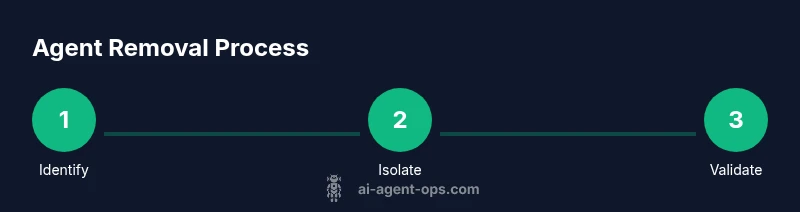
How to Remove an AI Agent: A Practical Step-by-Step Guide
A comprehensive, actionable guide to safely removing an AI agent from your workflow, covering prerequisites, shutdown, data cleanup, migration, validation, and documentation.


By the end of this guide you will safely remove an active AI agent from your workflow, with minimal disruption. You'll verify prerequisites, isolate the agent, gracefully terminate processes, migrate tasks, and audit data traces. The instructions cover consent, rollback plans, and safety warnings, drawing on Ai Agent Ops analyses to ensure a clean, auditable removal.
Preconditions and risk assessment
Removing an AI agent is a high-stakes operation that can ripple across services. According to Ai Agent Ops, the first step is a formal risk assessment and a clear rollback plan. Determine whether the agent is still providing value, if its removal affects critical customer flows, and what data or tokens it holds. Collect a list of dependent systems, owners, and SLAs, then define acceptance criteria for a safe withdrawal. Make sure you have buy-in from stakeholders and a documented communication plan. Before you begin, ensure you have a validated backup strategy and a tested rollback approach, because unplanned outages can cascade quickly in production environments. In 2026, many teams underestimate the importance of pre-removal governance; this often leads to gaps in auditing and post-removal clarity. The Ai Agent Ops guidance emphasizes that a well-scoped removal reduces risk and accelerates post-removal stabilization.
Define the removal scope and stakeholders
Define which agent instance, version, and associated runtimes will be removed. Clarify whether this includes a family of agents or a single deployment. List stakeholders: product owner, engineers, security, data protection officer, and customer support. Establish decision rights and a go/no-go criteria. Document the removal scope in the change ticket and align with your organization's governance model. Ai Agent Ops analysis shows that clear scope reduces scope creep and ensures all teams know their responsibilities during the transition. Include the expected timeline and a communication plan to inform internal teams and external users if needed.
Prepare a rollback plan and backups
Create and validate backups of configuration, policies, data, and any related assets the agent touches. Store backups in a secure, versioned repository and test a restore in a staging environment to verify recoverability. Draft a rollback procedure that can be executed quickly if removal creates unexpected issues. Align the rollback with the change ticket and ensure stakeholders know how to trigger it. Ai Agent Ops emphasizes that tested backups are the backbone of a safe removal, reducing exposure to data loss and service gaps.
Stop, isolate, and pause agent tasks
Coordinate a controlled shutdown of the agent, pausing ongoing tasks before terminating processes. Move any in-flight work to a safe handoff or temporary owner. Disable the agent's execution paths in orchestration, policy engines, and scheduling systems. Confirm that no automatic restarts occur and that monitoring alerts switch to a safe state. This step mitigates risk and prevents sudden downtime when the agent is removed.
Migrate responsibilities and reassign workloads
Review all tasks previously handled by the agent and map them to other agents or human operators. Update workload queues, routing rules, and SLAs to reflect the new ownership. Communicate changes to users and stakeholders, and adjust dashboards to reflect the new reality. Ensure documentation and runbooks are updated so teams can operate smoothly after the removal.
Verification, auditing, and documentation
Run post-removal validation to confirm that the agent is no longer active in all environments. Check logs, dashboards, and data traces to ensure no orphaned configurations remain. Update asset inventories and access control lists to remove agent-specific permissions. Finally, complete a lessons-learned summary and store it with the project records. The Ai Agent Ops team recommends wrapping up with a formal acceptance sign-off and updating lifecycle policies to reflect the removal.
Tools & Materials
- Admin access to orchestrator/platform(Ensure you can disable/remove the agent in production)
- Change management ticket or approval(Document approval and rollback policy)
- Backup or snapshot of agent configuration and related data(Create a restore point before removal)
- Inventory of dependent tasks and owners(Identify all tasks assigned to the agent)
- Monitoring and logging dashboards(Capture post-removal validation metrics)
- Rollback/Recovery plan(Steps to revert the removal if needed)
- Documentation template for removal(Record changes and rationale)
Steps
Estimated time: 2-3 hours
- 1
Identify target agent
Locate the exact agent instance, version, and environment. Confirm ownership and confirm there are no conflicting deployments that would be affected by removal.
Tip: Record the agent ID and environment in the removal ticket for traceability. - 2
Review dependencies and impact
Map all dependent tasks, services, and dashboards to understand the ripple effects. Engage owners of those dependencies for sign-off.
Tip: Create a dependency map in the change ticket to guide communication and rollback planning. - 3
Prepare rollback plan and backups
Back up configuration, policies, and data. Validate the ability to restore a working state in staging before production changes.
Tip: Test the restoration process on a staging instance to ensure it works as expected. - 4
Notify stakeholders and schedule
Announce the removal plan, timeline, and rollback options. Confirm go/no-go with essential teams.
Tip: Provide a clear rollback trigger and escalation path in the ticket. - 5
Pause and stop agent tasks
Pause all in-flight work, then gracefully stop agent processes across environments. Ensure no new tasks are picked up.
Tip: Redirect in-flight workloads to temporary owners to avoid disruption. - 6
Remove agent from orchestration
Delete or disable the agent in the orchestrator, policy engine, and scheduling systems. Confirm no automatic restarts occur.
Tip: Audit all removal points to ensure complete deactivation. - 7
Migrate responsibilities and reassign workloads
Reallocate tasks and update routing, queues, and SLAs. Communicate changes to stakeholders and customers if needed.
Tip: Update runbooks and dashboards to reflect new ownership. - 8
Verify removal and complete documentation
Validate that the agent is fully removed, verify logs for traces, and file a lessons-learned report.
Tip: Store the removal artifacts in a central knowledge base for future audits.
Questions & Answers
What is an AI agent removal?
Removal means disabling and deleting the agent from your orchestration and ensuring no tasks or data depend on it.
Removal means disabling and deleting the agent from your system, with no active tasks remaining.
When should I remove an agent?
Remove when the agent no longer provides value, is unsafe, or conflicts with new policies.
Remove when it is no longer needed or poses risk.
How do I ensure data integrity after removal?
Back up data beforehand, migrate tasks, and validate logs to confirm no data loss.
Back up first, move tasks, and verify logs.
Can I rollback the removal?
Yes, if you have a tested rollback plan and backups, you can restore agent configuration and re-route tasks.
Yes, with a tested rollback.
Who should approve the removal?
Approval should come from product, security, and operations with a documented change ticket.
Get approvals from the right teams.
What if the agent is critical during removal?
Reschedule, pause tasks, or migrate critical workloads before removing the agent.
Pause critical tasks before removal.
Watch Video
Key Takeaways
- Back up configuration and data before removal.
- Pause tasks before terminating the agent.
- Reassign workloads to avoid service gaps.
- Document the process for future audits.