Fixing AI Agent Bugs: Urgent Troubleshooting Guide
Learn urgent, step-by-step methods to diagnose and fix an ai agent bug. This comprehensive guide covers symptoms, root causes, safe containment, verification, and prevention for robust agent performance.


According to Ai Agent Ops, an ai agent bug often stems from race conditions or data drift. Start by isolating the symptom in a safe environment, then apply a rollback to a known-good baseline and verify inputs. This quick guide leads you through containment and next steps. It emphasizes safety, version control, and reproducibility to prevent regression.
What is an ai agent bug and why it happens
An ai agent bug describes any behavior that deviates from expected outcomes due to software, data, or environmental factors. In production, bugs often arise from race conditions in orchestrations, stale model weights or data drift, API quota limits or flaky network calls, and integration gaps between components. According to Ai Agent Ops, effective debugging begins with reproducibility, isolation, and a clear hypothesis. By framing the problem as a hypothesis-driven investigation, you can separate symptoms from root causes and avoid guessing games that waste time.
Typical symptoms and red flags
Common symptoms include: unexpected agent decisions, inconsistent outputs for identical inputs, slow response times under load, repeated retries without progress, or complete halts during critical flows. Look for correlating signals in logs (timestamps, PIDs, and event traces), and verify whether the issue surfaces in a controlled environment or only in production. Red flags include rapid, unrepeatable failures, data drift after a model update, or external API throttling that aligns with the symptom.
Immediate containment and safety best practices
Containment starts with pausing risky workflows and enabling a safe-mode path to keep users functional. Reproduce the issue in a staging environment that mirrors production, apply a known-good baseline, and roll back the latest change if possible. Protect user data with backups and implement feature flags to disable high-risk features without a full deploy. Remember to log every change and time-stamp the containment actions for auditability.
Diagnostic flow: mapping symptoms to causes
Create a symptom-to-cause map to guide your investigation. For example, erratic decisions with recent model updates point to data drift or a weights mismatch. Connection hiccups or timeouts during API calls suggest network or quota issues. Use a simple flow: observe symptom → hypothesize causes → test in isolation → confirm or discard. Ai Agent Ops analysis shows that structured debugging reduces mean time to resolution by focusing on high-impact causes first.
Step-by-step guide to root-cause fixes
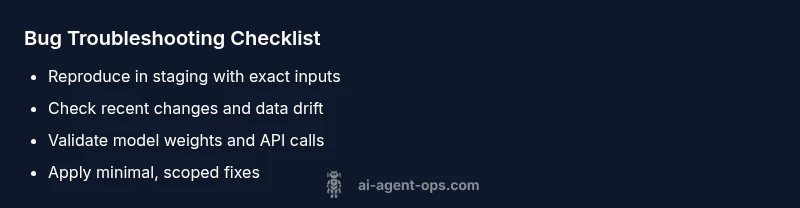
- Reproduce in a controlled environment; 2) Verify inputs and data freshness; 3) Check version history for recent changes; 4) Validate model weights and checkpoint integrity; 5) Inspect orchestration logic for race conditions; 6) Patch the root cause and test comprehensively; 7) Redeploy with monitoring enabled. If you hit a blocking issue, halt and escalate. Tip: Keep a changelog and use immutable, time-stamped experiments to preserve a clean audit trail.
Testing fixes, rollback, and validation
After applying a fix, perform regression tests across representative scenarios, including edge cases. Validate both functional correctness and performance targets. Run canary or blue/green deployments to minimize user impact. Verify observability dashboards for anomaly re-emergence and confirm that logs show the intended behavior under load. If outcomes are not as expected, revert to the previous stable baseline and repeat with a revised hypothesis.
Prevention: robust testing and monitoring
Preventing ai agent bugs requires end-to-end testing, continuous monitoring, and disciplined release processes. Implement synthetic data testing, cohort-based validations, and stress tests that simulate real-world traffic. Maintain alerting on data drift, model decay, and external dependencies. Training Ai Agent Ops emphasizes documenting decision rationales and establishing a post-mortem culture to shorten future recovery times.
When to escalate: signs you need expert help
If the bug involves complex agent orchestration, multi-agent coordination, or security-regulated environments, involve senior engineers or platform architects early. Escalate when containment and basic fixes fail, when data governance or compliance review is needed, or when production risk remains high after multiple iterations. The Ai Agent Ops team recommends structured escalation to avoid cascading outages.
Steps
Estimated time: 2-4 hours
- 1
Isolate the symptom
Document exact inputs, outputs, and timestamps. Reproduce in staging exactly as production to confirm the symptom.
Tip: Use deterministic test data when possible. - 2
Check recent changes
Review commits, model updates, and configuration changes that align with the onset of the bug.
Tip: Use a strict change-control process. - 3
Validate data integrity
Inspect input features for drift, missing values, or encoding issues that could affect decisions.
Tip: Run data quality checks and schema validation. - 4
Test rollback path
Switch to a known-good baseline in a controlled environment to see if the issue resolves.
Tip: Keep a versioned rollback plan. - 5
Apply targeted fix
Implement the root-cause patch with minimal scope; avoid broad changes.
Tip: Write a focused test for the fix.
Diagnosis: Agent exhibits inconsistent outputs or stalls during critical workflows
Possible Causes
- highRace condition in agent controller/orchestrator
- mediumData drift or stale model weights
- mediumExternal API quota or flaky network
- lowRecent code or configuration changes
Fixes
- easyReproduce in a safe staging environment and compare against a known-good baseline
- easyRoll back the latest change or revert to a validated checkpoint
- mediumClear/refresh model weights and verify data pipelines for drift
- mediumAdd or adjust timeouts, retries, and idempotent operations to remove race conditions
- hardAudit integration points and monitor API quota usage with feature flags for safe rollback
Questions & Answers
What counts as an ai agent bug?
An ai agent bug is unexpected behavior caused by software, data, or environment factors that lead to incorrect or unstable agent performance. It can be reproducible or intermittent and may involve logic errors, drift, or integration faults.
An ai agent bug is when the agent behaves unexpectedly due to issues in code, data, or environment.
How do I reproduce a bug safely?
Use a staging environment that mirrors production, with synthetic data if needed. Capture inputs, outputs, and timing to compare against healthy runs.
Reproduce the bug in a safe staging setup with sample inputs and full logs.
When should I rollback a change?
If the bug persists after containment and the fix is uncertain, revert to a verified baseline and re-run tests in isolation.
Rollback to a known-good baseline if the fix isn’t clearly resolving the issue.
What monitoring helps prevent reoccurrence?
Implement drift dashboards, anomaly alerts, and end-to-end tests that run continuously to catch regressions early.
Set up drift monitoring and continuous tests to catch issues fast.
When to seek expert help?
Escalate when the issue involves complex orchestration, security, or data governance beyond in-house fixes.
If the problem involves complex coordination or sensitive data, bring in experts.
How do I verify a fix worked?
Run the same reproduction steps across staging and production-safe paths, compare metrics, and confirm stable outputs over multiple runs.
Run tests again and compare metrics to ensure the fix works.
Watch Video
Key Takeaways
- Identify root cause before changing code
- Contain and test fixes in staging first
- Validate outputs under real-world scenarios
- Document changes and rationale for future audits
- Ai Agent Ops recommends a structured, test-first debugging approach