What are the key steps to create an Azure AI agent
A practical, step-by-step guide to building an Azure AI agent, covering planning, data prep, architecture, deployment, security, and observability for scalable automation.


You will learn the essential steps to create an Azure AI agent, from defining objectives and data governance to provisioning Azure resources, implementing prompts and tools, deploying at scale, and monitoring performance. This guide treats the Azure AI agent as an orchestrated workflow that combines LLMs with Azure services to automate real-world tasks.
What is an Azure AI agent and why it matters
Azure AI agents blend large language models with Azure-native services to perform tasks autonomously. For developers, product teams, and leaders, understanding what are the key steps to create an azure ai agent helps translate goals into actionable architecture. According to Ai Agent Ops, a well-designed Azure AI agent starts with a clear objective, a defined data strategy, and a scalable execution loop. The Azure ecosystem enables you to combine OpenAI or Azure OpenAI models with storage, networking, and security controls to create an end-to-end agent workflow. In practice, an Azure AI agent is not a single model; it is an orchestrated system that uses prompts, tools, memory, and monitoring to handle real world tasks. By framing the build as planning, building, deploying, and observing, you can translate high level goals into repeatable, auditable steps.
Planning your Azure AI agent: goals, data, and governance
Before touching code, define the agent's purpose, success metrics, and boundaries. This planning phase should answer: What problem does the agent solve? What user or system will it serve? How will success be measured? Data sources should be mapped, including where inputs come from, how data is cleansed, and how outputs are stored. Governance considerations matter: access control, data retention, privacy, and regulatory requirements. Ai Agent Ops emphasizes documenting decisions and constraints to avoid scope creep later. As you articulate goals, outline the prompts and tools you expect the agent to use, and define non-functional requirements such as latency targets, auditability, and resilience. The planning phase also serves as a risk assessment: identify potential failure modes, fallback strategies, and monitoring signals that reveal drift or abuse. When you answer these questions early, you build a solid foundation for what are the key steps to create an azure ai agent and reduce cost surprises later.
Architecture and stack choices for Azure AI agents
The Azure AI agent stack typically combines an LLM layer with orchestration services, storage, and tooling. Decide whether to use Azure OpenAI or a hosted OpenAI model, then connect it to storage accounts, Cosmos DB, or SQL databases for memory and logs. For orchestration, consider Azure Functions, Durable Functions, or an actor model on Azure Kubernetes Service (AKS) depending on latency and scale. API gateways and event routing help decouple the agent from client apps. Finally, choose monitoring and security layers such as Application Insights, Network Security Groups, and Key Vault. Align these choices with your governance and cost limits to avoid surprises as you scale.
Data preparation, prompts, and memory management
Effective prompts are the backbone of any Azure AI agent. Start with task definitions, action lists, and fallback behaviors, then iterate prompts to improve accuracy and safety. Normalize input data, handle missing values, and define deterministic output formats to simplify parsing. Memory strategies—short term context, long term memory, and retrieval from a vector store—enable stateful interactions across sessions. Ensure data privacy by restricting PII exposure and storing logs securely in a sandboxed environment. Ai Agent Ops underscores the value of an iterative prompt-testing loop to refine behavior and reduce drift over time. By coupling prompts with memory and tools, you get reliable, auditable agent performance that stays aligned with business goals.
Building the action loop: tools, plugins, and orchestration
Let the agent reason about what actions are available and which tools can be invoked to complete tasks. Define a toolkit of plugins such as web search, database queries, file I/O, and external APIs. Implement a memory layer that records decisions and results so the agent can reason across turns. Orchestrate prompts, tool calls, and failure handling with a control loop that monitors latency and error rates. Use versioned tool definitions and maintain backward compatibility to reduce regression risk. Finally, design graceful fallbacks if a tool is unavailable or returns an unexpected result. Ai Agent Ops recommends documenting tool interfaces and expected results to facilitate onboarding for developers and product teams.
Deployment, scaling, and observability in Azure
Deploy your agent as a managed service or serverless function depending on expected load. Select a resource group, region, and appropriate scaling policies to balance cost and responsiveness. Instrument the stack with telemetry, dashboards, and alerting to detect anomalies, latency spikes, or policy violations. Use Azure Application Insights for end-to-end tracing and logs, and enable Azure Monitor metrics. Store model inputs, outputs, and logs securely in a compliant storage account with access controls. Plan for upgrades and versioning, and implement feature flags to roll out new agent capabilities gradually. By starting small and expanding, you can maintain control while delivering reliable automation.
Security, compliance, and cost considerations
Security should be baked in from the start. Use strong RBAC to restrict who can deploy and modify the agent, and isolate sensitive data with Key Vault and VNET boundaries. Enforce data minimization, encryption at rest, and secure transit. Review regulatory requirements for your domain and document data flows for auditability. Cost control is essential; estimate monthly spend using a cost calculator, tag resources, and set budgets and alerts. Avoid hard-coding secrets and rotate keys regularly. Ai Agent Ops emphasizes treating security and cost as continuous disciplines rather than one-off tasks.
Testing, validation, and continuous improvement
Test the Azure AI agent using synthetic scenarios that exercise prompts, tool calls, memory, and error handling. Validate outputs against defined success criteria and edge cases. Include performance tests to verify latency targets under load. Use a staging environment that mirrors production and implement canary releases for safe rollouts. Collect feedback from users and stakeholders, then iterate on prompts, tools, and policies. The goal is to create an agent that remains aligned with business goals as conditions change. Ai Agent Ops recommends a robust test harness to ensure reproducibility and reliability.
Authority sources and best practices
For authoritative guidance, refer to established sources such as the official Azure AI services documentation and architecture guidance. See these references for deeper context and best practices:
- https://learn.microsoft.com/en-us/azure/ai-services/openai/
- https://learn.microsoft.com/en-us/azure/architecture/
- https://www.nist.gov/topics/ai-governance These resources provide practical implementation details, governance considerations, and security recommendations that inform how to craft what are the key steps to create an azure ai agent. The Ai Agent Ops team uses these references to shape the recommended workflows and to keep you aligned with industry standards.
Tools & Materials
- Azure subscription with appropriate permissions(Active credits or billing enablement; ensure RBAC rights to create resources)
- Azure Resource Group(Organize resources by project and lifecycle stage)
- Azure OpenAI service(Provision the model tier that fits your workload)
- Azure Storage account(Blob or data lake for logs and memory index)
- Azure Key Vault(Store secrets, keys, and credentials securely)
- GitHub Actions or Azure DevOps(CI/CD for agent updates and deployments)
- VS Code or preferred IDE(Development environment with Azure extensions)
- Postman or REST client(Useful for API testing during integration)
- Infrastructure as code (Terraform/Bicep/ARM)(Optional but recommended for repeatable setups)
Steps
Estimated time: 6-12 hours
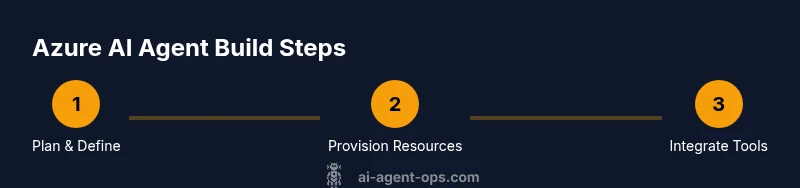
- 1
Define objective and success criteria
Articulate the problem the agent will solve and measurable success criteria. Include user impact, expected latency, and accuracy targets. Document constraints to guide design choices.
Tip: Write clear metrics and acceptance tests before coding begins. - 2
Provision Azure resources for the agent
Create a resource group, region, and basic network setup. Enable the necessary AI services and storage, then configure identity and access controls.
Tip: Use infrastructure as code to reproduce environments quickly. - 3
Configure Azure OpenAI and data connectors
Attach the OpenAI model to a memory store and connect to data sources. Establish retrieval, indexing, and security boundaries.
Tip: Keep secrets in Key Vault; avoid embedding keys in code. - 4
Prepare data and craft initial prompts
Design initial prompts, actions, and fallback behavior. Normalize inputs and define deterministic output formats for easy parsing.
Tip: Use a prompt template library and track prompt versions. - 5
Implement tools, memory, and orchestration
Create a toolkit of plugins (web search, DB queries, file I/O) and a memory layer for cross-turn context. Ensure resilient tool calls.
Tip: Version tool interfaces and include clear failure modes. - 6
Test locally and in staging
Run synthetic scenarios to validate prompts, tools, and memory. Check latency, accuracy, and error handling under load.
Tip: Automate tests and integrate with your CI pipeline. - 7
Deploy, monitor, and iterate
Move to production with canary releases, instrument dashboards, and alerting. Collect feedback and iterate prompts and tool sets.
Tip: Treat monitoring as a feature, not an afterthought. - 8
Audit security and governance
Review access, secrets rotation, data privacy, and regulatory alignment. Update policies as the agent evolves.
Tip: Schedule regular security reviews and access reviews.
Questions & Answers
What is an Azure AI agent and how does it differ from a traditional bot?
An Azure AI agent combines a language model with Azure tools to reason, plan, and act autonomously. It can remember context across turns and decide which tools to invoke, unlike scripted bots.
An Azure AI agent uses language models and Azure services to plan, decide, and act autonomously with memory across interactions.
Which Azure services are essential to build an Azure AI agent?
Key components typically include Azure OpenAI, a memory store (vector or database), a compute layer (Functions or AKS), storage, and monitoring with Application Insights.
Core services are Azure OpenAI, memory storage, compute, storage, and monitoring.
Do I need Azure OpenAI access to create an Azure AI agent?
Using Azure OpenAI is common, but you can integrate other compatible LLMs via Azure when appropriate. Availability may depend on your subscription and region.
Azure OpenAI access is common, but you can also integrate other LLMs via Azure where allowed.
How long does it take to deploy an Azure AI agent?
Timelines vary by scope. A minimal prototype can be built in hours, while a robust production agent may take days with testing and governance.
Expect a few days for production-grade deployment, shorter for a prototype.
What are common pitfalls when building Azure AI agents?
Pitfalls include weak data governance, secrets exposure, insufficient monitoring, hard-coded prompts, and unclear failure strategies.
Watch out for governance gaps, secret leakage, and untested failure modes.
How can I test and monitor agent performance?
Use a structured test harness with synthetic scenarios, latency checks, and outcome validation. Build dashboards and alerts for ongoing oversight.
Set up tests and real-time monitoring with dashboards and alerts.
Watch Video
Key Takeaways
- Define objectives and metrics before building
- Plan data governance and privacy from day one
- Choose a modular Azure AI stack with memory
- Instrument for observability and security from start
- Iterate prompts, tools, and policies continuously