How to Use Oracle AI Agent Studio
A practical, step-by-step guide to building, training, and deploying intelligent agents with Oracle AI Agent Studio for developers and product teams.


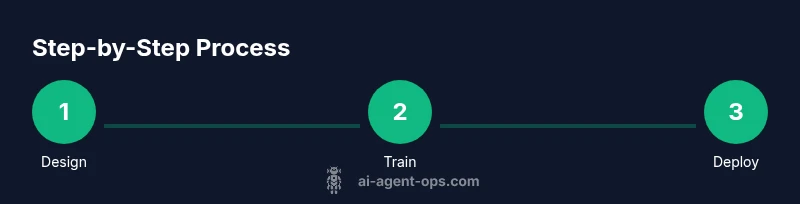
Oracle AI Agent Studio lets you design, train, and deploy autonomous agents that automate business workflows. Start by provisioning access, then define intents, configure actions, and connect data sources. This guide walks you through setup, core concepts, and a practical, step-by-step workflow. It covers prerequisites, design patterns, testing practices, and deployment considerations for scalable agent orchestration.
Oracle AI Agent Studio in Context
Oracle AI Agent Studio is Oracle's platform for crafting agentic workflows that act autonomously across applications and data sources. In practice, it provides a visual designer, a policy engine, connectors to enterprise apps, and runtime orchestration that you can manage from a single console. According to Ai Agent Ops, adopting a purpose-built studio for agents helps teams align automation with real business goals rather than chasing isolated scripts. When used effectively, studios like this enable rapid iteration while enforcing governance and security by design. The result is predictable behaviors, auditable actions, and clearer ownership of automated outcomes. This context matters because the studio’s core value lies in turning complex integrations into reusable patterns rather than bespoke one-offs. As you explore, keep in mind the balance between flexibility and governance, so agents can scale without introducing ambiguity in responsibility or data handling.
Prerequisites and Access
Before you dive in, ensure you have a valid Oracle Cloud account with the AI Agent Studio entitlement, plus the permissions to create, edit, and deploy agents. Have a modern web browser ready and a stable network connection. Prepare sample data or API credentials for connectors you plan to use, and, if applicable, a staging environment to test agent behavior without impacting production. Finally, skim Oracle’s official documentation to understand regional availability, quotas, and any prerequisites for connectors you intend to use. If you run into access issues, contact your tenancy administrator to verify entitlement and role bindings. This setup phase sets the foundation for reliable automation.
Core Concepts You'll Use
At the heart of Oracle AI Agent Studio are a few core concepts that map closely to traditional software automation, but with agentic twists:
- Agent: The container that holds intents, actions, data bindings, and governance rules. Consider it your autonomous workflow blueprint.
- Intents: Triggers that express user goals or events the agent should respond to. They are the semantic fingerprints that drive decision logic.
- Actions: The concrete operations the agent performs, such as making API calls, updating records, or sending notifications.
- Connectors: Interfaces to data sources and apps (databases, REST endpoints, message queues, SaaS services). Use secure connectors to minimize risk.
- Policies: Rules that govern when and how actions execute, including safety checks, rate limits, and fallback behaviors.
- Data sources: The inputs the agent consumes, including structured data, documents, and streaming feeds. Proper data shaping improves accuracy.
Ai Agent Ops notes that the most successful teams treat these concepts as reusable patterns rather than one-off configurations. Emphasize clear ownership, versioning, and traceability to support audits and governance.
Create Your First Agent: A High-Level Outline
Creating your first agent is a repeatable pattern if you follow a blueprint:
- Define the use case and success criteria. This ensures every subsequent step aligns with measurable business value.
- Create the agent container and give it a meaningful name and description. This helps teams understand its purpose at a glance.
- Define core intents that trigger the agent’s behavior. Keep intents focused and mutually exclusive where possible.
- Map actions to connectors and data sources. Ensure data access and permissions are correctly configured.
- Implement guardrails in policies to prevent unsafe actions or data leakage. Establish clear failure paths.
- Save, version, and document the agent configuration for future maintenance. This creates a tamper-evident record of decisions.
- Run a sandbox test to validate behavior before any production exposure. This reduces risk and speeds up refinement.
- Prepare deployment steps and rollback plans for production launch. A well-planned rollout minimizes downtime and operational risk.
Training, Testing, and Deployment
Effective training starts with representative data and explicit failure modes. In Oracle AI Agent Studio, you will typically bind intents to labeled examples, configure actions with connectors, and define success metrics for each path. After training, run test scenarios that mimic real-world use cases, including edge cases and partial failures. Use the built-in simulator to observe agent decisions and verify that outputs align with governance rules. When you’re confident, promote the agent to a staging environment and monitor performance under controlled load. Finally, deploy to production with a rollback option and a notification mechanism for stakeholders. Ongoing validation remains essential as data and interfaces evolve.
Monitoring, Analytics, and Iteration
Once deployed, ongoing monitoring is essential to maintain reliability. Leverage the studio’s dashboards to track key metrics like action success rates, latency, and data-source health. Establish alerts for anomalies and implement a regular review cadence to refine intents and policies. Use versioned releases to roll back gracefully if new changes introduce regressions. Ai Agent Ops emphasizes that iterative optimization—driven by concrete analytics—delivers compound improvements over time. Regularly review connector health, credential expirations, and data quality to prevent cascading failures.
Security, Compliance, and Governance
Security is foundational when automating business processes. Use secret stores for credentials, enforce least-privilege access to connectors, and apply data handling policies that restrict sensitive data exposure. Monitor access logs and enable audit trails for every agent decision. Ensure you comply with regional data privacy rules and organizational governance standards. Oracle AI Agent Studio supports role-based access controls and policy-based enforcement to help teams stay compliant while innovating.
Common Pitfalls and How to Avoid Them
Common pitfalls include overcomplicating intents, hard-coding credentials in policies, and failing to validate edge cases. Avoid creating large, monolithic agents; instead, decompose workflows into smaller, reusable agents and share them via a central library. Regularly prune unused intents and actions to reduce complexity. Always start in a sandbox, validate with diverse data, and keep an up-to-date changelog. Finally, document decisions and maintain a clear owner for each agent to improve long-term maintainability.
Tools & Materials
- Oracle Cloud account with AI Agent Studio entitlement(Ensure the tenancy has the necessary permissions to create and deploy agents.)
- Web browser (latest version recommended)(Chrome or Edge preferred for best compatibility with Oracle Console features.)
- Sample data source or API credentials(CSV/JSON data or a test API with sandbox access.)
- OAuth/DSA credentials for connectors(Use a secure credential store; avoid embedding secrets in policies.)
- Staging environment (sandbox)(Test scenarios should mirror production workloads without impacting live data.)
- Official Oracle AI Agent Studio docs(Optional reference for deeper dives and advanced features.)
Steps
Estimated time: Total: 60-120 minutes depending on complexity
- 1
Sign in and navigate to AI Agent Studio
Open Oracle Cloud, authenticate, and access the AI Agent Studio console. This step establishes your workspace and ensures you have the right context for agent design.
Tip: Enable two-factor authentication and bookmark the studio URL for quick access. - 2
Create a new Agent
Click 'Create Agent', choose a descriptive name, and set the agent’s purpose. This defines your workspace for intents, actions, and data bindings.
Tip: Use a naming convention that includes department and use case to simplify governance. - 3
Define the Intent schema
Add intents that represent user goals or events. Keep each intent focused and avoid overlap to reduce ambiguity in routing actions.
Tip: Provide multiple labeled examples per intent to improve accuracy. - 4
Configure Actions and Connectors
Map each intent to actions and attach connectors to the relevant data sources or apps. Verify permissions and run a dry-run to confirm connectivity.
Tip: Start with a minimal action set and expand as you validate behavior. - 5
Set Policies and Guardrails
Define rules to govern execution, error handling, and data safety. Establish timeouts and fallback responses for resilience.
Tip: Document guardrails clearly and test failure modes in isolation. - 6
Train and Validate
Train the agent with representative data, then validate outputs against expected results. Use the built-in test harness to simulate real-world scenarios.
Tip: Use diverse data samples, including edge cases, to avoid surprises. - 7
Test in Sandbox and Iterate
Run end-to-end tests in the sandbox, observe decisions, and refine intents, actions, and policies as needed.
Tip: Iterate in small batches to isolate changes and measure impact. - 8
Deploy to Production
Move the agent to production with a rollback plan and monitoring in place. Communicate changes to stakeholders.
Tip: Schedule a phased rollout and keep an alerting channel open for incidents.
Questions & Answers
What prerequisites do I need to use Oracle AI Agent Studio?
You need an Oracle Cloud account with access to AI services and appropriate permissions to create and deploy agents. A basic understanding of automation concepts helps, but the studio is designed to be approachable for engineers and product teams alike.
You’ll need an Oracle Cloud login with AI Agent Studio access and the right permissions to create and deploy agents.
Is Oracle AI Agent Studio no-code or low-code?
The platform provides a visual designer and declarative configuration for many tasks, which makes it feel no-code or low-code for common workflows. Some advanced scenarios may require light scripting or custom connectors.
It’s largely visual, with options for advanced customization when needed.
Can I connect external APIs and data sources?
Yes. You can configure connectors to REST APIs, databases, and file stores, with secure credential management and data mapping to your intents and actions.
Yes, Oracle AI Agent Studio supports multiple connectors for APIs and data sources.
How do I handle secrets and credentials securely?
Use the built-in secret store and avoid hardcoding credentials in policies. Rotate credentials regularly and enforce access controls to minimize risk.
Store credentials in the built-in vault and limit access to only those who need it.
What should I consider for deployment and governance?
Plan for regional availability, quotas, latency, and cost. Start in a staging environment, implement monitoring, and have a rollback plan for production.
Think about regions, limits, latency, and cost, and test in staging before production.
How can I troubleshoot agent misbehavior?
Review activity logs, rerun root-cause analysis in test scenarios, verify intents-to-actions mappings, and ensure data sources are healthy and reachable.
Check logs, re-test scenarios, and verify mappings and data sources.
Watch Video
Key Takeaways
- Define clear intents before actions.
- Test in a sandbox before production.
- Use versioning to manage changes.
- Guard data and secrets with proper policies.
- Monitor agent performance and iterate based on analytics.