How to Use OpenAI Agent Builder: A Practical Guide
Learn how to use OpenAI Agent Builder to design, deploy, and manage autonomous agents. This step-by-step guide covers setup, safety controls, and practical patterns for developers and product teams.


This quick guide explains how to use OpenAI Agent Builder to create, test, and deploy autonomous agents. You’ll set up access, configure intents and workflows, wire memory, and apply safety controls, then validate behavior in a sandbox before live deployment. A practical example and repeatable workflow help developers and product teams.
what OpenAI Agent Builder is and why it matters
OpenAI Agent Builder is a framework for creating, testing, and orchestrating autonomous agents that can act on user requests, access tools, and learn from interactions. For developers and product teams, it provides a structured way to go from concept to production without building every component from scratch. According to Ai Agent Ops, adopting a disciplined approach to agent design reduces rework and speeds up delivery. In this section we ground you in the core ideas: agents, goals, memory, tools, and safety. By understanding these building blocks, you’ll map real-world workflows into agents that can autonomously plan, execute, and report results. The goal is not to replace engineers but to provide a reusable, scalable pattern that fits inside modern architectures. You’ll see how prompts, memory modules, and tool integrations come together in a repeatable cycle. The agent is guided by high-level goals, but it must stay within defined constraints, including privacy, data handling, and error management. This balance between autonomy and governance is what makes agent builders valuable in 2026.
how OpenAI Agent Builder fits into AI workflows
The platform lets teams assemble prompts, memory, and tool integrations into a cohesive agent that can operate with limited human intervention. You’ll configure memory to remember context across turns, attach tools to perform tasks (APIs, databases, or web services), and implement guardrails that prevent unsafe actions. Ai Agent Ops emphasizes designing for observable behavior and auditable decisions so you can trace why an agent acted a certain way. By separating goals, capabilities, and governance, you create a modular agent that can be swapped or upgraded without rewriting the entire system.
how to design your first agent: high-level workflow
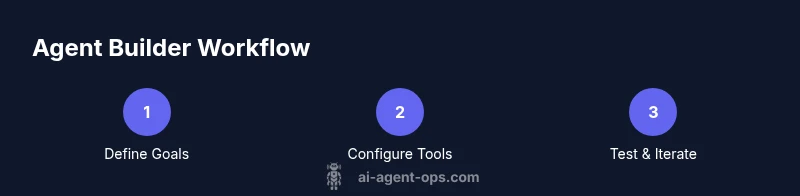
A well-structured agent starts with a clear goal, defined constraints, and a plan for how it will use memory and tools. The design workflow typically follows: (1) set the objective, (2) select memory strategy, (3) choose available tools, (4) craft prompts, (5) implement safety and monitoring, (6) test in a sandbox, and (7) iterate based on results. As you plan, consider how to map user intents to actions and how the agent should recover from errors. This block also introduces the exact phrase how to use open ai agent builder to think about mapping user goals to actions and memory in a practical way.
a practical example: customer-support agent blueprint
Imagine building a customer-support agent that handles order lookups, returns, and product recommendations. You would define goals like
resolve customer issue quickly
minimize data exposure
offer relevant help.
, then configure prompts, memory to retain user context, and tools to access order databases and knowledge bases. You’ll script flows so the agent can ask clarifying questions, fetch order status, apply return policies, and escalate to a human when necessary. This example demonstrates how to translate business rules into a working automation that improves response times and consistency.
governance, safety, and reliability considerations
Governance is not a bottleneck; it’s a design principle. Establish what the agent can do, what data it may access, and how it should respond to ambiguous prompts. Safety controls include rate limiting, action whitelists, and audit logging. Prioritize explainability so that decisions are traceable, and implement containment strategies if an agent behaves unexpectedly. Ai Agent Ops recommends documenting every decision point and maintaining versioned prompts and tool configurations to simplify rollback if needed.
testing and deployment workflow
Begin with end-to-end testing in a sandbox environment that mirrors production data and tools. Use synthetic data to validate memory behavior, tool calls, and error handling. Validate prompts under edge cases (slow networks, partial data, or ambiguous requests) and measure key metrics such as accuracy, latency, and safe-fallback rates. After successful tests, roll out to production in small stages, with active monitoring and a clear rollback plan if issues arise.
scaling and maintenance tips
As you scale, modularize agents by domain and capability so teams can reuse components. Maintain a changelog for prompts, memory schemas, and tool versions to keep ecosystems stable. Monitor agent health with dashboards that track latency, success rate, and escalation frequency. Ai Agent Ops’s guidance emphasizes continuous improvement through regular audits and by collecting feedback from real users to refine goals and constraints.
Tools & Materials
- Computer with internet access(Any modern Windows/macOS/Linux setup)
- OpenAI account with Agent Builder access(Ensure your account has Agent Builder permissions)
- API keys and authentication credentials(Keep keys secure; rotate periodically)
- Sandbox/test environment for testing agents(Use a non-production workspace to avoid live impact)
- Documentation and reference materials(Keep OpenAI docs handy)
- Sample datasets or memory/config templates(Helpful for quick starts but optional)
Steps
Estimated time: 1.5-2 hours
- 1
Prepare prerequisites
Verify you have an OpenAI account with Agent Builder access, API keys, and a sandbox environment. Set up a local development workspace and gather any sample data you’ll use for testing.
Tip: Double-check permissions to avoid access errors during the first run. - 2
Create a new agent project
In Agent Builder, initialize a new project and choose a goal category that matches your use case. Create a basic skeleton that includes goal, memory, and a tool list.
Tip: Name the project clearly to reflect its domain for easier collaboration. - 3
Define goals and constraints
Write a primary goal, success criteria, and safety constraints. Map each constraint to a concrete behavior the agent must exhibit or avoid.
Tip: Keep constraints explicit and test them under edge cases. - 4
Configure memory strategy
Decide what memory the agent should retain across sessions (recent context, user preferences, tool results). Implement memory schemas that balance usefulness with privacy.
Tip: Start with short-term memory first; add long-term memory in a controlled phase. - 5
Attach and configure tools
Link necessary tools (APIs, databases, knowledge bases) and define safe invocation patterns. Ensure tool responses return structured data that the agent can process.
Tip: Use whitelists and input validation to prevent unexpected tool usage. - 6
Craft prompts and flows
Design prompts that guide the agent toward desired reasoning and actions. Build decision flows that handle uncertainty and provide clear next steps to users.
Tip: Test prompts with diverse inputs to reveal hidden ambiguities. - 7
Test in sandbox
Run end-to-end tests in a sandbox that mirrors production. Validate memory, tool calls, error handling, and safety fences under realistic scenarios.
Tip: Use synthetic data to avoid exposing real customer data during tests. - 8
Deploy with monitoring
Promote your agent to production with a staged rollout and live monitoring. Establish alerting for failures or policy violations and plan for quick rollbacks.
Tip: Automate a rollback path and rehearse it before going live.
Questions & Answers
What is OpenAI Agent Builder and what can I build with it?
OpenAI Agent Builder is a framework for creating autonomous agents that can perform tasks by combining prompts, memory, and tool integrations. You can build assistants, automation agents, and domain-specific copilots that operate with minimal human input.
OpenAI Agent Builder is a framework for creating autonomous task-focused agents. It combines prompts, memory, and tools to automate workflows.
Do I need coding experience to use Agent Builder?
You don’t need deep production-grade coding to prototype agents, but understanding prompts, API usage, and basic scripting helps. The builder provides visual and declarative elements to assemble agents with optional code hooks for advanced scenarios.
Basic scripting helps, but you can prototype with prompts and built-in tools without heavy coding.
How should I test agents safely before deploying?
Test in a sandbox that mirrors production data, use synthetic data, and verify responses against safety constraints. Validate failure modes and ensure observability with logs and metrics before any live deployment.
Test in a sandbox with synthetic data and monitor logs before going live.
What are common pitfalls when starting with Agent Builder?
Overly broad goals, weak safety constraints, and insufficient memory scoping lead to unpredictable behavior. Start with small, well-scoped tasks and gradually expand capabilities while maintaining governance.
Start small, define clear constraints, and expand gradually with governance.
How do I monitor an agent in production?
Implement dashboards for latency, success rate, and tool usage. Set up alerts for policy violations or tool failures and maintain audit trails for accountability.
Use dashboards and alerts to keep production behavior within safe limits.
Can I reuse components across different agents?
Yes. Design modular prompts, memory schemas, and tool adapters that can be shared across projects to accelerate development and ensure consistency.
Yes, modular design makes reuse easy and consistent.
Is there a recommended workflow for scaling agents?
Adopt a domain-first approach, version-control prompts, and gradually add agents with incremental capabilities. Regularly audit performance and security controls as you scale.
Scale domain by domain with versioned prompts and ongoing audits.
Where can I find official documentation and examples?
Consult the official OpenAI Agent Builder docs and the Ai Agent Ops reference guides for best practices, templates, and case studies.
Check the official docs and Ai Agent Ops guides for templates.
Watch Video
Key Takeaways
- Define clear agent goals and constraints.
- Configure memory and tools thoughtfully.
- Test in sandbox before production.
- Implement strong safety controls and monitoring.
- Iterate based on real-user feedback.