How to Make AI Agents Without Coding: A No-Code Guide
Learn how to build practical AI agents without coding using no-code tools. Step-by-step workflow, tool options, and governance tips for reliable automation in 2026.


By the end, you’ll be able to assemble practical AI agents without writing code, using no‑code platforms, templates, and agent orchestration patterns. This quick guide covers tool options, a step‑by‑step workflow, real‑world examples, and safety considerations so your agents can automate tasks reliably without traditional development. No deep programming knowledge is required.
What no-code AI agents are and why they matter
According to Ai Agent Ops, no-code AI agents are software entities that perform tasks using AI capabilities without requiring traditional programming. They combine visual builders, prebuilt models, templates, and integrations to automate workflows. For teams evaluating automation, this approach lowers the barrier to experimentation, accelerates prototyping, and enables rapid iteration across product, marketing, and operations. If you’re curious about how to make ai agents without coding, you can start by mapping concrete tasks to reusable intents and orchestrating them within a no‑code platform. The result is a flexible, auditable workflow that your teammates can understand and extend. In 2026, these patterns are increasingly common in product ops, customer support, data processing, and internal tooling.
- Key benefits include faster time-to-value, lower maintenance costs, and the ability to prototype new agent behaviors without risking core systems.
- The approach is not a substitute for traditional software when complex, high‑assurance logic is required; it complements developers by handling routine tasks at scale.
- Start with small pilots, then expand to governance and monitoring to keep agents aligned with business goals.
Core building blocks of AI agents
AI agents rely on a handful of core components that you assemble in a no‑code environment. At their heart are inputs (what the agent can observe), state (what the agent remembers across steps), actions (how the agent interacts with tools or people), and memory (short‑term history vs. long‑term facts). A simple agent uses a prompt template to interpret inputs, a decision policy to choose actions, and connectors to external services (APIs, databases, calendar apps, ticketing systems). For no‑code approaches, these pieces are often exposed as blocks or nodes you drag into a workflow.
- Prompts and templates provide guidance to the AI, shaping how it interprets user requests and generates responses.
- Connectors enable the agent to fetch data, write results, or trigger other processes without writing code.
- Governance hooks—logs, versioning, and permission checks—keep agents auditable and auditable by non‑engineers.
A practical starting pattern is a triage agent: it receives a user query, consults a knowledge base, and routes the request to the right team or self‑serve path. By thinking in terms of inputs, decisions, and actions, you can design scalable behavior without touching a line of code.
Selecting the right no-code tools for AI agents
The options for building AI agents without coding span several categories. No‑code AI platforms typically provide visual workflow builders, model integration, and an array of connectors to data sources and services. When choosing, look for:
- Easy data access: built‑in connectors for common apps (CRM, calendars, ticketing) and the ability to import/export data in standard formats.
- Model integration: support for LLMs or autoregressive models, with controls for prompt templates, memory, and safety rules.
- Versioning and governance: clear audit trails, rollbacks, and role‑based access.
- Observability: built‑in logging, metrics, and dashboards to monitor performance.
Popular no‑code patterns emphasize template workflows—such as customer‑support triage, data extraction, and scheduling—with the ability to extend or rewire as needs evolve. Remember: the goal is to reduce friction, not to create black‑box automation. Leverage Ai Agent Ops insights to select tooling that sits well with your development velocity and data governance requirements.
Designing safe, reliable, and auditable agent workflows
Designing a no‑code AI agent workflow requires balancing capability with guardrails. Start by defining boundaries: what data the agent can access, what actions it can perform, and how to escalate when confidence is low. Use prompts that include explicit refusal rules for sensitive requests, and implement checks before performing irreversible actions (like data deletion or external updates). Add a lightweight monitoring layer that captures outcomes, prompts, and results so you can audit behavior later. Testing should happen in a sandbox environment that mirrors production but isolates data.
- Establish confidence thresholds: if the AI’s answer or action score falls below a set level, trigger human review.
- Build fallback paths: if/then rules or manual handoffs provide safe alternatives when the model is uncertain.
- Plan for data privacy: minimize data exposure, use anonymized inputs where possible, and comply with applicable regulations.
This discipline makes no‑code AI agents safer to use at scale and easier to trust by stakeholders across the organization.
Real-world patterns and examples you can replicate
No‑code AI agents appear across industries. A common starter pattern is a customer‑support assistant that triages inquiries, extracts key details, and routes to a human agent when needed. Another pattern is an automated data extraction and entry agent that pulls information from emails or documents and populates a CRM or ticketing system. You can also build an alerting agent that monitors logs or metrics, issues warnings, and creates tickets when anomalies are detected. As you gain experience, you’ll see value in combining agents: a data‑acquisition agent feeds a model that then triggers a notification agent, closing the loop in a single workflow.
- Use templates that map user intents to actions and data retrieval steps.
- Break complex tasks into smaller sub‑flows that can be tested independently.
- Keep human review loops for critical decisions to maintain accountability and quality.
Deployment, monitoring, and iteration for sustainable results
Deployment steps in no‑code environments are generally lightweight: publish to a test environment, connect required data sources, and enable logging. Monitoring focuses on throughput, accuracy, and user satisfaction. Collect metrics such as task completion rate, average handling time, and escalation frequency to gauge progress. Iterate quickly by swapping out prompts, adjusting memory scopes, or reordering actions. Documentation and version control help teams share improvements and rollback if needed.
- Start with a small pilot and define success criteria before going broader.
- Regularly review logs for edge cases and model drift.
- Use a lightweight governance plan to track who can modify workflows and when.
In Ai Agent Ops’ experience, disciplined iteration and clear ownership are the fastest routes to reliable no‑code AI agent programs.
Common pitfalls and how to avoid them
No‑code AI agents offer convenience, but there are repeatable pitfalls. Overreliance on model outputs without guardrails leads to inconsistent results. Vague prompts cause unpredictable behavior, and insufficient data governance creates privacy and compliance risks. A lack of monitoring means you miss drift and degradation in performance. To avoid these issues, design explicit success metrics, keep prompts deterministic where possible, and implement a blindsight test—have a human verify a sample of outputs before broad deployment.
- Define explicit success metrics and thresholds before launching.
- Build clear escalation paths and human-in-the-loop checks.
- Regularly audit data flows and access permissions to maintain compliance.
Avoiding these pitfalls helps ensure your no‑code AI agents deliver measurable value without compromising safety or trust.
Governance, ethics, and the path to scalable automation
As organizations scale, governance becomes essential. Establish who owns each workflow, what data can be accessed, and how changes are approved. Consider ethical implications: transparency about AI decisions, bias mitigation, and user consent. Use guardrails that require human oversight for high‑risk tasks and implement data‑handling policies that align with industry standards. A structured rollout plan, combined with ongoing monitoring, enables sustainable growth of AI agents across teams and use cases. The Ai Agent Ops framework emphasizes clear accountability, auditable decision trails, and continuous improvement as core practices for responsible automation.
Tools & Materials
- No-code AI platform account(Choose a platform with visual workflow builders and model integrations.)
- Data sources and API access(Connect CRM, calendars, databases, or file storage as needed.)
- Sample data for testing(Use sanitized data to protect privacy during tests.)
- Documentation and templates(Leverage starter templates and platform docs for faster setup.)
- Access to monitoring/observability(Ensure you can review logs, prompts, and outcomes.)
Steps
Estimated time: 2-4 hours
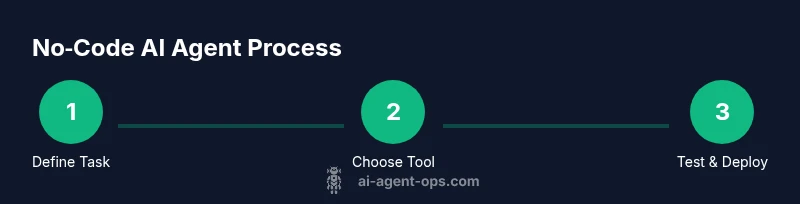
- 1
Define task and success criteria
Clearly state the problem the agent will solve and how you will measure success (e.g., response accuracy, time saved, user satisfaction). Create a simple flowchart mapping inputs to actions and outcomes.
Tip: Write one concrete example per task to guide prompt design. - 2
Choose a no-code platform
Select a tool with robust connectors, template workflows, and good governance features. Favor platforms with active communities and solid security posture.
Tip: Test a small workflow first to validate core capabilities. - 3
Connect data sources and APIs
Link the platforms to your data sources and external services. Ensure data formats align (JSON, CSV) and set up access controls.
Tip: Use sandbox/test environments to avoid affecting live systems. - 4
Create prompts and decision policies
Design prompts that guide the AI’s behavior and create simple if/then rules to handle common branches or failures.
Tip: Include explicit refusals for sensitive requests. - 5
Test in a safe sandbox
Run end-to-end tests with representative data. Check for drift, misinterpretations, and incorrect actions.
Tip: Log outcomes and actions for auditing. - 6
Deploy and monitor
Publish to production with basic monitoring dashboards. Set thresholds for escalation and plan for iterative improvements.
Tip: Schedule regular reviews to refine prompts and connectors.
Questions & Answers
Can I build enterprise-grade AI agents without coding?
Yes, you can build robust agents using no‑code platforms, but you should pair them with governance, security reviews, and human‑in‑the‑loop checks for high‑risk tasks. Start with small pilots and scale carefully.
Yes, you can, but you should add governance and safety reviews for high‑risk tasks and start small.
Which no-code platforms are best for AI agents?
Look for platforms with strong connectors, model integration, versioning, and observability. The right choice depends on your data sources, security needs, and team familiarity.
Look for strong connectors, model options, and good governance features, chosen to fit your data and team.
What are common limitations of no-code AI agents?
Limitations include model accuracy, control over complex logic, data privacy concerns, and the need for ongoing monitoring. They are best for routine tasks and rapid prototyping rather than mission‑critical systems.
Common limits are accuracy, complex logic control, and data privacy; ideal for routine tasks and rapid prototyping.
How do I ensure data privacy when using no-code agents?
Minimize data shared with AI services, anonymize inputs, and enforce access controls. Use platform features for data governance and ensure compliance with regulations applicable to your domain.
Minimize what you share, anonymize data, and use governance features to stay compliant.
How should I monitor AI agent performance after deployment?
Track metrics like task success rate, latency, and escalation frequency. Set up alerts for drift, and schedule regular reviews to refine prompts and data connections.
Track success, speed, and escalations; alert on drift and review prompts regularly.
Watch Video
Key Takeaways
- Define clear goals and success metrics before building.
- Choose a no-code platform with strong connectors and governance.
- Design safe prompts with guardrails and escalation paths.
- Test in a sandbox, then monitor and iterate based on data.
- Governance and ethics are essential for scalable AI agents.