Troubleshooting Node AI Agent with n8n
Troubleshooting guide to fix problems with node AI agents in n8n. Learn config checks, credentials, connectivity, and log interpretation for faster resolution.


Most likely, the problem in node ai agent n8n stems from misconfigured credentials or a broken integration. Start by validating the AI provider connection, re-authorizing, and checking the node configuration. If the issue persists, restart the n8n service, inspect logs for errors, and confirm the endpoint URL matches the current API. This quick path resolves many common failures.
Why the problem in node ai agent n8n occurs
In practice, the problem in node ai agent n8n often starts with configuration drift or credential expiry. The Ai Agent Ops team notes that teams frequently forget to re-authenticate after provider policy updates or to update a node's API key when settings change. Network restrictions or a changed API endpoint can also break the handshake between n8n and the AI service. By mapping symptoms to root causes, you can stop guessing and start fixing quickly. Misalignment between the AI provider's model or endpoint (for example, a deprecated URL or a newly required scope) can manifest as authentication failures, timeouts, or unexpected responses. In such cases, the fastest path to a reliable fix is to confirm the exact error code, reproduce the issue in a controlled test, and apply a targeted config change rather than a broad rebuild of the workflow. This approach reduces downtime and preserves existing automations.
Quick checks you should run first
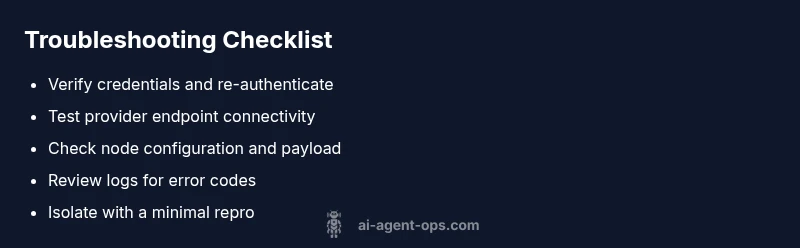
Before diving into code, perform a sequence of quick checks:
- Verify the AI provider connection in n8n, re-authorize if needed.
- Confirm the agent node's credentials and endpoint URL match the current provider settings.
- Check environment variables for API keys and ensure they are loaded by the n8n process.
- Restart the n8n service to clear stale sessions.
- Look for recent provider policy changes that could require a scope or permission update. If these checks reveal nothing, proceed to deeper diagnostics.
Inspecting logs and error messages
Logs are the best compass in troubleshooting. Look for authentication errors, 401/403 codes, timeouts, or 429 rate limits. The error message often points to the failing component (provider, node, or webhook). Enable verbose logging if available and search for recent changes in the workflow that might have affected the AI agent. When you see a mismatch between the request payload and the provider's expected schema, adjust the node's input parameters accordingly.
Verifying n8n workflow and node configuration
Double-check the AI agent node configuration in the workflow: correct model, endpoint, and authentication method. If you are using a custom action, ensure the request headers and body align with the provider's API docs. Validate that secrets are stored in n8n's credential manager and that they are not accidentally overwritten by another workflow. Also test with a minimal workflow to isolate the issue.
Connectivity and API endpoint validation
Network connectivity matters. Verify that the host running n8n can reach the AI provider's API. Check for firewall rules, VPNs, or proxy configurations that may block outbound traffic. Confirm that the API endpoint hasn't changed and that SSL certificates are valid. If you use a proxy, ensure it forwards requests correctly and preserves authentication headers.
Reproducing the issue with a controlled test
Create a small, controlled test: a simple workflow that invokes the AI agent with a known good input and logs the response. If the test succeeds, compare with the failing workflow to identify the divergence. Document each change you make and rollback to baseline if the issue reappears. Reproducibility accelerates resolution and aids future audits.
Best practices to prevent future problems
Adopt a robust change-management process for AI integrations:
- Pin API versions and monitor provider changelogs.
- Use dedicated credentials and rotate them on a schedule.
- Implement basic retries with exponential backoff and proper timeout settings.
- Keep a lightweight test suite for AI interactions.
- Document every configuration change and provide a rollback plan. From Ai Agent Ops, these practices reduce downtime and improve reliability.
Steps
Estimated time: 30-60 minutes
- 1
Validate credentials and re-authenticate
Open the credential store in n8n and confirm the AI provider secret is current. Re-authenticate to refresh tokens and verify scopes. Save changes and rerun a tiny test to confirm the provider responds.
Tip: Keep credentials in a rotation-friendly vault and avoid hard-coding keys. - 2
Test the connection endpoint
Trigger a direct API call to the provider from a simple workflow. Compare the response with the provider's docs. If the call is blocked, inspect network config and proxy settings.
Tip: Use a minimal prompt/input to reduce variability during testing. - 3
Inspect the AI agent node configuration
Double-check model name, endpoint URL, and authentication method in the node. Ensure the body, headers, and secrets align with the provider's spec.
Tip: Use a copy of a known-good workflow as a baseline. - 4
Isolate the issue with a small workflow
Create a tiny workflow that calls the AI agent with fixed inputs and logs the exact response. Compare with the failing workflow to identify divergences.
Tip: Document each change; back everything up before large edits. - 5
Review provider changes and deprecations
Check provider release notes for endpoint or model deprecations. If needed, switch to a supported endpoint or model version and retest.
Tip: Subscribe to provider changelogs for proactive updates. - 6
Implement a rollback plan
If the fix introduces new issues, revert to the previous working config and re-test. Maintain a changelog for auditability.
Tip: Automate rollback in your CI/CD where possible.
Diagnosis: AI agent in node n8n isn't returning results or returns errors
Possible Causes
- highExpired or revoked API credentials
- highChanged API endpoint or model version
- mediumIncorrect node configuration or parameter mismatch
- lowNetwork connectivity issues or firewall blocking outbound calls
Fixes
- easyRefresh credentials and re-authorize the AI provider in n8n
- easyUpdate the AI node to the latest version and adjust endpoint/model
- mediumReview and correct request payload and headers to match API docs
- easyCheck network connectivity and proxy/firewall settings
- easyRestart n8n and re-run test workflow
Questions & Answers
What is the most common cause of problems with node ai agent n8n?
Expired credentials and changed provider endpoints are the most frequent culprits. Start with authentication and endpoint checks before deeper debugging.
Most problems come from credentials or endpoint changes; check auth and the endpoint first.
How do I test an AI integration in n8n without affecting production?
Create a dedicated test workflow and use a sandbox provider when possible. Log responses and verify against provider docs before deploying to production.
Set up a separate test workflow with a safe provider to verify behavior.
What logs should I examine first?
Look for authentication errors (401/403), timeouts, and rate-limit messages (429). Trace the failing node and provider response to identify the mismatch.
Check auth errors and timeouts first, then trace the provider response.
When should I escalate to support?
If issues persist after credential and endpoint checks, escalate with a reproducible workflow, logs, and a minimal repro. Include steps taken and any sensitive data redactions.
If it still fails after checks, escalate with a reproducible test and logs.
How can I prevent these issues in the future?
Use credential rotation, monitor provider changes, implement retries with sensible timeouts, and maintain a lightweight test suite with rollback plans.
Rotate credentials, monitor provider changes, and test regularly to prevent issues.
Watch Video
Key Takeaways
- Start with credentials and endpoint checks.
- Test with a minimal workflow to isolate issues.
- Review logs for specific error codes and messages.
- Document changes and implement prevention practices.