AI Agent Zendesk: A Practical Guide to Automating Support
Learn how to deploy an AI agent with Zendesk to automate ticket triage, improve response quality, and orchestrate agentic AI workflows. Practical steps, tools, and best practices.


In this guide you will learn how to deploy an AI agent inside Zendesk to automate ticket routing, draft initial responses, and escalate complex issues to human agents. You’ll need a Zendesk admin account, an AI model API key, and a small knowledge base to start. By the end you’ll have a scalable workflow that improves first-response times.
What is an AI agent in Zendesk?
According to Ai Agent Ops, the term ai agent zendesk refers to an autonomous or semi autonomous software agent that operates inside Zendesk to understand tickets, fetch knowledge, and decide actions such as replying, routing, or handing off to human agents. This is not just a canned bot; it's an agentic AI approach that uses context, memory, and policy rules to act within your support workflows. In practice, an ai agent zendesk might monitor new tickets, read customer messages, search your knowledge base, and propose a draft response. You can configure it to respond with suggested text, prefill macros, or trigger routing rules. The goal is to improve speed, consistency, and agent capacity without sacrificing accuracy. In this guide we’ll cover architecture, integration steps, and governance for a responsible ai agent zendesk deployment.
How AI agents differ from traditional chatbots
AI agents in Zendesk differ from traditional chatbots in several core ways. First, they leverage larger language models and memory to interpret ticket context rather than rely on static rule sets. Second, they can take multiple actions in one workflow—responding, routing, fetching KB articles, and updating ticket fields—without human input for every step. Third, they use governance rules, safety nets, and auditing to ensure compliance with privacy and security requirements. For a successful ai agent zendesk deployment, you should design decision points that allow the agent to explain its reasoning and escalate when confidence is low. This combination of dynamic understanding and policy driven actions is what makes agentic workflows more powerful than traditional automations.
Architecture overview for ai agent zendesk
A practical ai agent zendesk solution rests on several components working in concert. The Zendesk platform serves as the surface layer, handling tickets, comments, and user data. An AI model provider (for example an LLM) processes natural language, issues intents, and suggests actions. A middleware layer coordinates data flows, enforces safety policies, and persists short term memory like recently seen tickets. Trigger rules and webhooks connect the agent to Zendesk events such as ticket creation or status changes. Finally, monitoring dashboards and alerting help you observe performance and drift over time. All of these parts must share a clear data map and strict access controls to keep customer information secure while enabling fast, accurate responses. In the context of ai agent zendesk, this blueprint guides practical integration.
Data privacy, safety and governance considerations
When deploying an ai agent zendesk, data privacy and safety are non negotiable. Start with data minimization: only feed the model tickets and fields that are strictly necessary for the task. Anonymize PII where possible and apply data retention policies to limit exposure. Implement guardrails such as sentiment checks, profanity filters, and escalation prompts if the model shows uncertainty. Maintain an auditable decision log so audits can verify how the agent behaved in real world tickets. Align with your organization’s privacy policy and legal requirements to build trust with customers and protect your brand.
Integrating Zendesk with an AI model
The core of aai agent zendesk deployment is connecting Zendesk events to an AI model. Start by creating a secure API integration or using a middleware platform to route ticket data to the AI provider. Configure authentication, rate limits, and error handling so the agent remains stable under load. Map Zendesk fields to the model input (ticket text, requester role, ticket channel) and decide which actions the model should propose (draft reply, search KB, or escalate). Keep a separate environment for testing, with synthetic tickets that mirror real customer inquiries. This separation helps you validate behavior before going live in the production Zendesk instance. As you implement, document the data path and privacy controls to satisfy compliance requirements for ai agent zendesk projects.
Designing intents, memory, and conversation flows
Designing robust intents is essential for effective ai agent zendesk performance. Start with a small set of core intents such as greeting, issue summary, knowledge search, and escalation. Build a lightweight memory module to remember the ticket context within a session but avoid leaking sensitive data across tickets. Create clear flows: when the model cannot answer, it should hand off to a human with a concise rationale and contact details. Use templated responses to maintain brand voice while enabling dynamic content. Finally, run regular reviews of the intents to reflect evolving product updates and customer needs in your ai agent zendesk setup.
Escalation and human handoff
No AI agent zendesk should replace human agents entirely. Establish a safe and predictable escalation path. Define thresholds for confidence, time spent, and historical failure modes to trigger handoff. Ensure the ticket context is included in the handoff notes and that the human agent can quickly pick up where the AI left off. Provide observers or moderators to review flagged cases and refine the model accordingly. With thoughtful escalation policies, your AI agent zendesk can handle the majority of routine inquiries while preserving high quality for complex issues.
Testing, metrics, and governance
Testing is the backbone of a reliable ai agent zendesk. Use both unit tests for individual components and end-to-end tests that simulate real customer interactions. Track metrics such as handle time, first reply accuracy, escalation rate, and customer satisfaction scores. Establish a governance cadence with periodic model retraining, policy updates, and security reviews. Maintain an audit trail of decisions, data usage, and model versions to support compliance for ai agent zendesk initiatives.
Rollout, monitoring, and scale
Begin with a controlled rollout to a small cohort of agents and customers. Monitor performance in real time and adjust prompts, routing, and safety rules based on observed results. Plan for gradual scale by capacity planning for API concurrency, budget, and data privacy controls. Use feature flags to enable or disable capabilities and maintain a rollback plan in case of unexpected behavior. As you scale, continuously validate against business goals to ensure the ai agent zendesk remains aligned with customer support standards.
Common pitfalls and best practices
Avoid data leakage by sanitizing input and restricting model access. Do not hard code responses; use templates that can be adapted by the model. Never bypass human oversight for sensitive tickets. Keep a clear governance model that covers access, retention, and consent. Finally, maintain a culture of continuous improvement by collecting feedback from agents and customers and applying it to your ai agent zendesk strategy.
Sample blueprint: from plan to production
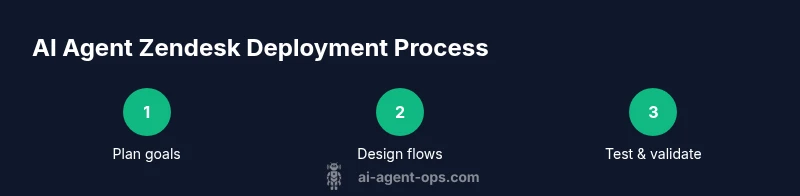
This blueprint shows a practical path from initial planning to a live ai agent zendesk implementation. Start with a small, well defined scope and a set of success criteria. Build a minimal viable integration, then expand to include knowledge base search and contextual memory. Establish safety guardrails, escalation rules, and monitoring dashboards. Iterate in short cycles and document every change to keep the ai agent zendesk project transparent and auditable. This blueprint illustrates how to move from ideas to measurable impact while protecting customer trust.
Tools & Materials
- Zendesk Admin account(Must have administrator privileges to install apps and configure automations)
- AI model provider API key(e.g., OpenAI API key or equivalent)
- Knowledge base articles(At least 5-10 representative articles to seed the agent)
- Testing environment / sandbox(Isolated environment for experimentation before production)
- Secure webhook URL / middleware(For connecting Zendesk events to the AI model)
- Security and privacy policy review(Ensure compliance for data used by the AI agent)
Steps
Estimated time: 3-5 hours
- 1
Define goals and success metrics
Identify the problems you want the ai agent zendesk to solve and set measurable outcomes such as faster response times, higher CSAT, or reduced escalations. Document acceptance criteria and align with stakeholders.
Tip: Tie metrics to business impact and ensure data collection is compliant. - 2
Choose architecture and data flows
Decide whether to run the AI model in a centralized service or via embedded calls. Map data flows from Zendesk to the model and back, including error handling and fallback prompts.
Tip: Keep data transformations minimal to reduce drift. - 3
Prepare Zendesk integration and authentication
Set up secure API access, create or configure a dedicated integration user, and test connectivity with a few sample tickets.
Tip: Use a dedicated sandbox for initial tests before production. - 4
Configure knowledge base and memory
Index relevant articles and create a memory store for recent tickets within the session. Ensure the model can fetch context without exposing sensitive data.
Tip: Implement memory limits to avoid data leakage. - 5
Design intents, prompts, and flows
Define core intents, craft prompts that reflect brand voice, and design flows for happy path, partial answers, and escalation.
Tip: Use prompt templates to simplify updates. - 6
Implement escalation and human handoff
Create clear escalation rules with confidence thresholds and handoff notes that preserve context for the human agent.
Tip: Include a concise rationale and links to related tickets. - 7
Test with synthetic tickets
Run a suite of tests using synthetic tickets that mirror real customer queries and edge cases.
Tip: Cover common and rare scenarios to surface gaps. - 8
Rollout and monitor
Release to a limited user group, monitor KPIs in real time, and iterate prompts, routing, and safety rules as needed.
Tip: Use feature flags to disable problematic capabilities quickly.
Questions & Answers
What is an AI agent Zendesk?
An AI agent Zendesk is an autonomous or semi autonomous component integrated into Zendesk that understands tickets, fetches knowledge, drafts responses, and routes work. It augments human agents by handling routine tasks while following governance rules.
An AI agent in Zendesk automates common tasks like routing and drafting replies. It works with rules to decide when to escalate.
Do I need to code to implement an AI agent in Zendesk?
Basic setup can be achieved with no code using connectors, but advanced scenarios may require prompts tuning and light scripting for custom flows.
You can start with no code, but you might add lightweight scripting for complex flows.
Which metrics indicate success?
Common metrics include first response time, accuracy of replies, escalation rate, average handle time, and customer satisfaction scores.
Track speed, accuracy, handoffs, and customer happiness to gauge success.
How should data privacy be handled?
Minimize data, anonymize where possible, enforce retention policies, and use secure connections with auditable logs.
Protect data with minimization and strong governance so customers trust the AI agent.
How should rollout occur?
Start with a small pilot, monitor performance, then gradually expand while refining prompts and rules.
Begin with a pilot and scale up as you validate metrics.
Can multiple AI models be used?
Yes, you can stack or compare models, but maintain version control and governance to avoid drift.
You can use more than one model with proper governance.
Watch Video
Key Takeaways
- Plan with clear goals and metrics
- Design safe, auditable flows
- Test extensively in a sandbox
- Roll out gradually with live monitoring
- Maintain governance for privacy and compliance