How to Make an AI for Your Phone
Learn how to build a lightweight on-device AI for mobile apps, including framework choices, data privacy, model conversion, and app integration. Step-by-step guidance for developers and product teams.


Goal: Learn how to make an ai for your phone by building a lightweight, on-device model that runs without cloud access. This guide covers fundamentals, tool choices, data privacy, model conversion, and mobile integration. You’ll follow a practical, step-by-step approach with real-world tips to minimize latency and battery impact while maintaining user trust and compliance.
On-device AI fundamentals
On-device AI refers to running machine learning models directly on a user's device (phone or tablet) rather than sending data to remote servers. This approach offers lower latency, better privacy, and continued operation offline, which is especially valuable for features like voice commands, camera-based intents, or offline translation. According to Ai Agent Ops, the core idea is to design small, purpose-built models that fit the device’s compute and memory constraints while delivering a native, responsive experience. You’ll typically balance accuracy with footprint, opting for quantized weights, smaller architectures, and streamlined feature sets to keep battery use in check. This section clarifies the trade-offs between on-device and cloud-based AI, and why many teams choose to start with a minimal viable model that meets user needs without overfitting the device.
Choosing your tech stack
The choice of framework largely depends on your target platform and the kind of model you’re deploying. For Android, TensorFlow Lite or NNAPI can accelerate on-device inference, while iOS developers often lean toward Core ML for seamless integration. PyTorch Mobile offers cross-platform capabilities, but you’ll need to consider the tooling and model export steps. For cross-platform projects, you might start with a lightweight TensorFlow Lite model and then port critical paths to Core ML where possible. Don’t forget about embedded option sets like MediaPipe for real-time processing pipelines. In every case, favor models that are small, fast, and easy to quantize. This decision will shape data pipelines, testing, and future updates.
Data, privacy, and model lifecycle
Privacy-minded design starts with data minimization and clear user consent. Collect only what you truly need, anonymize where possible, and ship local-only inference whenever feasible. Treat the model lifecycle as an ongoing loop: define the task, train or fine-tune on representative data, convert to mobile formats, deploy, monitor performance, and iterate. Ai Agent Ops analysis shows that framing the lifecycle around privacy and resource budgets helps teams ship features faster and with higher user trust. Plan for updates and model versioning so you can roll improvements without breaking existing apps.
A practical example: lightweight speech-to-text
Consider a small speech-to-text feature that supports basic commands (pause, play, next) without server round-trips. Start by collecting a compact dataset of command phrases with clear pronunciations. Train a tiny acoustic model on a desktop, then export to a mobile format (e.g., .tflite or .mlmodel). Apply post-training quantization to shrink the model and reduce latency. Integrate the model into the app with asynchronous inference to keep the UI responsive. Finally, test on multiple devices to ensure consistent latency and accuracy across hardware configurations.
Performance optimization and battery considerations
Mobile devices vary widely in CPU, memory, and available accelerators. Prioritize models with small footprint and low RAM requirements. Use quantization (reduced precision) and, where possible, hardware acceleration (NNAPI on Android, ANE on iOS). Profile memory usage, peak power draw, and frame rates during real-time tasks to identify bottlenecks. Techniques like model pruning, reduced input resolution, and caching frequently used results can significantly improve performance without compromising user experience. Remember to balance inference speed with accuracy; sometimes a slightly simpler model yields a smoother user flow.
Tools & Materials
- Smartphone with modern OS (Android 10+/iOS 13+)(Used for testing on-device inference and app integration)
- Development computer (Windows/macOS/Linux)(Needed for model training and app build)
- Android Studio + Android SDK(For Android app integration and testing)
- Xcode with iOS SDK(For iOS app integration and testing)
- Python environment (miniconda or Anaconda)(For data prep and conversion workflows)
- TensorFlow Lite / Core ML tools(On-device frameworks for model deployment)
- Sample dataset (privacy-safe, small)(Used for initial training/fine-tuning)
- Data labeling tool or service(Useful if you create custom data)
- Quantization tools (post-training quantization)(Helps reduce model size and latency)
- Optional hardware accelerators (e.g., NNAPI, Apple Neural Engine)(Can speed up inference on target devices)
Steps
Estimated time: 6-12 hours
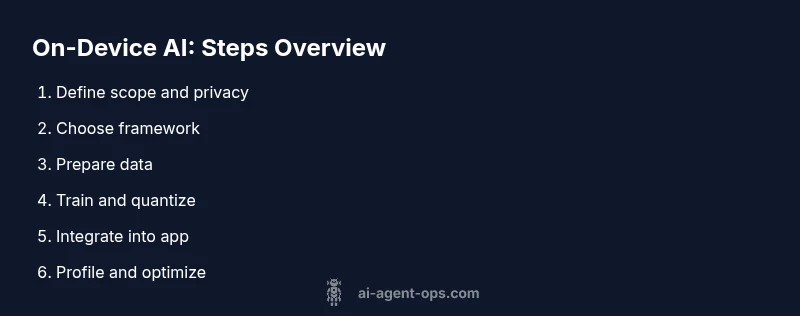
- 1
Define scope and privacy goals
Clarify the feature set, data requirements, and privacy constraints. Create a minimal MVP spec and outline how data will be used, stored, and purged. This ensures alignment with user expectations and regulatory considerations.
Tip: Write a one-page MVP spec with concrete success metrics. - 2
Choose a mobile-friendly framework
Evaluate TensorFlow Lite, Core ML, and PyTorch Mobile based on target platform, tooling, and deployment workflow. Pick a path that minimizes conversion friction and supports quantization.
Tip: Aim for a single framework you can consistently maintain across platforms. - 3
Prepare data for a tiny model
Curate a compact, privacy-safe dataset with diverse examples. Clean, augment, and split data for training and validation while avoiding sensitive content.
Tip: Use data augmentation to maximize diversity with a small base dataset. - 4
Train and fine-tune a lightweight model
Leverage transfer learning if possible; keep parameters small and training fast. Validate on a held-out set to monitor overfitting and generalization.
Tip: Use early stopping and simple architectures to reduce training time. - 5
Convert to mobile format
Export the trained model to a mobile-friendly format (e.g., .tflite, .mlmodel). Apply post-training quantization to reduce size and improve latency.
Tip: Test the converted model with representative inputs to catch conversion issues early. - 6
Integrate into the app
Add inference code, manage permissions, and ensure offline operation where possible. Use async calls to keep the UI responsive and handle failures gracefully.
Tip: Profile on-device latency to avoid UI jank during interactions. - 7
Profile, test, and iterate
Measure latency, memory usage, and energy impact across devices. Iterate on model size, input processing, and batching to balance performance and accuracy.
Tip: Use device profiling tools to identify and fix bottlenecks.
Questions & Answers
Do I need a cloud connection to run AI on a phone?
No. On-device inference runs locally, which preserves privacy and reduces latency. Some features may still require occasional online validation or data syncing, but core inference can operate offline.
No, you can run most in-device tasks offline; cloud is optional for updates or data syncing.
What is the smallest model size I should aim for?
Target a compact footprint that fits your task; quantization and simpler architectures help keep models in the few-megabyte range where feasible.
Aim for a few megabytes if possible, using quantization to shrink the model.
Can I train models directly on a phone?
Training on-device is possible for tiny models, but most teams train on desktop and deploy pre-trained weights. On-device fine-tuning can be limited by compute and data constraints.
Training on the phone is rare for large tasks; use desktop training and deploy.
Which platforms support on-device ML?
Android supports on-device ML via TensorFlow Lite and NNAPI; iOS supports Core ML. Cross-platform workflows are possible with PyTorch Mobile and export tools.
Android and iOS both support on-device ML with their native stacks.
What are common pitfalls?
Overfitting, memory constraints, battery drain, and poor user experience due to latency are the main risks. Start small and validate on real devices early.
Watch for memory use and battery drain; test early and iterate.
How do I test performance on-device?
Use platform profiling tools to measure latency, memory, and energy use. Compare across devices and adjust model size or input processing as needed.
Profile with device tools and tweak as needed to balance speed and accuracy.
Watch Video
Key Takeaways
- Define MVP and privacy constraints up front
- Choose a mobile framework suited to your target platform
- Keep models compact with quantization
- Test on real devices for latency and battery
- Iterate to balance accuracy, latency, and memory