How to Build an AI Agent with ChatGPT
A comprehensive, step-by-step guide to creating an AI agent using ChatGPT. Learn objectives, tool integration, memory design, safety, testing, deployment, and ongoing governance for reliable automation.


To build an AI agent with ChatGPT, define the agent’s objective, then design roles, tool use, memory, and policies. Create a simple orchestration layer, connect to the OpenAI API, and test with real scenarios. Iterate on prompts, memory, and tooling to improve reliability and safety. This approach works with both no-code and code-first teams.
Why integrating ChatGPT into automated workstreams matters
According to Ai Agent Ops, practical AI agents bridge conversational reasoning with real-world action, enabling software to reason, plan, and execute tasks with minimal human guidance. When you pair ChatGPT with a lightweight orchestration layer, you can convert human intent into repeatable workflows that scale across teams. This approach shines in customer support, data processing, and internal automation where speed matters and guardrails are essential. The goal is to create a runnable agent that can understand a user goal, decide which tools to call, manage short-term memory, and surface results for human review when needed. In this guide, we outline a pragmatic path to building an AI agent with ChatGPT that you can prototype in days and evolve over weeks. You’ll learn how to define objectives, assemble a modular toolset, model memory and context, and craft prompts that drive reliable behavior. Safety, governance, and measurable outcomes stay at the center to prevent drift and misbehavior.
Defining the objective and scope
Before writing a single line of code, crystallize what the agent should achieve and for whom. Write a one-paragraph user story that describes the task, success criteria, and limits. For example, an agent that triages customer requests should identify priority, extract key data, and route to the right fulfillment channel. Establish constraints such as response latency, data privacy requirements, and the boundary between automatic actions and human review. This stage sets the lattice for memories, tools, and prompts that follow. At Ai Agent Ops, we emphasize starting small with a single end-to-end scenario and expanding as confidence grows. Document the objective in a lightweight spec so developers and product teams share a common mental model.
Core components: agent, tools, memory, policies, and observability
A practical AI agent rests on five pillars:
- Agent: the decision-maker that interprets user input and selects actions.
- Tools: external capabilities the agent can call (APIs, databases, search, or automation).
- Memory: context that persists across turns (short-term working memory and optional long-term stores).
- Policies: guardrails that define when to act automatically and when to escalate.
- Observability: telemetry, logging, and dashboards to monitor behavior.
Together, these parts form a loop: observe, think, act, reflect. When you design these components, keep interfaces clean, ensure deterministic tool calls, and implement clear fallbacks if a tool fails. This modular approach makes testing easier and allows you to swap tools without rewriting the core agent. Ai Agent Ops recommends documenting each component’s API and failure modes to reduce integration debt.
Choosing the right chat model and plugins
ChatGPT variants power different capabilities. For most task-driven agents, a capable large language model with robust tool-calling and memory features is best. Start with a model that supports function calling and structured data outputs to simplify tool integration. Plugins or connectors can extend the agent’s reach to calendars, tickets, or data sources, but they should be added thoughtfully to avoid bloat. Decide how to balance latency against depth of reasoning; shorter cycles with caching can yield fast, reliable results, while deeper planning may justify slower responses. Finally, ensure you have a clear policy for when to fallback to human review if confidence is low; this keeps user trust intact and reduces operational risk.
Designing memory and context handling
Memory is what separates a one-shot prompt from an agent capable of multi-turn tasks. Implement a lightweight memory layer that stores recent interactions, goals, and tool outputs. Differentiate between short-term memory (recent prompts and results) and long-term memory (learned preferences or policy settings). Use structured representations (e.g., data objects, intents, and provenance) rather than raw text dumps to help the agent reason and retrieve information efficiently. Apply context windows strategically; when the conversation grows, summarize past turns to keep the agent responsive. Finally, design explicit memory write and read operations with clear owners and permissions to prevent leaks or stale data influencing decisions.
Orchestration and tool integration
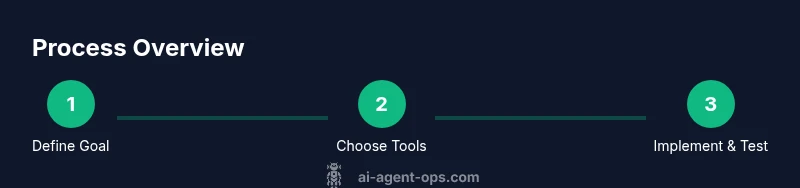
A successful agent uses a small orchestration layer to decide what to do next and which tool to call. Implement a simple plan: parse the user goal, choose tools, call the tool, process the result, and present the outcome. Use function-calling or API wrappers to decouple the agent from tool implementations. Create neutral adapters for each tool so you can swap services without touching the core logic. Remember to validate tool responses and handle timeouts gracefully; always include a fallback path. Finally, implement retry policies and circuit breakers to protect downstream systems from cascading failures.
Safety, governance, and ethics
Safety isn’t optional—it's the core of a trustworthy agent. Enforce role-based access, data minimization, and explicit user consent where required. Define what actions are allowed automatically and what requires human review. Add content filters and validation checks to prevent sensitive data leakage or unsafe actions. Implement monitoring that flags anomalous behavior, such as repeated tool failures or unexpected tool outputs. Document policies clearly and ensure they’re accessible to engineering, product, and security teams. Regularly review logs, update guardrails, and perform threat modeling to anticipate misuse.
Implementation architecture and data flow
A clean architecture keeps responsibilities separated. The user request flows into an intent parser, which consults the memory layer and policy engine, then triggers the tool orchestration. Tool results feed back into a result renderer, which may prompt the user or trigger downstream automation. Data stores include a short-term memory cache, an audit log, and a configurable long-term store for preferences. Secure all endpoints with proper authentication and encryption. Visualize the data flow with a simple diagram to help teammates understand how data travels from input to action. Keep data schemas versioned and API contracts stable to minimize integration risk.
Testing and validation
Test early with realistic scenarios and edge cases. Create test scripts that simulate user goals and measure success criteria such as accuracy, latency, and user satisfaction. Include unit tests for memory read/write, tool adapters, and policy decisions, plus end-to-end tests that cover failure modes (timeouts, partial data, tool outages). Use synthetic data when live data is sensitive, and pair automated tests with manual reviews for high-risk tasks. Establish a regression suite and run it before each deployment. Finally, document test gaps and plan incremental improvements rather than forcing a perfect initial pass.
Deployment and monitoring considerations
Deploy to a staging environment that mirrors production. Implement monitoring dashboards that track latency, error rates, tool success, and guardrail breaches. Set up alerting for abnormal patterns and provide a quick rollback path. Maintain versioned deployments of prompts, memory schemas, and tool adapters. Establish governance processes for updates, security reviews, and incident response. Over time, refine the agent’s objectives and policies based on observed usage and business value.
Operational best practices and next steps
As teams adopt AI agents, embrace an iterative mindset and codify learnings. Start with a single end-to-end scenario, then gradually expand to more domains. Share a living doc that outlines objectives, tools, policies, and memory schemas so cross-functional teams stay aligned. Invest in observability, run safety drills, and schedule periodic reviews of guardrails and data handling procedures. The journey from prototype to production is incremental: optimize prompts, tighten tool interfaces, and monitor real-world outcomes to ensure the agent remains helpful, safe, and scalable.
Tools & Materials
- OpenAI API access (ChatGPT / GPT-4 API)(Required for model calls and tool integration)
- Programming runtime (Node.js or Python)(Choose one ecosystem and stay consistent)
- Hosting environment(Cloud or on-premises for running the agent and webhooks)
- Memory/storage layer(Redis, SQLite, or another fast store for short-term memory)
- Tool adapters and endpoints(HTTP servers, API wrappers, or serverless functions)
- Secrets management(Secure storage for API keys and tokens)
- Version control(Git or another VCS for collaboration)
- Documentation(Living docs for prompts, memory schemas, and policies)
Steps
Estimated time: 4-8 hours
- 1
Define objective and success metrics
Articulate the task, the user, and measurable outcomes. Create a one-page spec to align the team on scope and boundaries.
Tip: Start with one realistic scenario and capture its acceptance criteria. - 2
Map tooling and memory requirements
List the tools the agent will call and outline the memory needed to persist context across turns.
Tip: Prioritize tools that deliver repeatable results and clear error handling. - 3
Create a minimal agent skeleton
Build a lightweight core that parses input, selects an action, and handles the response format.
Tip: Keep interfaces small and well-documented to simplify future changes. - 4
Implement tool wrappers and function calls
Wrap each external capability with a stable interface and enable function-calling where possible.
Tip: Validate tool output and implement timeouts and retries. - 5
Add memory and context management
Implement short-term memory for recent turns and optional long-term memory for preferences.
Tip: Version memory schemas and prune stale data regularly. - 6
Design prompts, policies, and guardrails
Create prompts that guide behavior and define when auto-action vs. escalation should occur.
Tip: Document policy decisions in a public, accessible doc. - 7
Test with realistic scenarios
Run end-to-end tests mirroring real workflows and record outcomes for improvement.
Tip: Automate test runs and integrate with CI/CD if possible. - 8
Deploy to staging and monitor
Move to a staging environment, observe performance, and fix issues before production.
Tip: Set up dashboards and alerting for key metrics and failures.
Questions & Answers
What is an AI agent with ChatGPT?
An AI agent with ChatGPT is a software component that interprets user goals, decides which tools to call, and executes actions to accomplish tasks. It combines conversational reasoning with orchestrated tool use and memory to complete multi-step workflows.
An AI agent with ChatGPT is a smart assistant that understands goals, calls tools to act, and remembers context to finish tasks.
Do I need to code to build one?
You can start with no-code connectors, but some coding improves flexibility, performance, and security. A code-forward approach lets you tailor adapters and memory models precisely to your domain.
You can start no-code, but coding helps you customize and scale safely.
What are the main benefits of using a ChatGPT-based agent?
ChatGPT-based agents enable rapid automation, consistent decision-making, and easier collaboration between humans and software. They excel at interpreting intent, routing tasks to the right tools, and surfacing outcomes with auditable reasoning.
Benefits include faster automation, clearer decisions, and auditable results.
What are common risks or pitfalls?
Risks include data leakage, over-reliance on automatic actions, tool failures, and drift in behavior. Guardrails, monitoring, and regular governance reviews help mitigate these issues.
Common risks are data leakage, unintended actions, and drift; guardrails help mitigate them.
How long does it typically take to build a basic agent?
A basic, functioning agent can be prototyped in days with a focused scenario. More complex capabilities and safety measures extend the timeline to weeks.
A basic prototype can take a few days; full production features may take weeks.
Can this run locally or does it require cloud hosting?
Both are possible. Local runs are feasible for testing, while cloud hosting offers scalable deployment, easier updates, and centralized monitoring.
You can start locally; for production, cloud hosting scales better and simplifies monitoring.
Watch Video
Key Takeaways
- Define objective and success criteria up front.
- Use modular tools and memory for reuse.
- Prioritize safety, governance, and observability.
- Test with realistic scenarios and automate monitoring.