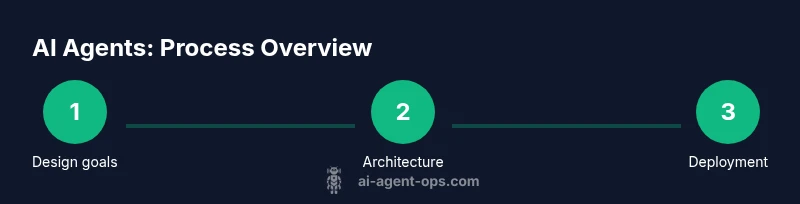
How AI Agents Are Made: A Practical Guide for Builders
Explore how AI agents are made—from architecture and data to prompts, tooling, and governance. A practical, developer-focused guide for building reliable, safe agents.


You're about to learn how AI agents are made, including architecture, data pipelines, memory, tool integration, and governance. By the end, you'll understand practical steps for building a usable agent stack, common pitfalls, and safety considerations. This guide is designed for developers, product teams, and business leaders seeking actionable, real-world guidance on agent creation.
Foundations of AI Agents
According to Ai Agent Ops, an AI agent is a software system that perceives its environment, reasons about goals, and acts through capable interfaces or tools to achieve outcomes. Unlike traditional scripted bots, AI agents blend machine learning models with decision rules to adapt to changing tasks. In practice, an agent's behavior emerges from how its components are wired: perception modules interpret data, a reasoning layer selects actions, and an execution layer carries them out. This section lays the groundwork for understanding how are ai agents made by unpacking the core ideas: goals, autonomy, and interaction with the outside world. You’ll see how agents combine sensing, decision-making, and acting, and why the design choices at each layer determine performance, safety, and reliability. As you read, consider how your organization might map real business tasks into agent goals and measurable outcomes.
Core Architectures and Components
AI agents rely on a modular architecture. The perception module translates raw inputs (text, images, sensor data) into structured signals. The reasoning layer uses models, rules, and heuristics to plan a sequence of actions. The action/execution layer carries out those actions through APIs, user interfaces, or direct control. A memory subsystem preserves context across interactions, enabling continuity and learning over time. A controller coordinates modules, handles failures, and enforces safety constraints. Depending on goals, agents may be reactive (short feedback loop) or deliberative (longer planning cycles with internal state). Hybrid architectures blend both to balance responsiveness and foresight. Tool integration is a key design decision: which external services will the agent call, and under what conditions? The result is an agent that can sense, reason, decide, and act with minimal human input, while remaining auditable and controllable.
Data, Models, and Learning
Data is the lifeblood of AI agents. You collect task-relevant data, ensure privacy, and curate datasets that reflect real user scenarios. Models provide perception (e.g., language understanding), reasoning (planning and decision-making), and sometimes generation (creating responses or actions). Learning strategies range from supervised fine-tuning to reinforcement learning from human feedback (RLHF) and offline RL. You’ll want to separate training data from production data and implement versioning so you can reproduce agent behavior. Transfer learning helps adapt generic agents to domain-specific tasks. It’s also critical to distinguish between base models and adapters or plugins that extend capabilities without retraining the full model. Finally, maintainability matters: track model drift, update pipelines, and validate improvements with controlled experiments.
Prompts, Policies, and Control
Prompts shape how agents interpret tasks and generate actions. A policy defines when to act, when to ask for human input, and how to escalate issues. Guardrails—safety prompts, content filters, and access controls—prevent unsafe or biased outputs. You’ll design prompts to elicit reliable plan structures, check results, and maintain auditable traces for governance. Flow control helps the agent handle multi-step tasks, branching logic, and error recovery. When you implement tool use, specify clear input/output contracts and failure modes. Finally, ensure observability by logging decisions and outcomes so you can audit behavior and improve prompts over time.
Memory and State Management
Memory stores context across interactions, enabling continuity and user-specific behavior. Short-term memory tracks current task state, while long-term memory stores preferences, past actions, and task outcomes. You’ll implement techniques like episodic memory, semantic memory, and retrieval-augmented generation to keep agents coherent. State management also includes handling failures gracefully and preserving user safety. Consider data retention policies, privacy requirements, and compliance when saving memories. Regularly prune outdated data and validate privacy protections to avoid leakage.
Tool Use and Orchestration
Agents extend capabilities by calling external tools—APIs, databases, and software platforms. You’ll need an orchestrator that routes requests, handles failures, and enforces rate limits. Build robust input validation, standardized schemas, and clear timeout policies. Implement retries with backoff and circuit breakers to maintain resilience. When selecting tools, prioritize reliability, security, and compliance. Provide transparent logs so operators can audit tool usage and outcomes.
Evaluation and Testing
Define success metrics early: task completion rate, response quality, latency, safety violations, and user satisfaction. Create test suites that cover happy paths, edge cases, and adversarial inputs. Use simulated environments before live deployments, and quantify improvements with controlled experiments. Include human-in-the-loop evaluation for critical decisions. Track drift in perception and decision quality over time and verify that updates maintain reliability.
Deployment, Monitoring, and Governance
Deploy agents in staged environments with rollback capabilities and monitoring dashboards. Observe metrics like throughput, error rates, and tool call distribution. Set alerting thresholds for anomalous behavior, and create incident response playbooks. Governance includes access controls, auditing, and compliance with data privacy rules. Establish versioning for agents and CI/CD pipelines so changes are traceable. Periodically review safety policies and update governance as technologies evolve.
Ethics, Safety, and Compliance
Ethics guides design: minimize bias, protect privacy, and respect user autonomy. Safety features should detect harmful requests, provide safe alternatives, and escalate when needed. Compliance requires documenting data handling, retention, and consent. Conduct risk assessments for deployment in sensitive domains and monitor for unintended consequences. Engage stakeholders and maintain transparency with users about agent capabilities and limits.
Common Pitfalls and Best Practices
Pitfalls include over-engineering prompts, neglecting safety, and insufficient testing. Best practices emphasize starting with a minimal viable agent, incremental integration, and continuous monitoring. Build clear escalation paths, maintain thorough logs, and use modular architectures to simplify updates. Regularly review performance against objective tasks and adjust prompts, tool contracts, and memory settings accordingly.
Future Trends in AI Agents
Advances will likely revolve around more capable tool ecosystems, better memory, and richer multi-modal perception. Expect improvements in governance, safety, and explainability to keep agents trustworthy. As research matures, agent orchestration will become more accessible to product teams, enabling smarter automation at scale. Businesses that adopt disciplined development practices will realize faster iteration and safer, more reliable agent deployments.
Tools & Materials
- Word processor or text editor(For drafting and formatting.)
- Markdown editor(To structure bodyBlocks with markdown.)
- Browser with internet access(Verify sources and URLs.)
- Access to credible sources (gov/edu/major publications)(For citing authority sources in the article.)
- Grammarly or grammar tool(Optional proofreading.)
Steps
Estimated time: Estimated total time: 6-8 hours
- 1
Define objectives and scope
Identify the business tasks the agent should assist with and set clear success criteria. Outline constraints, safety requirements, and success metrics before touching models or tools. This step anchors the entire build to real outcomes.
Tip: Write down 2-3 concrete tasks the agent will handle in production. - 2
Assemble the data and environment
Collect task-relevant data, establish privacy guards, and map data sources to the agent's perception capabilities. Set up a development environment with versioned datasets and model checkpoints.
Tip: Use a separate sandbox dataset to prevent data leakage. - 3
Choose architecture and modules
Decide on perception, reasoning, memory, and action modules. Select a hybrid approach if you need both fast responses and thoughtful planning. Plan how modules will communicate via well-defined interfaces.
Tip: Document interface contracts early to avoid integration creep. - 4
Design prompts and control policies
Craft prompts and governance policies that shape task interpretation and action selection. Implement guardrails and escalation paths to preserve safety and compliance.
Tip: Create a templated prompt suite for repeatable tasks. - 5
Implement memory and state
Add short-term and long-term memory layers to maintain context and learn from interactions. Ensure privacy controls and data retention policies are enforced.
Tip: Tag memories by task to simplify retrieval. - 6
Integrate tools and orchestration
Connect external APIs and systems with a robust orchestrator. Define input/output contracts, error handling, and rate limits.
Tip: Prefer standardized schemas to reduce tool brittleness. - 7
Test with scenarios and safety checks
Create test scenarios that cover happy paths, edge cases, and adversarial inputs. Use simulated environments before live use and involve human-in-the-loop when needed.
Tip: Automate regression tests for every rollout. - 8
Deploy, monitor, and iterate
Roll out in stages, observe performance, and refine prompts, contracts, and safety rules. Use dashboards and alerting for rapid response to anomalies.
Tip: Implement a rollback plan for quick safety containment. - 9
Governance and ethics review
Regularly review safety, bias, and privacy considerations. Update governance policies as technology and regulations evolve.
Tip: Schedule quarterly ethics reviews with cross-functional teams.
Questions & Answers
What is an AI agent?
An AI agent is a software system that perceives its environment, reasons about goals, and takes actions to achieve outcomes, often using memory and tools to extend capabilities. It combines perception, decision-making, and action in a way that can adapt to tasks.
An AI agent perceives, reasons, and acts to achieve goals, using memory and tools to adapt to tasks.
How do AI agents differ from traditional software?
Traditional software follows fixed rules, while AI agents combine models, data, and decision logic to adapt to new tasks. They can plan, remember past interactions, and use external tools to accomplish goals.
AI agents adapt to tasks using models and data, unlike fixed-rule software.
What components are needed to build an AI agent?
You need perception, reasoning, memory, action interfaces, and an orchestration layer to call tools. Prompts and control policies govern behavior, with safety and governance embedded from the start.
Perception, reasoning, memory, actions, and tool orchestration plus prompts and safety.
Do AI agents require large compute resources?
Resource needs vary by task and scale. Start with smaller, maintainable configurations and scale gradually as you validate performance and safety.
Compute needs vary; begin small and scale after testing.
What are the main safety concerns in AI agents?
Key concerns include data privacy, bias, misinterpretation of tasks, and unsafe tool use. Implement guardrails, audits, and human-in-the-loop review where appropriate.
Privacy, bias, misinterpretation, and unsafe tool use are the main safety concerns.
How should we evaluate AI agents before production?
Use a mix of automated tests, scenario-based evaluations, human-in-the-loop reviews, and monitoring plans to ensure reliability and safety before broader rollout.
Use tests, scenarios, human reviews, and monitoring to evaluate readiness.
Watch Video
Key Takeaways
- Define concrete agent goals and success metrics.
- Design modular architectures for scalability.
- Integrate prompts, tools, and governance from day one.
- Test thoroughly in safe environments before production.
- Prioritize safety, privacy, and ethics throughout.