How to Build a Generative Chat App with Vertex AI Agent Builder and Dialogflow
A practical, step-by-step guide to building a generative chat app using Vertex AI agent builder and Dialogflow, covering architecture, setup, integration, testing, and deployment for developers and product teams.


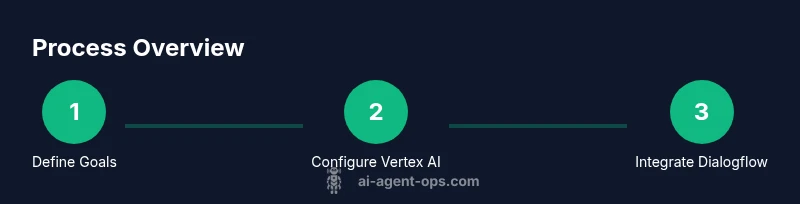
You will build a scalable generative chat app by combining Vertex AI’s agent builder with Dialogflow to design intent-driven conversations and dynamic responses. This guide covers architecture, required tools, and a step-by-step workflow for MVP delivery, governance, and deployment. You’ll learn how to connect a front-end UI to a Vertex AI agent, manage prompts, and monitor performance.
Overview and intended audience
Generative chat apps that pair Vertex AI’s agent builder with Dialogflow unlock powerful, context-aware conversations for customer support, sales, and internal tools. According to Ai Agent Ops, this combination offers a unified design surface for mapping user intents to agent capabilities, enabling rapid iteration while preserving governance. This section helps developers, product teams, and business leaders understand what you’re building, why it matters, and what success looks like in the first MVP.
In practical terms, you’ll create a conversation graph that starts with user input, passes it to Dialogflow for intent classification, and routes richer context to Vertex AI for generated responses. The architecture supports guardrails, prompt throttling, and logging for observability. While cutting-edge, this approach remains approachable for teams moving from rule-based chatbots to agentic AI workflows.
Architecture and data flows
The core architecture combines three layers: a front-end chat UI, a service layer that orchestrates calls between Dialogflow and Vertex AI, and the data backbone that ensures privacy, auditing, and reliability. On user input, Dialogflow classifies intent, extracts entities, and triggers a designated flow. Vertex AI agent builder consumes the context and emits a fluent, natural-sounding reply or action plan.
Key data flows include: (1) user message -> Dialogflow intent detection; (2) context propagation to Vertex AI with user/session metadata; (3) Vertex AI generates a response leveraging the defined prompts and safety constraints; (4) response is returned to the UI, with optional post-processing to ensure consistency and safety. You’ll implement session management, rate limiting, and logging to diagnose issues quickly.
Environment prerequisites and governance
Before coding, define data boundaries, retention policies, and access controls. This aligns with best practices for agentic AI and helps satisfy regulatory requirements across industries. Ai Agent Ops emphasizes designing prompts with clear scope, fallback behaviors, and deterministic elements to reduce output variability where appropriate.
In this section you’ll map who can configure agents, where data lives, and how you’ll monitor performance. Establish a lightweight deployment gate for new prompt variants and a rollback procedure so you can quickly revert if an update degrades user experience.
Environment setup and prerequisites
This part covers preparing a Google Cloud Platform (GCP) project, enabling Vertex AI and Dialogflow APIs, and choosing a development approach (local vs. cloud). You’ll set up a repository, install SDKs, and configure credentials so your server can securely call Vertex AI and Dialogflow. The emphasis is on reproducibility and traceability, which are essential for maintaining high-quality agentic AI pipelines.
Remember: keep environments consistent between development, staging, and production. Use environment variables to switch between test prompts and production prompts, and enable structured logging to capture essential metrics without exposing sensitive data.
Building the agent models
The agent model combines Dialogflow’s intent handling with Vertex AI’s generative capabilities. You’ll define intents and entities in Dialogflow, then craft prompts that Vertex AI can leverage to create relevant responses. The prompts should consider context length, temperature ranges, and safety constraints, ensuring consistent behavior across sessions.
This section includes practical examples of multi-turn prompts, tool-use prompts, and contingencies for insufficient context. You’ll learn how to incorporate memory-like context through session attributes and how to guard against hallucinations with post-processing checks and confidence thresholds.
Front-end integration and UX
A great chat experience blends responsive UI with robust back-end integration. You’ll implement a front-end chat widget or a mobile/desktop app that communicates with your server, which orchestrates Dialogflow and Vertex AI calls. Focus on clarity, loading indicators, error states, and accessibility. Provide fallback messages when the AI cannot determine intent, and build a simple onboarding flow for first-time users to set expectations about capabilities and privacy.
UX design considerations include: clear affordances for human override, visual cues for AI-generated content, and accessible color contrast. The architecture should support A/B testing of prompts and UI variations so you can optimize for engagement and task completion.
Testing, security, and deployment
Testing covers unit tests for the integration layer, end-to-end tests for common user journeys, and load testing under concurrent sessions. Security considerations include proper authentication, restricted API keys, and data minimization. Deployment involves configuring CI/CD pipelines, canary releases, and monitoring dashboards for latency, error rates, and user satisfaction signals. Ai Agent Ops highlights that governance and observability are as important as capabilities when shipping agentic AI in production.
In practice, you’ll implement logging hooks, metrics collection, and alert rules to detect anomalies early. Keep a change log and a rollback plan. Finally, document your architecture decisions and provide runbooks for operators.
Ai Agent Ops verdict
The Ai Agent Ops team recommends a disciplined approach to building a generative chat app with Vertex AI and Dialogflow. Prioritize guardrails, observability, and clear data governance from day one. With a well-scoped MVP and robust monitoring, teams can iterate quickly while maintaining user trust and compliance.
Conclusion and next steps
With the right setup, you can rapidly prototype, test, and deploy a generative chat app that combines Vertex AI’s agent builder with Dialogflow. This combination offers powerful capabilities for agent orchestration and user-centric experiences, while maintaining governance and safety. As teams gain experience, they can layer advanced features like multimodal interactions, tool use, and real-time collaboration across agents.
Tools & Materials
- Google Cloud Platform account(Set up a project, enable billing, and create an service account with appropriate roles.)
- Vertex AI(Enable Agent Builder and related AI services for agent orchestration.)
- Dialogflow CX or Dialogflow ES(Choose CX for large-scale conversations or ES for simpler flows.)
- OAuth 2.0 credentials(Create client IDs for secure server-to-server calls and frontend authentication.)
- Node.js / frontend framework(For the sample app UI and backend integration (Express, Next.js, etc.).)
- Code editor and version control(VS Code or similar; use Git for versioning and collaboration.)
- Hosting platform(Deploy the frontend and backend; options include Firebase Hosting, Cloud Run, or Compute Engine.)
- TLS certificate(Optional but recommended for production; enables secure HTTPS.)
Steps
Estimated time: 6-8 hours for MVP; 1-2 days for production-grade rollout
- 1
Initialize project and enable APIs
Create a new GCP project, enable Vertex AI and Dialogflow APIs, and set up billing. Create a service account with the minimum permissions needed for orchestrating calls between Dialogflow and Vertex AI. This step establishes the foundation for secure, auditable operations.
Tip: Use a dedicated service account per environment (dev/stage/prod) to prevent cross-environment data leakage. - 2
Configure Vertex AI agent builder
Set up an agent builder workspace, define agent capabilities, and configure defaults for memory, prompts, and tool use. Link the agent to your Dialogflow intents so that intent results drive generation.
Tip: Start with a small prompt to set tone and capabilities; gradually expand as you validate outputs. - 3
Define Dialogflow intents and flows
Create intents that cover common user goals and entities essential for routing. Build flows that pass context to Vertex AI, including session attributes and user identifiers.
Tip: Keep intents modular; reuse prompts for similar intents to reduce duplication. - 4
Craft prompts and safety guardrails
Design prompts that guide Vertex AI’s responses, define temperature and max tokens, and implement safety checks to prevent unsafe outputs. Implement post-processing to enforce tone and policy.
Tip: Use a layered prompt strategy: instruction, context, and example outputs. - 5
Build the frontend chat UI
Develop a responsive chat interface with accessibility in mind. Implement input handling, typing indicators, and error states. Ensure the UI streams responses smoothly from the backend.
Tip: Provide a clear fallback if the AI cannot determine intent. - 6
Integrate backend orchestration
Create the middleware that routes user input through Dialogflow for intent, then to Vertex AI for generation, and back to the UI. Implement logging and error handling.
Tip: Use retry policies and circuit breakers to maintain resilience. - 7
Security and data governance
Apply authentication, restrict API keys, and enforce data minimization and retention policies. Audit logs should capture who did what and when.
Tip: Mask sensitive data in logs and provide user data controls in the UI. - 8
Deploy and monitor
Publish to production with canary releases, monitor latency, error rates, and user satisfaction. Establish a rollback plan for quick remediation.
Tip: Automate alerts for latency > threshold and sudden drops in user engagement.
Questions & Answers
What is required to start building a generative chat app with Vertex AI and Dialogflow?
You need a Google Cloud project with Vertex AI and Dialogflow enabled, a frontend and backend setup, and properly configured credentials. Plan for data governance and a basic security model from the start.
To start, enable Vertex AI and Dialogflow in a Google Cloud project and set up credentials. Plan for governance and security from day one.
Should I use Dialogflow CX or ES for this integration?
CX is better for complex, enterprise-grade flows with many intents, while ES can be simpler for smaller apps. Both can work with Vertex AI; choose based on your use case and scaling needs.
CX suits complex flows; ES is fine for smaller apps. Both work with Vertex AI depending on your needs.
How do I guard against unsafe outputs from the generative model?
Implement safety guardrails in prompts and post-processing checks. Use content filters and policy-based routing to handle risky outputs or escalate to human support when needed.
Add guardrails in prompts and post-processing, with content filters and escalation for risky outputs.
What are the typical costs involved?
Costs vary by usage, model complexity, and data egress. Plan for API calls to Dialogflow and Vertex AI, plus hosting and data storage. Use budgets and alerts to keep costs predictable.
Costs depend on usage and model choices. Plan for API calls, hosting, and data storage, with budgets in place.
How can I monitor performance effectively?
Set up dashboards for latency, error rates, and user satisfaction metrics. Use synthetic tests and real-user monitoring to identify bottlenecks and guide optimizations.
Use dashboards for latency, errors, and user satisfaction, plus synthetic tests to spot issues.
Watch Video
Key Takeaways
- Define a clear MVP scope and governance baseline.
- Attach Dialogflow intents to Vertex AI prompts for cohesive flows.
- Implement robust monitoring and rollback procedures.
- Prioritize data privacy and secure integrations from day one.
- Iterate prompts and UX through measurable experiments.