How to Use an AI Agent to Test a Website
Learn how to use an AI agent to test websites with a repeatable workflow. This guide covers tools, prompts, CI/CD integration, and safety considerations for developers and product teams.


You will learn how to design, test, and validate an ai agent to test website. This quick guide outlines key steps, required tools, and a repeatable workflow for developers exploring agentic AI testing. It helps teams adopt practical, safe patterns for automation. By following these steps, you can start testing today with minimal setup.
Why AI-powered website testing matters
In modern web development, relying on human testers alone is slow and brittle. An ai agent to test website can continuously explore user flows, detect regression patterns, and surface edge cases that manual testing misses. According to Ai Agent Ops, embedding agentic AI into your quality process accelerates feedback loops and reduces time to insight. The approach delivers scalable test coverage, repeatable execution, and the ability to simulate diverse user personas.
- Continuous exploration: Agents can run tests around the clock, surfacing issues during off-hours.
- Consistent reproducibility: Deterministic prompts yield repeatable results across runs.
- Diverse perspectives: Agents can mimic devices, locales, and accessibility modes.
This section grounds the strategy, clarifying where AI-driven testing fits inside broader validation efforts and how it complements traditional QA practices.
Defining the scope and objectives
Before building tests, define clear objectives for what the ai agent to test website should achieve. Is the emphasis on functional correctness, regression resistance, security checks, accessibility, or performance? Translate goals into measurable criteria such as pass rates, coverage percentages, or latency thresholds. Establish constraints (data privacy, execution time, environment limits) and decide how failures will be surfaced to engineers. A well-scoped program prevents scope creep and guides tool choices. By aligning scope with risk, teams avoid overfitting prompts to a single scenario and keep testing resilient across changes in the product.
- Identify critical user journeys to cover first.
- Set realistic targets for coverage and stability.
- Plan how results will be reported to stakeholders.
Core architecture of an AI testing agent
A robust ai agent to test website relies on a modular architecture that separates planning, execution, evaluation, and reporting. At the core, an orchestrator coordinates prompts and tasks, a browser automation layer executes actions, an evaluation module assesses outcomes, and a data store preserves results for trend analysis. A lightweight test harness translates human-defined test scenarios into machine-understandable prompts. The agent can be integrated with existing QA tools, but it shines when it orchestrates multi-step flows that mimic real users. Security and privacy controls should guard data access and test data.
- Planner: decides which flows to test and in what order.
- Executor: runs browser actions and records outcomes.
- Evaluator: determines if results meet acceptance criteria.
- Reporter: surfaces findings to dashboards and alerts.
- Data layer: stores test data, artifacts, and traces.
This structure keeps tests maintainable while enabling autonomous exploration of product surfaces.
Data strategy and test scenarios for AI testing
Effective AI-driven testing starts with quality data and diverse scenarios. Use a mix of synthetic data, masked production data, and seed inputs to simulate realistic user interactions. Define test scenarios that exercise authentication, search, navigation, form submissions, and multi-step checkout. Build scenario templates that can be parameterized to vary input values, devices, locales, and network conditions. Maintain a matrix of test conditions to observe how the ai agent behaves under different environments. Remember to respect privacy and regulatory constraints by avoiding real PII in prompts and logs.
- Create a library of reusable test scenarios.
- Parameterize prompts to cover variations (devices, locales, network speed).
- Use synthetic data for inputs like emails, addresses, and product IDs.
- Log results with enough context to reproduce failures.
Building prompts and tasks for reliable testing
Prompts should articulate clear goals, constraints, and success criteria. Start with a high-level objective (e.g., verify login completes reliably) and attach concrete acceptance metrics (time-to-complete, error rate). Break down tasks into discrete actions the agent can perform, and define evaluation prompts that judge outcomes. Use deterministic seeds and consistent prompts for reproducibility. Include guardrails to prevent unsafe actions and to ensure privacy compliance.
- Example goal: Verify login flow completes within 2 seconds in 95% of trials.
- Task structure: navigate → perform action → verify result → log outcome.
- Evaluation: compare actual results to acceptance criteria and flag deviations.
- Reproducibility: fix seeds and environment configurations for consistency.
Integrating with CI/CD and runtime environments
To scale AI-driven testing, integrate the agent into your CI/CD pipeline. Trigger tests on pull requests and nightly runs, and push results to a dashboard for visibility. Use containerized runners with consistent browser environments and access controls. Implement retries with exponential backoff and rate limits to handle flakiness. Document how prompts and scenarios are versioned alongside code so teams can reproduce results in any environment.
- CI: add a dedicated job that runs AI-driven tests on every PR.
- Runtimes: prefer headless browsers in isolated containers.
- Artifacts: store logs, screenshots, and traces for debugging.
- Versioning: track prompt templates and scenario definitions like code.
This integration ensures testing stays aligned with development cycles and reduces manual intervention.
Observability, metrics, and guardrails
Observability is essential to understand AI testing results. Track pass/fail rates, coverage by scenario, mean time to detection, and defect leakage across builds. Establish dashboards that reveal flaky patterns and long-tail failures. Use a governance layer to review prompts and test data for bias and privacy concerns. Ai Agent Ops Analysis, 2026 suggests that disciplined prompt management and consistent runtimes significantly improve traceability and reliability.
- Metrics: test coverage, defect leakage, execution time, reproducibility score.
- Dashboards: trends over time, per-scenario results, and root-cause analysis.
- Guardrails: limit actions that could affect live services and enforce data-usage policies.
- Audits: regular reviews of prompts and data privacy controls.
Safety, governance, and risk management
Running AI agents against real websites introduces security and governance risks. Enforce access controls, data minimization, and robust logging to support audits. Avoid exposing production data in prompts or logs; use synthetic or masked data instead. Establish escalation paths for detected failures and potential unsafe actions. Maintain an event log of agent decisions to improve transparency and accountability. Finally, document all safeguards and compliance steps so teams can scale testing without compromising safety.
- Data privacy: sanitize inputs and redact logs.
- Access control: restrict who can trigger tests and view results.
- Safety prompts: implement hard limits on agent capabilities.
- Compliance: align with internal and external guidelines.
Real-world patterns, templates, and next steps
In practice, teams iterate on a few reusable patterns that balance autonomy with control. Start with a pilot focused on a few critical flows, then gradually broaden scope. Use modular prompts and task definitions so you can mix-and-match across projects. Capture lessons learned in a living doc, and share templates for prompts, scenarios, and evaluation criteria. As you mature, your ai agent to test website workflow should flow into broader agent orchestration, enabling cross-team automation and faster feedback loops.
- Pattern A: pilot-first with critical journeys.
- Pattern B: modular prompts for reusable test blocks.
- Pattern C: automated escalation to humans for ambiguous results.
- Next steps: expand coverage, refine prompts, and integrate with more pipelines.
Tools & Materials
- Cloud or local development environment(Containerized or VM with required browsers and network access)
- Browser automation framework(Playwright or Selenium; run in headless mode)
- AI agent platform or LLM backend(OpenAI, Anthropic, or on-premise solution with API access)
- Test harness orchestrator(Orchestrates prompts, tasks, retries, and reports)
- Test data generator(Synthetic data generator; support masking for privacy)
- Observability stack(Logs and metrics (e.g., OpenTelemetry, ELK stack))
- CI/CD integration scripts(GitHub Actions, GitLab CI, or equivalent)
- Security & privacy guidelines(PII protection, access controls, data handling policies)
Steps
Estimated time: 4-6 hours
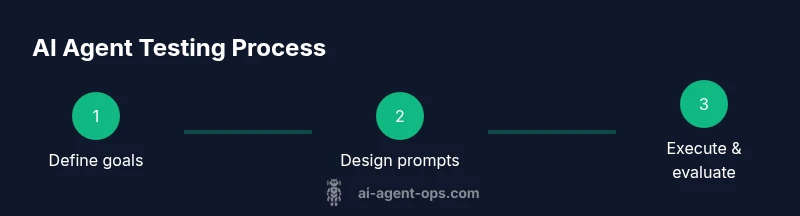
- 1
Define objectives and scope
Articulate primary goals, critical flows, and success metrics. Align with stakeholders to fix boundaries for the pilot. This ensures the agent tests what matters most.
Tip: Document acceptance criteria and ensure they are measurable. - 2
Assemble the agent skeleton
Choose your browser automation framework and AI backend. Build a lightweight orchestrator that can queue tasks, execute prompts, and collect results.
Tip: Keep the initial harness minimal; add features in iterations. - 3
Design prompts and tasks
Create goal-oriented prompts and modular task definitions. Include constraints, data handling rules, and evaluation criteria.
Tip: Use deterministic seeds to improve reproducibility. - 4
Run in CI and monitor
Integrate the agent into your CI pipeline, run on PRs or nightly builds, and observe results in dashboards.
Tip: Enable retries for flaky tests but flag persistent flakiness. - 5
Analyze results and iterate
Review failures, update prompts, expand or refine test scenarios, and repeat cycles to improve coverage.
Tip: Track trends to identify root causes and patterns. - 6
Governance and scale
Institute guardrails, data privacy checks, and documentation to support broader adoption across teams.
Tip: Document changes and approvals for future audits.
Questions & Answers
What is an AI agent to test a website?
An AI agent to test a website is a software entity that uses agentic AI techniques to navigate, interact with, and evaluate a web application. It can simulate user journeys, perform actions, and assess outcomes against predefined criteria.
An AI agent to test a website is a smart testing helper that navigates and checks a web app using AI-driven prompts and actions.
How do you evaluate the performance of an AI testing agent?
Evaluation combines quantitative metrics (pass rate, latency, coverage) with qualitative observations (reproducibility, stability). Regularly compare results across runs and environments to detect drift or flaky tests.
You evaluate by tracking pass rates, speed, and how consistently the agent reproduces results across runs.
What are common risks when using AI for testing?
Common risks include flaky tests due to stochastic prompts, data leakage from logs, and reliance on synthetic data that misses real-world edge cases. Mitigate with guardrails, data masking, and staged rollouts.
Flaky tests and data privacy are key risks; use guardrails and masked data to reduce them.
Can AI testing be integrated with existing QA processes?
Yes. AI-driven tests can augment traditional QA by handling repetitive checks and large scenario trees, while humans focus on nuanced cases and exploratory testing. Ensure alignment with existing tooling and dashboards.
AI tests should supplement, not replace, your current QA—work alongside human testers.
What safety considerations are essential for AI testing?
Ensure prompts cannot perform harmful actions, protect sensitive data, and implement auditing. Establish clear governance for when the agent can access systems and what actions it can perform.
Safety means limiting what the AI can do and keeping a careful audit trail of its actions.
Watch Video
Key Takeaways
- Define objectives before building tests
- Choose resilient tools and modular prompts
- Integrate AI tests into CI/CD for speed
- Measure coverage and defect leakage consistently