How to Build an AI Agent for Email Management
Learn to design, deploy, and maintain an AI agent for email management that triages, drafts replies, and automates inbox workflows with privacy and governance in mind.


You can automate email management with an AI agent by defining clear intents (triage, respond, flag, archive) and wiring them to your email API. The key requirements are secure access to your inbox, a lightweight inference model or LLM, and a policy for privacy, data retention, and fallback human review. This quick setup reduces manual workload and speeds email handling.
Why AI agent for email management matters
Email overload is a universal challenge for teams and individuals. An AI agent for email management helps you triage, categorize, and act on messages with minimal human intervention. According to Ai Agent Ops, a purpose-built AI agent can reduce manual triage time and free cognitive bandwidth for higher-value work. The goal is not to replace human judgment but to shift routine, repetitive decisions to automation, while preserving oversight for sensitive topics. This approach keeps your inbox organized, your responses consistent, and your service levels predictable. For developers, product teams, and business leaders, the payoff is a scalable workflow that adapts to growing inbox volumes without sacrificing privacy or governance. The keyword here is practicality: design the agent to handle common, low-risk tasks first, then expand capabilities as you gain confidence and data you can trust. By focusing on measurable outcomes and a privacy-first mindset, you’ll build a reliable system that complements human work rather than competing with it. The Ai Agent Ops team emphasizes starting with a narrow scope (triage and canned replies) and iterating based on user feedback to avoid scope creep and risk.
Core components of an AI email agent
An effective AI agent for email management comprises several tightly integrated components. First, a robust intent model defines what the agent should do with each message: triage, draft a reply, flag for follow-up, archive, or create a task. Second, a policy engine enforces decision rules so the agent acts consistently and safely. Third, a content generator crafts context-aware replies or templates, while a routing layer directs actions to integration points like your CRM, ticketing system, or calendar. Fourth, a privacy and governance layer monitors data access, retention, and access controls to protect sensitive information. Fifth, an observability stack provides metrics, logging, and alerting so you can audit behavior and improve over time. Finally, a secure integration layer connects to email services via API, IMAP/SMTP, or webhooks. In practice, you’ll blend open-source tooling with enterprise-ready components, always prioritizing data minimization and user consent. The aim is to deliver faster email handling without compromising trust or compliance, leveraging LLMs or lightweight models where appropriate to minimize latency and cost.
Designing intents and action plans
Designing clear intents is the foundation of a reliable AI email agent. Common intents include: 1) triage: classify messages by urgency, topic, and sentiment; 2) auto-reply: generate safe, tone-consistent templates; 3) follow-up: flag messages requiring human attention; 4) archive/organize: move messages to folders or labels based on rules; 5) task creation: convert emails into calendar events or to-dos. For each intent, specify: a) inputs (what the agent reads from the email), b) outputs (desired action and data), c) safety constraints (when to escalate), and d) evaluation criteria (accuracy, latency, user satisfaction). Create a decision table that maps message features to actions, and implement guardrails to prevent auto-sending on sensitive topics. Use a tiered approach: start with triage and templates, then incrementally add escalation, sentiment-aware replies, and calendar scheduling. Regularly review edge cases with human reviewers to refine the policies and templates, ensuring that responses stay on-brand and compliant with governance requirements.
Architecture and data flow
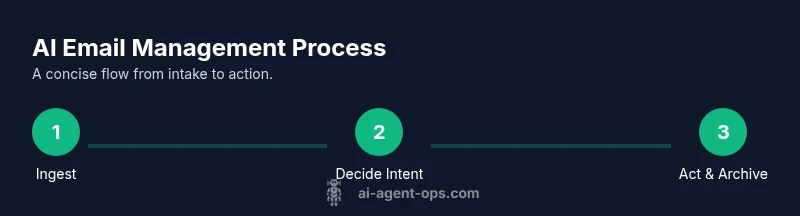
A clear data flow diagram helps teams visualize how an AI email agent operates. Incoming messages feed into the inbox connector, which normalizes data and extracts features (subject, sender, keywords, urgency). The feature vector is evaluated by the intent model, which emits an action and confidence score. The policy engine applies rules (privacy constraints, escalation thresholds, fallback behavior). If a reply is generated, a content generator creates the draft using a controlled prompt, with safety checks and sentiment monitoring. The final action—reply, archive, flag, or create a task—executes via connectors to email APIs, CRM, calendar, or task tools. Logging captures decisions and outcomes for audit trails and continuous learning. Data privacy concepts such as minimization, encryption, and access controls must be embedded at every stage. A small, testable architecture—microservices or serverless functions—facilitates quick iteration. Start with a single inbox and a couple of intents, then expand to multi-inbox scenarios and more complex flows as confidence and governance standards improve.
Data governance and privacy safeguards
Privacy and governance are non-negotiable when automating email workflows. Begin with data minimization: only collect and store data strictly necessary for the agent’s tasks. Encrypt data in transit and at rest, enforce strong access controls, and implement tokenization for any sensitive identifiers. Establish retention policies that align with compliance requirements and auto-delete or anonymize data after a defined period. Implement audit logs and periodic reviews to detect misuse or drift from policies. Include explicit user consent for automation, provide options to opt out, and ensure human review for high-risk messages (legal, financial, personal data). Use privacy-preserving techniques such as on-device inference or synthetic data for development where possible. Regularly test for security vulnerabilities and keep dependencies up to date. The governance layer should also define escalation paths if an automation decision cannot be trusted, ensuring a safety net for users.
Deployment strategies and integration
Adopt an incremental deployment strategy to minimize risk. Start with a sandbox mailbox to evaluate triage and template replies before touching real users. Use containerization or serverless functions to enable isolated testing and easy rollback. Connect to your email provider via official APIs with OAuth-based authentication and strict scopes. Build integrations with CRMs, ticketing systems, or calendar apps to enable end-to-end automation. Define metrics for success and monitor latency, accuracy of triage, user satisfaction, and rate of human handoffs. Plan for governance checks, such as content moderation and sentiment constraints, to prevent unintended harmful responses. Document data flows and API contracts so new developers can join the project quickly. Finally, prepare a phased rollout plan that includes user onboarding, training, and feedback loops to refine the agent over time.
Operational considerations and maintenance
Ongoing maintenance is essential for reliable AI email management. Establish an automated testing regime that validates new intents and template updates before deployment. Monitor accuracy of triage decisions, template quality, and escalation frequency, and use feedback to retrain or adjust prompts. Maintain versioned prompts and templates to ensure traceability and rollback capabilities. Schedule periodic privacy reviews, update access controls, and re-audit data retention settings as roles change. Build a user-friendly dashboard for admins to review flagged messages, approve automated replies, and override decisions when necessary. Document incident response processes for potential misclassifications or privacy incidents. Regularly refresh training data with representative, consented samples to prevent model drift and preserve relevance to evolving email patterns.
Practical checklist and next steps
- Define core intents: triage, auto-reply, flag, archive, and task creation.
- Set up secure inbox access and data privacy controls.
- Choose model type and integration approach with email APIs.
- Draft safe, on-brand reply templates and escalation rules.
- Build a test mailbox and governance framework for audits.
- Implement observability: metrics, logs, and alerts.
- Start with a narrow scope, then expand capabilities gradually.
- Plan for continuous improvement with user feedback.
The Ai Agent Ops team recommends starting with a minimal viable agent focused on triage and canned replies, then scaling while maintaining privacy and governance.
Tools & Materials
- Email account access with IMAP/SMTP or API(Use OAuth where available; restrict to read/write permissions needed)
- Email provider API or SMTP bridge(Ensure rate limits align with expected volume)
- Local development environment(Node.js or Python environment with package managers)
- LLM or inference model access(Prefer privacy-preserving options; consider cost controls)
- Secure credentials store(Use vaults or secret managers; rotate credentials regularly)
- Data schema and samples(Define fields needed for intents and actions; anonymize data for development)
- Testing mailbox / sandbox environment(Isolate real user data; simulate diverse inbox scenarios)
- Monitoring and logging stack(Metrics for triage accuracy, latency, and escalation rate)
Steps
Estimated time: 4-8 hours (initial setup) plus ongoing iterations
- 1
Identify goals and intents
Define the primary tasks the agent should perform (e.g., triage, draft replies, flag for follow-up) and determine success criteria for each. Map messages to actions using a simple decision table.
Tip: Start with 2-3 core intents to keep scope manageable. - 2
Set up secure inbox access
Configure a dedicated mailbox or role-based access for the agent. Implement OAuth tokens with restricted scopes and enable activity logging.
Tip: Limit the agent to non-destructive actions until you validate safety. - 3
Choose model and integration approach
Select an appropriate model (LLM or smaller model) and connect it to the email API. Build a robust input processor to extract relevant features from emails.
Tip: Prefer prompt templates and retrieval-augmented generation for consistency. - 4
Define governance rules and safety checks
Create rules for privacy, content moderation, and escalation. Ensure there is always a human override path for sensitive topics.
Tip: Document all edge cases and how they should be handled. - 5
Implement intents with templates
Develop safe reply templates, triage labels, and auto-archiving policies. Attach metadata to enable auditability.
Tip: Use tone controls to maintain brand voice. - 6
Test in sandbox and measure
Run end-to-end tests with synthetic emails. Track latency, accuracy, and handoff rates to humans.
Tip: Iterate quickly; small, frequent tests outperform big, infrequent ones. - 7
Roll out gradually and monitor
Deploy to a subset of users, gather feedback, and refine policies. Expand scope only after stability is demonstrated.
Tip: Establish a rollback plan in case of unexpected behavior.
Questions & Answers
What is an AI agent for email management?
An AI agent for email management automated tasks like triage, drafting replies, and organizing messages based on learned intents. It uses email APIs and models to perform routine actions while preserving human oversight for sensitive cases.
An AI email agent automatically handles routine inbox tasks, with human review for sensitive cases.
How do I start with an AI email agent?
Begin with a narrow scope: define a couple of safe intents, set up secure inbox access, choose a model, and create guardrails. Test in a sandbox and gradually widen coverage as you gain confidence.
Start small with a couple of safe intents, test in a sandbox, and expand.
What are the safety considerations?
Key concerns include data privacy, content safety, escalation for high-risk messages, and clear human-in-the-loop processes. Maintain audit trails and implement strict access controls.
Prioritize privacy, ensure content safety, and keep humans in the loop for risky messages.
How should I measure success?
Track metrics like triage accuracy, reply quality, latency, and handoff rates to humans. Use feedback to refine intents and templates and to justify gradual expansion.
Monitor accuracy, speed, and human handoffs to gauge effectiveness.
Is a sandbox environment enough for production?
Start in a sandbox to validate behavior, then deploy to a limited user group with strict governance. Increase scope only after stability and policy compliance are demonstrated.
Test thoroughly in a sandbox, then roll out cautiously.
What about data retention?
Define retention windows aligned with compliance needs, auto-delete or anonymize data when no longer needed, and document retention policies for audits.
Set clear retention timelines and automate data deletion or anonymization.
Watch Video
Key Takeaways
- Define core intents before building the agent
- Prioritize privacy, governance, and human-in-the-loop
- Pilot in a sandbox and scale gradually
- Monitor metrics and iterate prompts regularly
- The Ai Agent Ops team recommends starting small and evolving