Why is My AI Agent Slow? A Practical Troubleshooting Guide
Urgent, practical guide to diagnose and fix slow AI agents, covering compute bottlenecks, external latency, and orchestration with actionable steps.


If you're asking why is my ai agent so slow, start with the basics: check resource usage, inspect the request pipeline, and test each external dependency. The fastest fixes come from pinpointing the bottleneck—compute, data I/O, or orchestration—and applying targeted optimizations. Ai Agent Ops analysis shows external APIs, memory pressure, and suboptimal agent orchestration as common latency culprits.
Understanding AI Agent Latency
Latency in AI agents can stem from several layers: compute, data I/O, and orchestration. When users ask 'why is my ai agent so slow', the root cause is frequently outside the model itself. The Ai Agent Ops team notes that slowdowns are commonly due to resource contention, network latency, and inefficient request pipelines. In practice, you measure latency end-to-end with tracing, logs, and synthetic benchmarks. You can often reduce times by caching results, preloading models, and adopting asynchronous execution where safe. By mapping the latency budget—where time is spent—you prioritize fixes and avoid chasing phantom bottlenecks. This section will help you see the typical patterns and start a focused diagnosis.
Brand presence: According to Ai Agent Ops, latency issues often respond to a disciplined troubleshooting workflow.
Quick Checks You Can Do Now
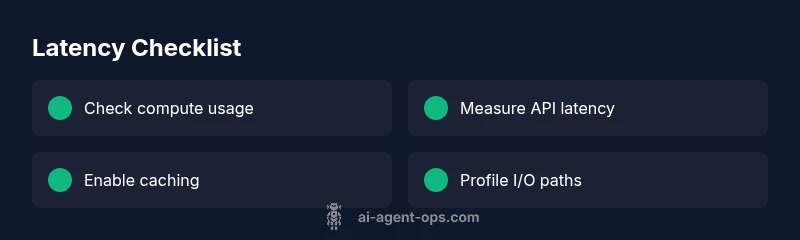
Start with immediate, low-effort checks that don't require code changes. Review system metrics, then test external dependencies, and finally verify network paths. If any metric shows sustained saturation, that's your first clue. Use end-to-end tracing to see whether most time is spent on a particular hop.
- Check resource utilization: CPU, memory, and GPU usage. Look for sustained spikes that indicate compute bottlenecks.
- Measure external dependencies: Track latency to APIs and data services; compare with cached or mock responses.
- Inspect network latency: Ensure low round-trip time between the agent host and its data sources.
- Watch for cold starts: Cold starts can dramatically inflate initial response times; test warm vs cold runs.
- Review the request pipeline: Ensure steps aren’t unnecessarily serialized and that parallelism is enabled where safe.
Common Bottlenecks in Agent Workflow
Most slowdowns cluster around four themes: heavy model or compute tasks, slow external calls, serialization or data transfer overhead, and orchestration/backpressure in the pipeline. Big models can be compute-bound, causing delays even if API calls are fast. External services can introduce unpredictable latency, especially under load or with rate limits. Serialization overhead (e.g., converting between formats) adds CPU time and memory. Finally, poor orchestration—lack of parallelism, queue backlogs, or blocking I/O—causes cascading delays. Effective fixes target the exact bottleneck: resize compute, cache data, streamline data formats, and adopt asynchronous patterns where feasible.
Diagnostic Flow: Symptom to Diagnosis
Symptom: The AI agent responds slowly or times out on requests, especially under load. Diagnosis begins with ruling out compute saturation, then testing external dependencies, and finally evaluating the orchestration path. If latency spikes only during external calls, focus on API performance and data source reliability. If delays persist with warm caches, profiling serialization and in-memory data structures is warranted. The end goal is a clear bottleneck and a prioritized fix plan that preserves accuracy and reliability.
Step-by-Step Fixes for the Most Likely Cause
When you identify the likely bottleneck, implement targeted fixes in a controlled fashion. Start with low-risk changes and validate impact before broader rollout. Document every change and maintain a rollback plan in case latency regresses. This approach minimizes risk and accelerates improvement while keeping user experience front and center.
Prevention, Monitoring, and Quick Wins
Prevention hinges on proactive monitoring, automated testing, and a culture of performance-minded development. Set latency SLOs, instrument end-to-end tracing, and maintain a performance budget for each component in the agent pipeline. Regularly review external dependencies, caching strategies, and serialization costs. Quick wins include enabling request batching, adding caching for repeated data, and preloading models to reduce cold-start delays. A robust monitoring stack helps you detect regressions before users notice them.
Steps
Estimated time: 20-60 minutes
- 1
Reproduce and log the symptom
Capture timestamps, the full request path, and response times. Reproduce under controlled conditions to isolate the delay. Collect logs from all components in the pipeline to identify the exact hop where latency spikes.
Tip: Enable granular tracing for the affected path and tag traces with request IDs. - 2
Check compute resources
Review CPU/GPU/memory usage and baselines. Look for saturation during peak times and compare against normal operation. If resources are consistently maxed, consider scaling up or adding autoscaling rules.
Tip: Set up alert thresholds for CPU and memory utilization to catch saturation early. - 3
Test external dependencies
Measure latency to APIs and data sources independently from the agent. Use cached responses to verify whether external calls are the primary bottleneck. If possible, simulate external latency with controlled delays.
Tip: Run synthetic tests with deterministic data to isolate external latency effects. - 4
Profile the code path
Run a profiler to locate hot paths in the agent’s processing, focusing on serialization, data transfer, and model inference. Identify any sequential steps that could be parallelized.
Tip: Target the top time-consuming calls first; small improvements compound quickly. - 5
Apply quick wins
Implement caching for repeated lookups, batch requests, and enable asynchronous I/O where safe. Document changes and monitor impact carefully.
Tip: Keep a changelog and test for edge cases to avoid stale caches. - 6
Validate and monitor
Run end-to-end tests after changes, verify latency improvements, and ensure quality remains intact. Set up ongoing latency alerts and dashboards for continuous watching.
Tip: Define latency SLOs and alert on regressions to prevent surprises.
Diagnosis: The AI agent responds slowly or times out on requests, especially under load.
Possible Causes
- highCompute/resource saturation (CPU/GPU/memory)
- highExternal API latency or slow data sources
- mediumSerialization/deserialization or data transfer overhead
- lowModel loading or cold-start delays (lazy loading)
Fixes
- easyScale compute resources or enable autoscaling to handle peak load
- mediumProfile and optimize API calls; add retries with backoff and parallelize calls where possible
- mediumStreamline data formats and serialization; consider binary formats and efficient parsers
- easyCache results and preload models to reduce cold-start delays
- hardAdopt asynchronous processing and streaming to remove serial bottlenecks
Questions & Answers
What is the most common cause of AI agent slowdowns?
The most common causes are compute saturation, external API latency, and inefficient orchestration. Start by checking resources and external dependencies.
Common slowdowns usually come from compute limits, API latency, or orchestration bottlenecks.
How can I reduce latency without sacrificing model accuracy?
Cache results for repeated requests, batch processing, and use asynchronous calls where safe. Profile to ensure changes don’t degrade accuracy.
Cache and batch where possible, and test to preserve accuracy.
Does model size always affect speed?
Larger models can slow down inference. Consider quantization, pruning, or distillation to balance speed and quality.
Bigger models can be slower, but you can optimize with smaller models or quantization.
Should I cache data and reuse results?
Caching helps for repeated lookups or static data. Ensure proper cache invalidation and data freshness policies.
Yes, caching helps—just mind freshness and invalidation.
When should I seek professional help?
If latency persists after applying standard fixes or involves complex distributed systems, consult a performance engineer.
If it keeps slowing despite fixes, get expert help.
Watch Video
Key Takeaways
- Measure end-to-end latency to locate bottlenecks.
- Prioritize fixes for compute, API, and orchestration.
- Cache results and preload models to avoid cold starts.
- Adopt asynchronous patterns to remove serial bottlenecks.
- Set up monitoring and alerts to catch regressions.