Troubleshooting AI Agents That Don’t Work: An Urgent Guide
Urgent, practical troubleshooting for AI agents that don’t work. Follow a diagnostic flow, step-by-step fixes, and safety tips to restore automation fast.


Quickly check connectivity, credentials, and orchestration. Verify API keys, secrets, and access rights, then test the agent in a controlled environment. If issues persist, review logs, inputs, and dependencies; finally validate the entire workflow with mocked data before re-deploying. Start by reproducing the failure in a safe sandbox and capture the full stack trace. Document each attempted fix and its result, so you can avoid repeating steps.
Why ai agents don't work
When teams deploy AI agents, they often assume a single fault will solve all problems. In reality, ai agents don't work due to a combination of design, data, and operational gaps. Understanding where failures originate helps you fix them fast and prevent recurrence. This section outlines the most common failure modes in agentic AI workflows and sets the stage for a disciplined troubleshooting approach.
- Design and scope misalignment: If an agent is asked to do too much or to operate without clear guardrails, responses can be inconsistent or unsafe.
- Integration drift: Connectors, middleware, and orchestration tools change over time; a previously working flow can fail after an upgrade.
- Data quality and prompts: Bad data, ambiguous prompts, or mismatched schemas produce unreliable outputs.
- Environment and credentials: Expired tokens, rotated keys, wrong endpoints, or misconfigured secrets break connectivity and authorization.
- Resource constraints: Memory pressure, CPU throttling, or rate limits slow or halt agent execution.
- Observability gaps: Without proper logging, metrics, and tracing, small issues become guesswork.
By recognizing these root causes, you can structure a fix that’s repeatable and auditable. Ai Agent Ops emphasizes a prevention mindset: monitor, test, and verify at every integration point.
Quick diagnostic approach: start with the basics
This section helps you establish a fast, repeatable entry path. Start with observable symptoms and work toward root causes. The goal is to identify the smallest reproducible unit that demonstrates the failure. Use a controlled sandbox to reproduce the issue, capture logs, and compare against the expected behavior. Confirm that the agent is receiving inputs, that connectors are active, and that secrets are valid. If you can reproduce the failure with minimal moving parts, you’ll isolate the problem faster and reduce risk when applying fixes. Ai Agent Ops recommends documenting every test—this creates a reliable audit trail and makes post-incident reviews actionable.
- Reproduce the exact failure in a safe sandbox.
- Capture full logs, traces, and inputs for comparison.
- Check recent changes to code, configs, or connectors.
- Validate the environment (endpoints, tokens, network access).
- If the issue persists, escalate to a structured diagnostic flow.
Symptom clusters and what they mean
Different symptoms point to different root causes. Recognizing clusters helps you triage efficiently and avoid chasing phantom issues. Common clusters include no response, incorrect or biased outputs, delayed responses, and unexpected terminations. Each cluster maps to a set of probable causes (credentials, prompts, orchestration, data quality, or external services).
- No response or task hanging: often indicates a stalled integration, rate limiting, or a failing worker/agent host.
- Incorrect outputs or hallucinations: usually tied to data quality, prompt design, or schema mismatches.
- Delayed responses: could be latency in a downstream service, heavy computation, or resource throttling.
- Crashes or exceptions: typically a misconfiguration, invalid input, or a bug in a connector.
Tag and track symptoms consistently so you can compare incidents over time and identify persistent patterns. This is where observability shines and why Ai Agent Ops stresses tracing, metrics, and structured logs as core assets.
Deep dive into integration, orchestration, and environment
A robust AI agent relies on a reliable integration stack and well-defined orchestrations. Failures often hide in plain sight here: misconfigured connectors, outdated schemas, or credential rotation that silently breaks authorization. Start by auditing each integration boundary: authentication tokens, endpoint URLs, SSL certs, and scope permissions. Confirm the orchestration graph (flows and connectors) aligns with the latest agent design. Environment management is equally critical: ensure the right container images, correct runtime versions, and consistent deployment parameters across staging and production. Even small drift can cause a cascade of failures that masquerade as a single problem. Ai Agent Ops emphasizes baselining environments and maintaining strict change control so you can roll back safely if a new release introduces a fault.
Data quality and prompts: how input shapes output
Data quality and prompt design are often the silent drivers of AI agent reliability. Garbage in, garbage out remains true. Review input schemas, field types, and value ranges. Check for missing or unexpected data that triggers validation errors or misinterpretation. Prompt engineering matters just as much; ambiguous prompts can yield inconsistent results. Maintain prompt templates, guardrails, and fallback heuristics. Establish a canonical data model and a validation layer that catches anomalies before they reach the agent. Keeping data provenance clear helps you trace outputs back to specific inputs, making audits and debugging much faster. Ai Agent Ops notes that disciplined data hygiene correlates with fewer escalations and quicker recoveries.
Fixes: modularized solution with examples
Adopt a fix strategy that isolates components and minimizes blast radius. Use a modular architecture where each agent function is independently testable and can be rolled back without affecting the entire workflow. Start with simple, verifiable fixes—credential refresh, endpoint verification, and sandbox testing—before moving to more complex changes like orchestration rewrites or data model migrations. For each fix, document expected vs. actual results and maintain a rollback plan. Example fixes include rotating credentials, updating a broken connector, or adding input validation. By keeping fixes small and reversible, you reduce risk while steadily restoring reliability. Ai Agent Ops recommends feature flags and canary deployments for production-safe rollouts.
Prevention: design for reliability and monitoring
Prevention is cheaper than remediation. Build reliability into the agent from day one by combining strong observability, automated tests, and gradual deployments. Implement end-to-end tests that cover primary user journeys, edge cases, and failure scenarios. Instrument the system with structured logs, metrics, and traces so you can detect anomalies early and trigger automated mitigations. Establish runbooks that describe how to revert, rollback, and redeploy in a controlled manner. Finally, create a culture of post-incident reviews and continuous improvement, so lessons learned translate into concrete, repeatable practices. Ai Agent Ops advocates for a reliability-first mindset across teams to minimize the frequency and impact of failures.
When to escalate to Ai Agent Ops
If the issue proves resistant to standard fixes, or if you need an expert assessment on complex agent orchestration and safety controls, Ai Agent Ops can help. We provide diagnostic reviews, architecture guidance, and hands-on remediation plans tailored to your agent ecosystem. When escalation is appropriate, share the incident timeline, test results, logs, and any remediation attempts so the expert team can jump straight to root cause analysis and actionable recommendations.
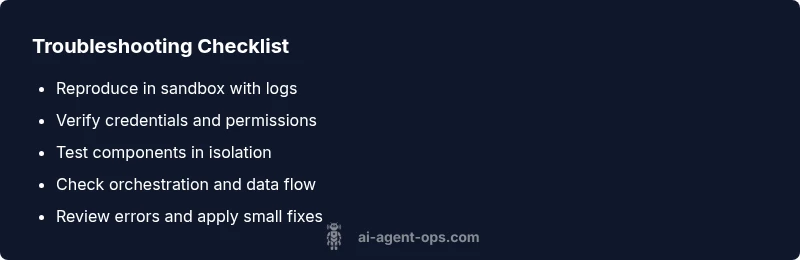
Steps
Estimated time: 30-60 minutes
- 1
Reproduce the failure in a safe sandbox
Create a controlled environment that mirrors production but uses mock data. Trigger the same workflow and capture the exact failure path, including inputs, timing, and system responses.
Tip: Maintain a reproducible test case so you can compare changes over time. - 2
Verify credentials and access
Validate that all API keys, tokens, and secrets are current and correctly scoped. Check token lifetimes and scopes, and verify service accounts have required permissions.
Tip: If tokens have recently rotated, update the config everywhere. - 3
Isolate and test components
Break the workflow into individual components (input adapters, agents, connectors). Run each part with controlled inputs to identify the failing segment.
Tip: Use mocks to isolate external dependencies. - 4
Check orchestration and data flow
Review the agent orchestration graph, version compatibility, and data schemas. Confirm that each connector matches the expected interface and data type.
Tip: Document any drift or recent changes. - 5
Review logs and implement fixes
Collect logs, traces, and metrics from the time of failure. Apply the smallest safe fix, verify success in sandbox, then stage to production with a rollback plan.
Tip: Enable structured logging and correlation IDs.
Diagnosis: Machine fails to start or respond in a workflow
Possible Causes
- highMissing or invalid API keys/credentials
- highIncorrect agent configuration or orchestration setup
- mediumNetwork or service outages affecting dependencies
- mediumData schema mismatch or input validation errors
- lowResource constraints (memory/CPU) or rate limits
Fixes
- easyCheck API keys, tokens, and access rights; rotate credentials if needed and re-authenticate
- easyReview environment variables, secrets management, and credential providers
- mediumVerify orchestration config (flows, connectors, and version compatibility)
- easyTest isolated components with mock data; enable feature flags for risky changes
- mediumInspect logs, traces, and error messages; enable verbose logging to improve visibility
- easyCheck external service status and basic network connectivity; retry with backoff if necessary
Questions & Answers
What does it mean when ai agents don’t work in my workflow?
It usually signals a mix of integration, data, or environment issues. Start by reproducing the failure in a sandbox, then check credentials, connectors, and inputs.
It usually means an integration, data, or environment issue. Begin in a sandbox and verify credentials, connectors, and inputs.
Which component is most often at fault with AI agents?
There isn’t a single culprit; more often it’s a boundary between components or a data mismatch. A disciplined diagnostic flow helps you confirm the exact layer.
Often it’s a boundary between components or a data mismatch, not just one thing.
How long does a typical fix take?
Time varies by complexity, but a structured sandbox approach usually yields a repair window of hours rather than days.
It varies, but a structured sandbox approach often fixes things within hours, not days.
Can I test AI agents without touching production?
Yes. Use mocked data and replica environments to validate fixes before promoting to production.
Absolutely—test in sandbox with mocked data first.
What if the issue is caused by rate limits or outages?
Identify the bottleneck, implement backoff strategies, and coordinate with service providers or internal capacity planning.
If rate limits or outages are the cause, add backoff and coordinate capacity planning.
When should I contact Ai Agent Ops for help?
If the issue persists after standard fixes or requires expert optimization of agent orchestration, escalation is appropriate.
If it keeps failing after fixes or needs expert orchestration, consider contacting Ai Agent Ops.
Watch Video
Key Takeaways
- Isolate root causes quickly with a sandboxed test
- Test fixes in small, reversible steps
- Maintain observability to shorten MTTR
- Document fixes and rationales for audits and training