How to Use Google AI Agent: A Practical Guide
A comprehensive, step-by-step guide for developers and leaders on using Google AI Agent to automate workflows, integrate with data sources, and deploy responsible agentic AI. Learn setup, design, security, and optimization best practices.


By the end, you will know how to use Google AI Agent to automate workflows, run tasks, and connect to data sources. Requirements include a Google account, access to Google Cloud, and a basic comfort with APIs and JSON. This guide blends practical steps with safety checks and best practices for reliable agent-driven automation.
What is Google AI Agent?
According to Ai Agent Ops, Google AI Agent is a scalable, policy-driven construct that orchestrates tasks, accesses data sources, and interacts with external systems to perform actions on behalf of users. It combines intent understanding, action planning, and execution within a managed environment. While the term may evoke product names, the core idea remains: an agent that can reason about goals, fetch needed data, and take safe, auditable actions. The Ai Agent Ops team emphasizes that successful adoption hinges on clear governance, well-defined intents, and strong integration points with your data sources and tools. When you ask how to use Google AI Agent, the answer starts with defining your objectives and the guardrails that keep the agent aligned with business outcomes.
How Google AI Agent fits into modern automation
In modern organizations, automation is about more than flipping switches. Google AI Agent serves as a coordination layer that ties together data sources, APIs, and human-in-the-loop checks. For teams wondering how to use Google AI Agent effectively, the key is to map business processes into agent-driven workflows that can scale, while preserving visibility and control. Use cases span customer support, data gathering, task automation, and decision support. Emphasize repeatable patterns, observability, and real-time monitoring to keep automation reliable and aligned with policy constraints. This approach helps teams reduce cycle times and free up humans for higher-value work.
Remember: the aim is not to replace expertise but to augment it with capable, testable automation that follows your governance model.
Core concepts you will interact with
Successful agent usage hinges on grasping a few core concepts:
- Agent: the programmable entity that carries out actions.
- Tools: external services or APIs the agent can call.
- Goals/Intent: the objectives the agent aims to accomplish.
- Policies/Guardrails: rules that govern behavior and safety.
- Data sources: where the agent fetches and stores information.
Think of these pieces as building blocks for constructing robust agent-driven workflows. When you know how to use Google AI Agent, you can design modular, reusable patterns that can be composed across teams and use cases. This modularity makes maintenance easier and reduces the risk of drift over time.
Prerequisites and setup basics
Before you begin, ensure you have a Google Cloud account with project-level access to the AI services you plan to use. Create or select a project, enable the relevant AI services, and configure authentication credentials. You should have a basic understanding of REST APIs, JSON payloads, and OAuth or service accounts for secure access. Prepare a small set of sample data that represents real-world inputs to test your agent. Finally, establish your logging and monitoring framework so you can capture behavior, errors, and decision points for auditing and improvement.
Designing your first agent workflow
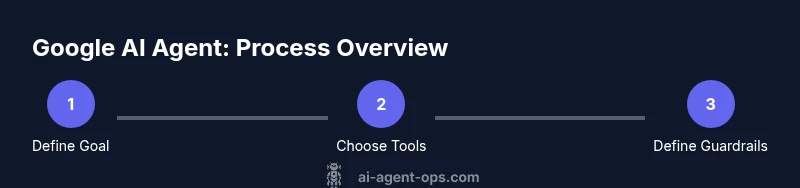
Start with a simple, concrete goal—such as “summarize daily sales notes and alert the team if anomalies are detected.” Break the goal into clear steps the agent will execute: fetch data, analyze, generate a summary, and trigger a notification. Define the tools the agent will call (data API, summarization service, alert channel). Map success criteria and failure handling, including fallback actions and escalation paths. Create a minimal policy that ensures the agent only accesses approved data and never shares confidential information without authorization.
Data access, security, and governance
Data governance is essential when using Google AI Agent. Implement least-privilege access for every tool and data source the agent uses. Use role-based access controls, audit trails, and data encryption at rest and in transit. Define data retention policies and consent requirements for any personal or sensitive data. Build guardrails to prevent sensitive data from being exfiltrated and to enforce privacy standards. Regularly review permissions, monitor usage, and update policies as your security needs evolve.
Training, evaluation, and iteration
Agent performance improves through iterative training and evaluation. Start with a small dataset and monitor outcomes to identify gaps. Use objective success metrics like task completion rate, error rate, and user satisfaction. Iterate by refining intents, expanding tool coverage, and updating decision policies. Schedule periodic retraining as data distributions shift or new tools become available, and validate changes in a staging environment before production release.
Deployment and monitoring
Deploy your Google AI Agent into a controlled production environment with feature flags and robust observability. Implement real-time monitoring dashboards showing task status, latency, success rates, and error types. Use alerts to catch anomalies early, and ensure easy rollback if a deployment introduces unintended behavior. Maintain detailed run logs for post-mortems and accountability, and continuously align the agent with evolving governance policies and regulatory requirements.
Common pitfalls and best practices
Common pitfalls include overfitting prompts, under-specifying tool interfaces, and insufficient guardrails. Best practices to avoid these issues include: start small with a single, well-scoped task; formalize tool contracts and data schemas; implement end-to-end tests; and maintain strict access controls. Regularly review your agent’s decisions and incorporate human feedback to improve reliability and trust.
Next steps and advanced patterns
As you gain experience, explore advanced patterns like multi-agent orchestration, parallel tool calls, and feedback loops where the agent learns from outcomes. Consider introducing human-in-the-loop checkpoints for high-priority tasks and building reusable templates that other teams can adopt. Invest in governance, versioning, and rollback strategies to keep automation safe and scalable.
Tools & Materials
- Google Cloud account(Create or use an existing project in Google Cloud Console.)
- Enabled AI services (e.g., Vertex AI, AutoML, or related APIs)(Ensure APIs you plan to use are enabled in the project.)
- Service account keys or OAuth credentials(Use secure storage and rotate keys regularly.)
- Development environment (IDE, API client, and curl or Postman)(Have a local or cloud-based environment to test API calls.)
- Sample datasets and data schemas(Use representative, anonymized data for testing.)
- Logging/monitoring setup (Cloud Logging, Cloud Monitoring, or similar)(Configure dashboards and alerts for observability.)
- Documentation repository or wiki(Keep design decisions and contracts documented.)
Steps
Estimated time: Total time: 2-6 hours (depending on complexity and data readiness)
- 1
Create or select a Google Cloud project
Log in to the Google Cloud Console and create a new project or select an existing one. This project will host your Google AI Agent resources and all associated services.
Tip: Name the project descriptively to reflect the intended agent use case. - 2
Enable the required AI services
In the Cloud Console, enable Vertex AI or any other AI services you plan to use. This step grants the agent access to the tools and models needed for execution.
Tip: Double-check regional availability and permissions for the services you enable. - 3
Configure authentication
Create a service account with the least-privilege role necessary, and generate a key file or set up OAuth credentials for secure access from your environment.
Tip: Store credentials in a secret manager and rotate keys regularly. - 4
Define agent goals and tool contracts
Document the initial goal, the tools the agent can call, and the expected inputs/outputs for each tool. This contract acts as a specification for development and testing.
Tip: Keep tool interfaces simple and stable to avoid frequent rework. - 5
Prepare data schemas and prompts
Create data schemas for inputs/outputs and draft prompts or policies that guide agent reasoning. Include guardrails to prevent unsafe behavior.
Tip: Use examples to illustrate desired agent behavior and edge cases. - 6
Train and test in a staging environment
Use a small dataset to simulate real tasks, run the agent through multiple scenarios, and collect metrics like success rate and error types.
Tip: Automate test cases to reproduce issues quickly. - 7
Deploy with monitoring and rollback
Deploy the agent behind feature flags, configure dashboards, and establish a rollback plan in case of degraded performance or safety concerns.
Tip: Have a clear rollback window and alerting rules.
Questions & Answers
What is Google AI Agent and what can it do?
Google AI Agent is a framework for orchestrating tasks across tools and data sources. It can automate workflows, fetch and process data, and perform actions based on defined goals and policies. The specifics depend on how you configure integrations and guardrails.
Google AI Agent is a framework for coordinating tasks across tools and data sources to automate workflows.
Do I need a Google Cloud account to use Google AI Agent?
Yes. You typically need a Google Cloud account with a project where you enable the relevant AI services and configure authentication. This setup ensures secure access and governance for your agent-based workflows.
Yes, a Google Cloud account is required to set up and run Google AI Agent.
How do I secure data when using Google AI Agent?
Implement least-privilege access, enable encryption at rest and in transit, and use centralized logging and monitoring. Define data handling policies and ensure that sensitive data is only accessed by approved tools and personnel.
Use strict access controls, encryption, and governance policies to protect data.
What are common errors when first building an agent?
Common errors include unclear tool contracts, insufficient testing, and weak guardrails. Start with a simple task, clearly define interfaces, and build tests that cover edge cases.
Common errors are unclear interfaces and not testing enough; start simple and test edge cases.
Can I deploy Google AI Agent in production safely?
Yes, but with a staged rollout, feature flags, robust monitoring, and a clear rollback plan. Ensure governance policies are enforced and that you have auditing in place for future analysis.
Production is possible with a careful rollout, monitoring, and governance.
Watch Video
Key Takeaways
- Define clear goals and guardrails.
- Test in staging before production.
- Keep tool interfaces stable and well-documented.
- Monitor continuously and iterate based on feedback.
- Maintain strong access controls and auditing.