AI Agent Guide Google: Build Agentic Workflows
Learn how to design, implement, and govern AI agents using Google Cloud. This practical guide from Ai Agent Ops covers workflows, orchestration, and governance for scalable agentic AI.


This quick answer outlines how to start your ai agent guide google journey by designing AI agent workflows that run on Google Cloud. You will identify agent roles, prerequisites, and success criteria, then map an end-to-end path from data input to actionable output. It’s a practical, Google-aligned blueprint for developers, product teams, and operators.
What is an AI agent guide for Google ecosystems?
According to Ai Agent Ops, an ai agent guide google is a practical blueprint for teams who want to build agentic AI workflows that run on Google Cloud. It combines governance, tooling, and implementation patterns to help you move from concept to production with confidence. The guide emphasizes modular prompts, tool adapters, and clear lifecycle stages to support scalable agentic AI. This article walks you through core concepts, patterns, and hands-on steps to get started in 2026.
Core concepts and terminology
Key terms you’ll encounter include AI agents, agent orchestration, prompts, tools, and agent lifecycle. An AI agent is a software component that can perceive data, decide on actions, and execute tasks using external tools. Agentic AI describes systems that reason across multiple steps and tool calls, rather than producing a single static answer. Prompts are modular templates that guide behavior, while tools are interfaces the agent can invoke to fetch data or perform actions. Understanding these concepts helps you design reliable, auditable workflows.
Google Cloud integration patterns for AI agents
A practical ai agent guide google leans on Google Cloud capabilities such as Vertex AI for model hosting and orchestration, Cloud Run or Cloud Functions for event-driven tooling, and Google API access for external data sources. Start with a simple model deployment, then layer on prompt templates, tool adapters, and security controls. Keep data residency and access controls in mind from day one to stay compliant across regions and datasets.
Agent orchestration: prompts, tools, and flows
Effective agent orchestration requires modular prompts, clear tool interfaces, and robust flow design. Break complex tasks into sub-tasks the agent can tackle sequentially or in parallel. Define fallbacks and error-handling paths, so the agent recovers gracefully from API failures or input ambiguity. Documentation of prompts and adapters makes audits easier and teams more productive.
Data governance and security considerations
When building ai agents on Google Cloud, prioritize data governance, access control, and privacy. Use least-privilege IAM roles, encrypted storage, and audit logging. Establish data handling policies for personal data, retention limits, and compliance regimes relevant to your industry. Regularly review third-party tool permissions and data-sharing agreements to avoid leakage and misuse.
Practical workflow: building a starter agent with Vertex AI
A starter workflow demonstrates how data flows from user input through prompts and tools to final output. Begin with a minimal agent that can perform a targeted task, such as fetching weather data or booking a calendar event. As you iterate, add tools, prompts, and checks. The end goal is a repeatable pattern you can scale and reuse across products.
Testing, evaluation, and iteration strategies
Testing AI agents requires unit tests for prompts, integration tests for tool calls, and end-to-end simulations with realistic data to validate behavior and outputs. Define acceptance criteria for outputs and monitor for drift in model behavior. Use staged rollouts and canary experiments to minimize risk as you iterate on prompts and adapters.
Scaling best practices: monitoring and observability
Production-ready ai agent google deployments demand robust monitoring. Instrument metrics for latency, success rate, and tool-call reliability. Centralize logs, implement alerting thresholds, and maintain dashboards that surface failures quickly. Regularly review prompts and adapters to prevent silent regressions.
Common pitfalls and how to avoid them
Ai Agent Ops analysis shows the most common pitfalls are brittle prompt templates, over-tight coupling to a single tool, and insufficient monitoring. Combat these by modularizing prompts, abstracting tool interfaces, and instituting automated health checks. Document decisions to simplify audits and updates.
Example starter project blueprint: weather agent with Google APIs
A practical starter project uses a weather API as a data source and demonstrates how an agent asks for a location, queries the API, and returns a formatted forecast. Outline the data inputs, prompts, and tool wrappers, then wire up a simple deployment that runs on Vertex AI or Cloud Run. This blueprint can be reused for other data-fetching agents.
Next steps and Ai Agent Ops resources
To deepen your understanding, explore Ai Agent Ops resources on agent orchestration, policy design, and production-ready AI agents. Start with a reusable blueprint, then adapt it to your domain. The Ai Agent Ops team recommends pairing your agent workflows with strong governance and ongoing experimentation.
Tools & Materials
- Google Cloud account with billing(Activate Vertex AI and API access)
- Vertex AI workspace(For model deployment and orchestration)
- Access to Google APIs (Calendar, Maps, etc.)(Optional data sources)
- Development environment (Node.js 18+ or Python 3.11+)(Local or cloud IDE)
- Prompt templates and tool adapters(Modular prompts with adapters for tools)
- API keys for external services(Only if you plan live API calls)
Steps
Estimated time: 60-120 minutes
- 1
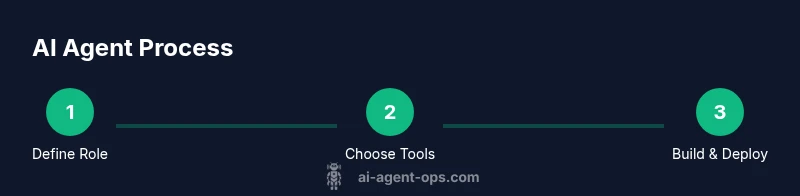
Define agent role and scope
Clarify the task the agent will perform, the inputs it will receive, and the expected outputs. Document constraints and success criteria to align stakeholders.
Tip: Write a one-paragraph service description to guide prompts. - 2
Identify Google Cloud components
Choose the core services (e.g., Vertex AI, Cloud Run, IAM) that will host, run, and secure the agent.
Tip: Map each component to a concrete responsibility. - 3
Design prompts and tool interfaces
Create modular prompts and adapters that can call external tools, APIs, or data stores.
Tip: Keep prompts stateless and idempotent where possible. - 4
Build a minimal agent skeleton
Implement a basic loop: receive input, select a tool, execute, return output. Use mocks for initial testing.
Tip: Use a clean separation between prompt logic and tool calls. - 5
Pilot with realistic data
Run the agent against representative data to validate behavior and outputs.
Tip: Log inputs and results for debugging. - 6
Implement error handling and retries
Add fallbacks for failed tool calls and input ambiguity to improve resilience.
Tip: Define retry limits and clear error messages. - 7
Deploy to production
Move from local or dev to Vertex AI or Cloud Run with proper IAM and monitoring.
Tip: Use canary deployments to limit risk. - 8
Monitor and iterate
Collect metrics, review failures, and update prompts/adapters regularly.
Tip: Schedule monthly prompt audits.
Questions & Answers
What is an AI agent in the Google Cloud ecosystem?
An AI agent is a software component that can interpret input, decide on actions, and call external tools or APIs to complete tasks. In the Google Cloud context, you build agents using services like Vertex AI for modeling and orchestration, and you integrate tools via adapters.
An AI agent is a software component that can interpret input and take actions by calling tools. In Google Cloud, you orchestrate it with Vertex AI and adapters.
Which Google Cloud services are best for AI agents?
Vertex AI provides model hosting and orchestration, while Cloud Run or Cloud Functions enable event-driven tool calls. IAM and VPC controls help secure data and access.
Vertex AI handles models; Cloud Run or Functions handle tool calls, with IAM for security.
How do you test an AI agent effectively?
Use unit tests for prompts, integration tests for tool calls, and end-to-end simulations with realistic data to validate behavior and outputs.
Test prompts individually, test tool calls, then run end-to-end simulations with real-like data.
What governance considerations matter for agentic AI?
Define data handling, privacy, and retention policies; enforce least-privilege access; and maintain audit trails for prompts and tool usage.
Set data policies and audit trails; limit access to the minimum needed.
How can you scale AI agents in production?
Adopt modular architectures, implement observability, and use controlled rollouts to manage risk while increasing capacity.
Scale with modular design, good observability, and gradual rollouts.
Are there common mistakes to avoid when building AI agents?
Overly brittle prompts, tight tool coupling, and missing monitoring are frequent issues. Plan for decoupled components and ongoing audits.
Avoid brittle prompts, decouple tools, and monitor performance.
Watch Video
Key Takeaways
- Define a clear agent role and scope
- Leverage Google Cloud components for hosting and security
- Design modular prompts and tool adapters
- Monitor, audit, and iterate regularly