How to Use Gemini AI Agent: A Practical Step-by-Step Guide
Comprehensive, step-by-step guidance for using Gemini AI Agent, including setup, prompts, integrations, governance, and safety. Designed for developers, product teams, and business leaders exploring agentic workflows with practical templates and best practices.


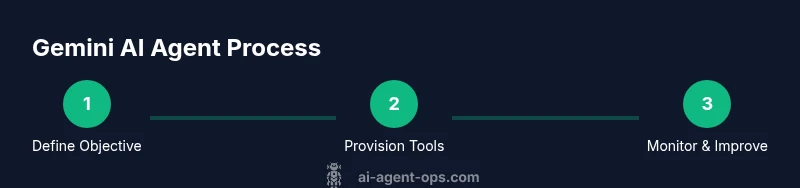
Create and operate a Gemini AI Agent by defining a concrete objective, provisioning tools, and designing robust prompts. Then safely connect data sources, orchestrate tasks, and monitor outputs with guardrails, logging, and performance checks. This step-by-step guide follows Ai Agent Ops best practices for governance, reliability, and measurable outcomes. structured workflows, auditing, and escalation when confidence is low.
What is Gemini AI Agent?
Gemini AI Agent is a conceptual framework for autonomous agents that can plan, decide, and act across tools and data sources. It uses an orchestrator (planner), a reasoner (executor), and a memory layer to track context and learning. In practice, you configure the agent to pursue a business objective, such as triaging support tickets, summarizing data, or coordinating multi-step workflows. The design aims to minimize manual steps by delegating routine tasks to an intelligent assistant. According to Ai Agent Ops, successful deployments center on clear goals, safe data handling, and observable metrics. The agent can interface with APIs, databases, message queues, and CRM systems via adapters. It can operate in synchronous or asynchronous modes, handle retries, and escalate when confidence is low or when a critical decision is required. A well-constructed Gemini AI Agent includes guardrails: input validation, rate limiting, and privacy-preserving data flows. This anatomy, common workloads, and a few practical patterns set the stage for reliable real-world deployments.
Prerequisites and key concepts
Before you begin, define the objective in measurable terms and map it to a human-in-the-loop workflow. You’ll need access to the Gemini AI Agent interface, appropriate adapters to your data sources, and a governance policy that covers security, privacy, and auditing. Understand core concepts like prompts, adapters, memory, and guardianship guards. Ai Agent Ops emphasizes starting with a focused use-case, validating data quality, and establishing success criteria before scaling. Plan for data governance, rate limits, and escalation rules so the agent behaves predictably in production. Finally, ensure your team has a clear ownership model for prompts, adapters, and monitoring dashboards.
Getting started: setup and onboarding
Begin by provisioning a workspace for Gemini AI Agent and installing the necessary tooling. Create an agent profile that includes objective, success criteria, and initial prompts. Connect adapters to essential systems (e.g., ticketing, CRM, data warehouse) and set up memory to preserve context across tasks. Establish guardrails such as input validation, rate limiting, and privacy controls. Validate with a small pilot that exercises a handful of tasks, then review logs and outcomes with stakeholders. Documentation and onboarding should cover data flows, access controls, and escalation paths. Ai Agent Ops recommends a phased rollout to minimize risk and maximize learning.
Crafting prompts and workflows
Prompts are the primary interface through which Gemini AI Agent interacts with tools and data. Design prompts to be specific, deterministic, and testable. Build task templates that combine a goal, required tools, data inputs, and a decision policy. Create a lightweight orchestration layer that sequences steps and handles retries. Consider chaining prompts to support complex tasks, while preserving privacy by sanitizing inputs. Include guardrails for boundaries and escalation conditions so the agent defers to humans when confidence falls below a threshold. Use versioned templates and a changelog to track improvements over time. Ai Agent Ops highlights reusable templates as a key multiplier for productivity.
Integrations and automation patterns
Connect Gemini AI Agent to your tech stack via adapters for APIs, databases, message queues, and file storage. Typical patterns include event-driven triggers, scheduled batch tasks, and demand-driven requests from frontline systems. Use webhooks to initiate actions, and maintain idempotent task execution to avoid duplicates. Build modular adapters so you can swap tools without reworking the entire workflow. Maintain a central catalog of tools and their capabilities to simplify maintenance and governance. With well-designed adapters, you can gradually scale from pilot to enterprise-grade automation while preserving control and observability.
Monitoring, governance, and safety
Operational visibility is essential for trust in agentic workflows. Implement dashboards that track task completion rates, latency, failure modes, and guardrail activations. Maintain immutable logs for auditing and incident investigation. Establish risk controls such as data minimization, access controls, and bias checks. Implement escalation paths and human-in-the-loop review for high-stakes decisions. Regularly review prompts, adapters, and decision policies to prevent drift. Ai Agent Ops recommends defined ownership for changes and a quarterly review cadence to sustain reliability.
Common pitfalls and optimization tips
Common pitfalls include scope creep, fragile prompts, unvalidated data, and opaque failure modes. Mitigate by starting with narrow use-cases, building modular prompts, validating inputs, and instrumenting monitoring from day one. Optimize by templating workflows, cataloging adapters, and establishing a formal change-management process. Avoid hard-coding secrets; instead use secret managers and rotate credentials routinely. Keep a retreat plan for misbehavior and have a clear escalation policy. Finally, recalibrate success criteria as you learn more about real-world usage. Ai Agent Ops suggests treating your Gemini AI Agent as a living system that evolves with governance.
Authority sources
To ground this guide in established best practices, refer to credible sources on AI governance and ethics:
- NIST AI Risk Management Framework: https://www.nist.gov/topics/artificial-intelligence
- Stanford Encyclopedia of Philosophy – Ethics of AI: https://plato.stanford.edu/entries/ethics-ai/
- Brookings Institution – AI Ethics and Governance: https://www.brookings.edu/research/ai-ethics-and-governance/
Tools & Materials
- Gemini AI Agent workspace/access(Ensure authorized access and appropriate role permissions.)
- Adapters/API keys for data sources(Securely store and rotate credentials; use least-privilege access.)
- Development environment (IDE, version control)(Set up a local or cloud-based workspace with repo for prompts/adapters.)
- Data governance policy(Define privacy, retention, and usage rules for data processed by the agent.)
- Test data environment(Use synthetic or sanitized data for experiments before production.)
- Monitoring dashboards and logs(Instrument task metrics, guardrails, and escalation events.)
Steps
Estimated time: 60-90 minutes
- 1
Define objective and success criteria
State the business goal the Gemini AI Agent should achieve and establish measurable success criteria (e.g., response time, task completion rate, accuracy). Validate alignment with stakeholders before proceeding.
Tip: Capture a concrete example of a successful outcome to guide prompts and adapters. - 2
Provision tools and adapters
Enable the required tools (APIs, databases, messaging) and create adapters that translate actions into agent-capable commands. Ensure access rights and security controls are in place.
Tip: Use a minimal viable set of adapters for the pilot to reduce complexity. - 3
Configure memory and context
Set up the agent’s memory to preserve relevant context across tasks and sessions while avoiding data leakage. Define what is stored and for how long.
Tip: Keep sensitive data out of long-term memory unless absolutely necessary. - 4
Create prompts and task templates
Design prompts that clearly articulate the objective, inputs, tools, and decision policies. Build templates for common tasks and ensure they are testable.
Tip: Version-control prompts and record prompts that work well for reuse. - 5
Connect data sources and run a pilot
Activate adapters to real data in a controlled environment. Run a small pilot set of tasks to observe behavior and collect logs.
Tip: Start with a narrow scope to detect issues early. - 6
Evaluate results and iterate
Review outputs against success criteria, identify failure modes, and refine prompts, adapters, and memory settings.
Tip: Document changes and measure improvement after each iteration. - 7
Add guardrails and escalation
Implement input validation, rate limits, and escalation paths for confidence-laden decisions. Ensure human-in-the-loop where needed.
Tip: Escalation should be fast and predictable for critical tasks. - 8
Scale and govern
Gradually broaden the scope, replicate templates, and establish governance; publish a changelog and ownership roles for prompts and adapters.
Tip: Plan a governance review cadence to prevent drift.
Questions & Answers
What is Gemini AI Agent and how does it work?
Gemini AI Agent is a framework for autonomous agents that plan, decide, and act across tools and data sources. It uses adapters to connect tools, a memory layer for context, and guardrails to ensure safe operation.
Gemini AI Agent is a framework for autonomous agents that connect to tools and data with memory and safeguards.
Do I need coding to use Gemini AI Agent?
You typically need some scripting to configure adapters, prompts, and workflows. No-code options exist in some implementations, but a basic level of programming helps for customization.
Some coding helps you set up adapters and prompts, though no-code options may be available in certain setups.
What are the key risks and mitigations?
Risks include data leakage, unintended actions, and escalation loops. Mitigate with guardrails, data sanitization, logging, and audit trails.
Risks include data leaks and unintended actions; use guardrails and logs to mitigate.
How do I measure success?
Define objective metrics, monitor task completion, latency, accuracy, and user feedback; adjust prompts and adapters accordingly.
Set clear metrics and monitor continuously to improve the agent's performance.
Can Gemini AI Agent work with live data?
Yes, with proper data governance, access controls, and privacy-compliant pipelines.
Yes, but make sure governance and privacy rules are followed.
Watch Video
Key Takeaways
- Define clear objectives first
- Design reusable prompts and adapters
- Monitor outputs with guardrails
- Iterate and scale with governance