How to Make AI Agent with n8n: A Practical Guide
Learn to build a no‑code AI agent with n8n. This step‑by‑step guide covers workflow design, memory, API integration, testing, and governance for reliable automation.


In this guide you will learn how to make ai agent with n8n using a no‑code workflow approach. By the end you’ll have a practical agent that can read requests, plan actions, call APIs, and respond with results. Follow the steps below to build a reusable, governance‑friendly agent for automation.
What is an AI agent and why use n8n?
An AI agent is a software entity that uses AI to decide what to do next and then executes the resulting actions across apps and services. When you learn how to make ai agent with n8n, you combine the reasoning power of a language model with the reliability of a visual workflow. This no‑code environment lets you orchestrate prompts, memory, and API calls without writing大量 code. The objective is to create a reusable agent pattern for data enrichment, task automation, or decision support. This article follows Ai Agent Ops guidance to illustrate practical steps while keeping governance in view. You’ll walk away with a working example you can tailor to your use case.
Core concepts you'll leverage in n8n
Key concepts include workflows, nodes, credentials, prompts, and memory. In n8n, a workflow is a graph of nodes where each node performs an action: call an API, run code, or transform data. For an AI agent, you design modular prompts that guide the model, set memory structures to persist context, and implement decision points that route actions based on model output. Credentials store securely; use environment variables or vaults for keys. Memory can be kept in a lightweight store to remember prior interactions and user preferences. The no‑code ethos enables rapid prototyping and iterative refinement of prompts and flows. Balance flexibility with governance to prevent unintended actions.
Designing a practical AI agent workflow
Start with a concrete objective: what should the agent accomplish? Map data sources, decision points, and outputs. Create a top‑level workflow: a trigger (user input or schedule), a planning phase that calls an LLM, a decision phase that interprets plan, and an action phase that executes API calls or messages. Define fallback paths for errors and timeouts. Build a minimal viable agent first, then layer in improvements: richer memory, more nuanced reasoning, and robust error handling. In Ai Agent Ops terms, focus on observable behavior and governance early to protect data and users.
Data flows, prompts, and memory in agent design
Data flows describe how information moves from input to decision to action. Prompts determine how the AI interprets data. Memory stores context to maintain continuity across interactions. Design a memory schema that stores recent intents, goals, and results, but avoid leaking sensitive data. Use modular prompt templates: a system prompt to set the agent’s role; a planning prompt to outline steps; and an execution prompt to perform commands. Combine with n8n’s built‑in tools for data routing: IF nodes for branching, SET nodes for shaping data, and HTTP Request nodes for API calls. Ensure auditability by logging prompts and results and keeping a traceable history of decisions. This improves debugging and builds user trust.
Integrating external services and APIs
n8n supports many integrations; your agent will likely need an LLM service (for example an OpenAI‑compatible model), data sources via REST APIs, and a messaging channel for user feedback. Securely store keys using the credentials feature. Use standard REST patterns for API calls: endpoints, HTTP methods, and rate limits. When designing prompts, provide necessary context and guardrails to prevent harmful outputs. Build adapters that translate model responses into concrete actions: parse a plan, select an action, call the API, and return results to the user. For reliability, implement retries and circuit breakers, and consider decoupling planning from execution to reduce latency.
Testing, debugging, and deployment considerations
Test the agent with representative scenarios before production. Use mock data to validate prompts, flows, and error handling. Debug with logs, node outputs, and trial prompts. Consider deployment options: run locally for development or host in the cloud with proper security controls. Establish governance: access control, data handling, and audit trails. Plan for monitoring and updates as models evolve. Following these practices makes your n8n‑based AI agent a maintainable, auditable automation asset.
Governance, safety, and ethical considerations
When building AI agents in no‑code environments, set clear boundaries on data usage, retention, and user consent. Implement safety checks before performing actions that could affect users or systems. Maintain an audit trail of prompts, decisions, and API calls. Regularly review prompts for bias and accuracy, and keep model updates aligned with your governance policies. This discipline helps scale agent capabilities without compromising safety or compliance.
Tools & Materials
- n8n environment (self‑hosted or cloud)(Set up or login to an n8n instance and ensure you can create workflows.)
- OpenAI API key or equivalent LLM credential(Obtain credentials from your preferred AI service and store securely.)
- REST API access to data sources(Optional but recommended for enriching agent actions.)
- Secure secrets storage(Use environment variables or a secrets vault for keys.)
- Test data source or mock server(Provide representative inputs to validate prompts and flows.)
Steps
Estimated time: about two to three hours
- 1
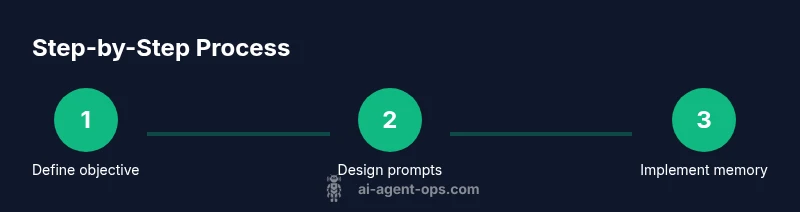
Define objective and model
Clarify the user problem the agent will solve and select an appropriate AI model. Specify success criteria and any constraints to guide planning and action steps.
Tip: Keep the objective narrow to avoid scope creep. - 2
Create a base n8n workflow
Set up a simple workflow with a trigger (manual or webhook) and an initial planning node that calls your LLM. This will become the backbone of the agent’s reasoning loop.
Tip: Use a test trigger to validate each node. - 3
Develop a planning prompt
Craft a planner prompt that asks the model to outline steps and required data, given the user input. Include exemplars to improve consistency.
Tip: Provide at least one example task in the prompt. - 4
Add action nodes for execution
Link the plan to concrete actions by adding HTTP Request or webhook nodes. Ensure inputs are validated before calls and handle failures gracefully.
Tip: Validate input schemas before API calls. - 5
Implement memory and context
Add a lightweight memory store (key‑value, SQLite, or similar) to persist recent intents and results. Use Sets or Code nodes to read/write memory.
Tip: Avoid storing sensitive data beyond what is needed for context. - 6
Test prompts and flows
Run end‑to‑end tests with representative scenarios. Capture outputs, timings, and error messages for refinement.
Tip: Iterate prompts and flow logic based on test results. - 7
Deploy and monitor
Move from development to production with proper access controls, logging, and alerting. Plan for model updates and governance reviews.
Tip: Set up alerts for failures and abnormal latency.
Questions & Answers
What is n8n and how does it relate to AI agents?
n8n is a no‑code workflow tool that lets you connect apps, data, and APIs. When building an AI agent with n8n, you orchestrate prompts, memory, and actions inside a single workflow to automate tasks. This approach enables rapid prototyping with governance built into the flow.
n8n is a no‑code tool for building automated workflows; combine it with AI prompts to create an agent that can plan and act across services.
Can I use OpenAI inside n8n?
Yes. You can configure an OpenAI or compatible model as a credential in n8n and call it from a planning node. Ensure you handle prompts securely and implement safeguards to prevent undesired outputs.
Yes, you can connect an OpenAI model through credentials in n8n and use it for planning. Just guard keys and outputs.
Is it safe to store conversation state in memory?
Storing context is helpful for continuity, but avoid sensitive data and implement access controls. Consider rotating memory storage and securely logging only what is necessary for debugging.
Store only what you need for context and protect it with proper security measures.
Do I need coding experience to build AI agents with n8n?
No. n8n is designed for no‑code automation, but a basic understanding of data flows, API calls, and prompts helps. You can grow capabilities gradually as you add memory and more integrations.
You don’t need deep coding skills; start with basic workflows and expand gradually.
What are common pitfalls when building AI agents with n8n?
Overly broad objectives, insufficient memory management, insecure handling of keys, and under‑testing can derail automations. Plan governance early and test with realistic data.
Common pitfalls include broad goals and weak testing. Governance helps prevent issues.
Watch Video
Key Takeaways
- Define a clear objective before building.
- Use modular prompts and memory for continuity.
- Leverage n8n connectors to integrate services.
- Test thoroughly and govern data handling.