Create AI Agent Using Copilot: A Practical Guide
Learn how to build an AI agent using Copilot with practical steps, tooling, safety checks, and deployment guidance for smarter automation in 2026.


According to Ai Agent Ops, you can create an AI agent using Copilot by outlining the agent's goal, wiring Copilot with tools and context, implementing safety guards, and setting up a test harness. This quick guide states the essential steps, prerequisites, and evaluation criteria to launch a usable prototype and plan for iteration.
Why Copilot for AI Agents?
According to Ai Agent Ops, Copilot serves as a practical seed for agentic workflows by providing a programmable prompt layer, built‑in tool orchestration, and context management that can plug into your existing stack. When you set out to create ai agent using copilot, you begin by articulating a specific, observable goal, identify the concrete actions the agent should perform, and determine how Copilot will interact with external systems. This approach helps teams avoid vague pilots and accelerates learning through repeatable experiments. Copilot is not a silver bullet, but with proper constraints and tooling, it becomes a powerful orchestrator for modular, reusable agent components. In 2026, a growing number of product teams are using this pattern to accelerate automation without building everything from scratch.
Throughout this guide you’ll see how to translate a business objective into capabilities the agent can exercise, how to wire Copilot to your toolchain, and how to verify outcomes with practical tests. The emphasis is on clarity, safety, and measurable progress so you can demonstrate value quickly while maintaining governance. The goal is to empower teams to iterate responsibly and scale agent workloads as confidence grows.
Prerequisites and Setup
Before you write a single line of code, ensure you have the right prerequisites and a clean setup. You’ll need access to Copilot with the appropriate plan for programmatic use, a cloud environment (AWS, GCP, or Azure) or a local container that supports Python, and secure credentials for any tools or APIs you intend to call. Ai Agent Ops analysis shows that teams that lock down goals, limits, and success metrics before coding tend to save time during implementation and debugging. Prepare a lightweight project scaffold, set up version control, and define a basic runbook that covers safety checks, logging, and rollback procedures. With these foundations in place, you can focus on building an agent that behaves predictably and is easy to monitor in production.
Defining Goals and Capabilities
A well‑defined goal is the compass for your Copilot‑driven agent. Start with a single, measurable objective (e.g., “summarize customer tickets and route them to the correct team within 2 minutes”). Then enumerate the capabilities the agent must demonstrate to achieve that goal, such as making API calls, parsing responses, and generating human‑readable outputs. Break complex tasks into smaller actions that can be executed atomically. Keep the scope tight for the pilot and plan clear success criteria, including acceptable latency, accuracy, and risk thresholds. This clarity reduces ambiguity when Copilot chooses actions and helps stakeholders understand what success looks like.
Tooling and Integrations
Copilot shines when you connect it to the right set of tools. Decide which APIs, databases, messaging systems, or files the agent will interact with. Create a catalog of actions the agent can perform (e.g., fetch ticket data, post updates, trigger a workflow). Ensure each action has a defined input schema and a safe, testable output. Consider using webhooks or REST calls for external integration, and design a lightweight adapter layer to translate Copilot’s decisions into concrete API requests. Document dependencies and rate limits to prevent surprises during production.
Agent Policy and Safety Guardrails
Safety is non‑negotiable when you deploy AI agents. Establish policy boundaries that define what the agent can and cannot do, such as data access restrictions, rate limits, and escalation paths. Implement guardrails to prevent harmful or unintended actions, including dry‑runs, confirmation prompts for high‑risk tasks, and automatic rollback if outputs deviate from expected behavior. Integrate auditing and immutable logging to track decisions for compliance and debugging. As you scale, revisit policies to reflect new capabilities and evolving risk profiles. The guardrails are not optional—they are essential for trustworthy automation.
Data, Context, and Tooling Patterns
The agent’s context is the fuel that powers correct decisions. Gather relevant data sources, define data freshness requirements, and establish data governance rules (privacy, retention, and access controls). Use consistent context objects that your Copilot prompts can reference, and employ a lightweight state machine to track task progress. Pattern choices—such as action chaining, idempotent operations, and retry logic—reduce flakiness and make the agent more reliable in real‑world scenarios. A well‑designed context layer simplifies debugging and improves reproducibility across environments.
Step-by-Step Implementation Overview
This section provides a high‑level map of the build process so you can navigate from concept to a working prototype. Start by outlining the mission, then implement tool integrations, create guardrails, and validate outcomes with a controlled test task. Finally, run a pilot to observe behavior and adjust prompts, actions, and rate limits. While the next section contains concrete steps, this overview helps you align stakeholders and ensure your architecture supports iterative learning. Remember, the objective is to deliver a solid baseline that you can improve with real feedback.
Testing, Evaluation, and Refinement
Testing is not a one‑time event; it’s an ongoing discipline. Use a mix of unit tests for individual actions, integration tests for tool calls, and end‑to‑end scenarios that simulate real user tasks. Define success metrics such as latency, accuracy, and escalation rates, and instrument tests to collect these metrics automatically. After each pilot, review failures, adjust prompts, refine tool definitions, and tighten guardrails. Documentation of findings and decisions accelerates future iterations and reduces the learning curve for new team members.
Deployment, Monitoring, and Future Upgrades
When you’re confident in the prototype, move toward production with a controlled rollout plan. Implement continuous monitoring for health signals, error rates, and user impact. Establish a feedback loop from operators and customers to guide further improvements. Plan upgrades in small, traceable increments to minimize risk and maintain governance. The ongoing evolution of Copilot‑powered agents requires regular reviews of policies, tooling, and data sources to ensure the system remains aligned with business goals.
Note: This journey emphasizes clarity, safety, and incremental learning. It also highlights the practical value of the Copilot approach for building AI agents that can automate routine tasks while staying within governance boundaries. The Ai Agent Ops team stresses the importance of measurable pilots and transparent decision logs to build confidence and justify expansion.
Tools & Materials
- Copilot access / subscription(Programmatic access enabled for automation workflows)
- Cloud environment (AWS/GCP/Azure)(Supports Python runtime and secure secrets management)
- Python 3.10+ runtime(For orchestrating Copilot prompts and API calls)
- IDE/editor (e.g., VS Code)(For local development and debugging)
- API keys / credentials manager(Securely store and rotate credentials)
- Documentation / runbook(Include goals, guardrails, and escalation paths)
Steps
Estimated time: 90-120 minutes
- 1
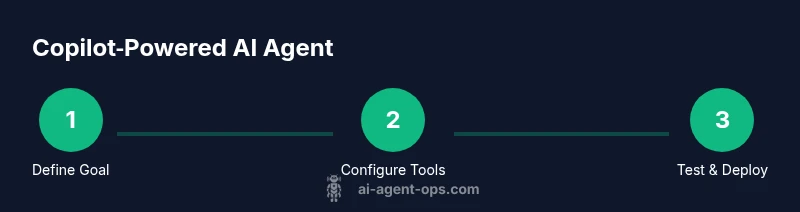
Define Clear Goals
Capture a single, measurable objective the agent will achieve. Specify inputs, outputs, success criteria, and the user impact. This clarity guides all subsequent steps and reduces ambiguity in Copilot's decisions.
Tip: Write the goal as a testable statement and tie success to a quantifiable metric. - 2
Prepare Your Copilot Environment
Set up Copilot access, create a dedicated workspace, and configure secret management. Validate that your environment can authenticate with required tools and APIs.
Tip: Use a dedicated sandbox to avoid impacting production data during early iterations. - 3
Configure Tool Integrations
Define the actions the agent may perform and map each action to an API call or service. Create minimal adapters to translate Copilot prompts into concrete requests.
Tip: Document input/output schemas for each tool action. - 4
Implement Safety Guardrails
Add prompts and policy checks to limit risky actions, require confirmations for high‑impact tasks, and log decisions for auditability.
Tip: Use conservative defaults; require escalation for uncertain outcomes. - 5
Build a Test Harness
Create representative test scenarios that exercise the agent’s decision loop, tool calls, and error handling. Automate test execution and result capture.
Tip: Include both success and failure paths to validate resilience. - 6
Run a Controlled Pilot
Execute the agent on a narrow task with real data in a safe scope. Monitor outputs, latency, and escalation rates to identify gaps.
Tip: Start with a short time window and a limited audience. - 7
Analyze Metrics and Learn
Collect quantitative and qualitative feedback. Refine prompts, adjust tool definitions, and tighten guardrails based on observed behavior.
Tip: Prioritize changes that improve reliability without sacrificing safety. - 8
Deploy and Monitor
Move to production with observability, alerting, and documented rollback plans. Establish ongoing governance and scheduled reviews.
Tip: Automate health checks and create a rollback protocol before go‑live.
Questions & Answers
What is Copilot best used for when building AI agents?
Copilot is best used as an orchestration layer that combines prompts, tool calls, and structured context to drive automated tasks. Treat it as a programmable assistant rather than a full standalone agent. Pair it with well‑defined actions and guardrails for safety.
Copilot helps coordinate prompts and tool calls for automation, but you should pair it with guardrails and clear actions to stay safe.
How long does a typical Copilot‑driven agent pilot take to set up?
Setup time varies with scope. A focused pilot for a single task may take a few hours, while a broader agent with multiple tools could take several days. Start small, then iterate.
A focused pilot can take a few hours; larger scopes take longer. Start small and iterate quickly.
What are common risks when deploying Copilot powered agents?
Common risks include data leakage, unintended actions, and cost overruns. Implement strict guardrails, auditing, and escalation paths to mitigate these risks.
Be careful of data leaks and unintended actions; use guardrails and escalation paths.
Can I scale a Copilot agent to handle multiple tasks?
Yes. Start with separate, well‑defined agents for distinct tasks and share a common governance layer. As you mature, you can compose them into a broader workflow.
You can scale by starting with distinct tasks and a shared governance layer, then compose into larger workflows.
What tooling patterns work best with Copilot for agents?
Use modular actions, idempotent operations, and clear input/output contracts. Maintain a living catalogue of capabilities and document their usage.
Use modular actions and clear data contracts; keep a living tool catalog.
Watch Video
Key Takeaways
- Define precise goals before coding.
- Map Copilot actions to external tools clearly.
- Enforce safety guardrails from day one.
- Test with realistic scenarios and data.
- Pilot before scaling to production.