AI Agent Workflow Builder: Design, Orchestrate, Deploy
Explore how an ai agent workflow builder helps teams design, orchestrate, and deploy autonomous agents across business processes with governance, observability, and no‑code options.


An ai agent workflow builder is a platform that visually designs, tests, and orchestrates autonomous agent workflows by connecting models, tools, and data sources into repeatable processes. It emphasizes governance, observability, and reusability to scale intelligent automation across business tasks. Whether you are a developer, product leader, or operations executive, adopting a structured builder reduces ad hoc scripting and improves auditability, compliance, and collaboration across teams.
What is an ai agent workflow builder?
An ai agent workflow builder is a platform that lets teams visually design, test, and deploy autonomous agent workflows by connecting models, tools, and data sources into repeatable processes. It centralizes prompts, actions, and state management so teams can reuse patterns across projects. By providing a UI-first experience, it reduces ad hoc scripting and makes complex agentic behavior auditable. Whether you are a developer, product leader, or operations executive, adopting a structured builder reduces ad hoc scripting and improves auditability, compliance, and collaboration across teams. According to Ai Agent Ops, this kind of tool helps translate complex agentic workflows into repeatable automation, enabling faster iteration and safer experimentation.
Why use an ai agent workflow builder
The biggest reason teams adopt an ai agent workflow builder is to move from scattered scripts to a coherent automation strategy. A builder provides a central place to orchestrate prompts, tools, data access, and decision logic, which increases consistency and reduces drift as teams scale. It also supports governance by capturing versions, access controls, and audit trails for every workflow instance. For product teams, this translates into faster onboarding for new engineers, clearer ownership, and better collaboration with security and legal peers. For operations leaders, it enables safer experiments with guardrails, tracing, and rollback capabilities when an experiment goes awry. Ai Agent Ops notes that organizations that invest in a formal builder tend to see more predictable outcomes and faster recovery from errors. In short, an ai agent workflow builder is not just a UI layer; it’s a blueprint for reliable intelligence in business processes.
Key capabilities to look for
- Visual designer: drag-and-drop orchestration of prompts, tools, and data flows.
- Versioning and governance: track changes, approvals, and access controls.
- Testing harness: simulate real scenarios with canned data and edge cases.
- Observability: end-to-end tracing, logs, and dashboards for monitoring performance.
- Guardrails: safety rules, content filters, and exception handling to prevent harmful outputs.
- Connectors and data‑sources: native integrations to databases, APIs, and file systems.
- Reusability: compose reusable modules, templates, and patterns for faster iteration.
- Security and compliance: data handling policies, encryption, and audit trails.
- Scalability: support for multi-agent orchestration and parallel execution.
- Human-in-the-loop options: easy handoff for approvals when needed.
Ai Agent Ops emphasizes that choosing a builder with these capabilities helps teams scale agentic AI workflows without compromising governance or reliability.
Architecture patterns for builders
Most ai agent workflow builders rely on a central orchestrator that coordinates prompts, tools, and data. This pattern favors predictability, easier testing, and clearer auditing. Alternative patterns emphasize choreography, where agents communicate via events without a single central conductor; this can offer flexibility but increases debugging complexity. A robust builder typically supports a hybrid approach: a core orchestrator for critical flows and event-driven hooks for scalable, decoupled actions. Key architectural considerations include stateless action handlers, clear data provenance, modular prompts, and versioned components. When designed thoughtfully, the architecture reduces coupling, improves reusability, and makes it easier to replace models or connectors without rewriting entire workflows. As you design, prioritize observability hooks that tell you which module produced a decision and why, to maintain accountability as your agent ecosystem grows.
How to evaluate vendors and no-code options
Start by mapping your business use cases to required integrations, data sensitivity, and governance requirements. Compare no-code options on ease of use, the depth of built-in guardrails, and the ability to export or version control your workflows. Look for third‑party security assessments and clear data‑sharing policies. Verify that the platform supports role-based access control, audit logs, and simulated testing environments. Ask for demonstrations that show how a workflow behaves under edge cases, how it recovers from failures, and how changes are rolled back. Finally, consider cost implications beyond sticker price, including data egress, API call volumes, and future scalability. A thoughtful evaluation helps you avoid vendor lock‑in and ensures your ai agent workflow builder remains adaptable as models and requirements evolve.
Designing a sample workflow with tasks
Consider a customer-support assistant built with an ai agent workflow builder. It might include three sub‑agents: ticket triage, knowledge retrieval, and response drafting. The triage agent analyzes the incoming message, categorizes urgency, and routes the ticket to the appropriate queue. The knowledge retrieval agent queries your knowledge base and relevant APIs to fetch accurate information. The response drafting agent composes a draft reply, applies tone and policy checks, and queues final review. You can attach guardrails for sensitive data, add monitoring so every step logs decisions, and implement a fallback path if knowledge is incomplete. This practical example demonstrates how an ai agent workflow builder enables end-to-end automation while preserving human oversight where needed. As you scale, you can replicate this pattern across product areas by swapping connectors and prompts without re‑engineering the whole process.
Governance, safety, and compliance considerations
Governance is essential when deploying ai agent workflows. Establish data handling policies, retention rules, and access controls for agents and logs. Implement guardrails to prevent unsafe content, unintended data leakage, or biased decisions. Maintain auditable records of model versions, prompts, and tool interactions to support regulatory reviews. Regularly review guardrails and update them in response to new risks or policy changes. Train teams on responsible AI practices and create escalation paths for edge cases or user complaints. Remember that governance is not a one‑time task; it is an ongoing discipline that grows with your automation program, ensuring reliability and trust as the system evolves.
Integration and data considerations
A successful ai agent workflow builder relies on well‑designed integrations. Ensure connectors are up to date, support standardized data formats, and provide clear error handling. Plan for data provenance: track where data came from, how it was transformed, and who accessed it. Harmonize data schemas across systems to minimize mapping errors and latency. Consider data residency and privacy requirements, especially when working with customer data or regulated content. Finally, design with resilience in mind: implement retry policies, circuit breakers, and graceful degradation so that a partial failure does not derail the entire workflow.
Authority sources and further reading
To deepen your understanding of governance, risk, and best practices for AI systems, consult these authorities:
- NIST AI RMF guidance: https://www.nist.gov/topics/artificial-intelligence (NIST Risk Management Framework for AI)
- Stanford HAI research on agentic AI and governance: https://ai.stanford.edu/ (Stanford AI Lab and HAI resources)
- MIT CSAIL AI ethics and safety discussions: https://www.csail.mit.edu/ (CSAIL insights on responsible AI)
These sources provide foundational context for designing, deploying, and governing ai agent workflows responsibly.
Tools & Materials
- Computer with a modern browser(Chrome/Edge recommended; stable internet; ensure pop-ups allowed for builder sandboxes.)
- Account with an AI service provider(Choose a platform for LLMs and tool integrations; ensure you have access to a sandbox or developer environment.)
- Access to a testing/sandbox environment(Use a non-production workspace to prototype workflows and run simulated data.)
- Security policies and documentation(Have data handling, privacy, and access-control policies ready for evaluation.)
- Design assets and documentation(Diagrams, prompts templates, and API specifications aid collaboration.)
Steps
Estimated time: about two hours
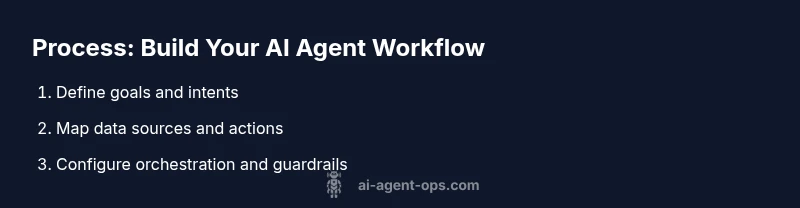
- 1
Define goals and use cases
Clarify what business problem your ai agent workflow builder will solve. List concrete success criteria, stakeholders, and measurable outcomes. This step sets the scope and prevents feature creep.
Tip: Write one sentence per goal and align each with an owner. - 2
Map data sources and required actions
Inventory the data inputs, tools, and APIs your workflow will need. Define how data flows between steps and where it should be stored or logged.
Tip: Create a simple data map with source, transformation, and destination for each action. - 3
Choose an orchestration model
Decide whether to use centralized orchestration for predictability or event-driven choreography for flexibility. Plan a hybrid approach if needed.
Tip: Document decision criteria for when to switch patterns. - 4
Configure prompts, tools, and interfaces
Attach prompts to actions, connect tools and data sources, and set user interfaces for humans in the loop. Define inputs, outputs, and error paths.
Tip: Use versioned prompts and clear naming to avoid confusion. - 5
Build test harness and data sets
Create representative test cases, boundary scenarios, and synthetic data to validate behavior before production. Include safety checks and logging.
Tip: Automate tests to run on every change. - 6
Run tests and iterate
Execute the test suite, review results, and refine prompts, tools, and guardrails. Iterate until outcomes meet your criteria.
Tip: Prioritize issues by impact and reproducibility.
Questions & Answers
What is an ai agent workflow builder and why do I need one?
An ai agent workflow builder is a platform that helps you visually design, orchestrate, and deploy autonomous agent workflows. It centralizes prompts, tools, data sources, and governance features, enabling repeatable patterns and safer experimentation.
It’s a visual tool to plan and run automated agent tasks with guardrails and logs, so you can iterate safely.
How is it different from traditional workflow automation tools?
Traditional tools focus on static tasks; an ai agent workflow builder coordinates intelligent agents, prompts, and dynamic decisions. It adds guardrails, observability, and model governance to manage AI-driven processes.
It brings AI decision-making into the workflow, with built-in governance and testing for AI components.
Can I use no-code options to build AI agent workflows?
Yes. No-code builders let you configure agents, prompts, and integrations through visual interfaces without writing code. This accelerates onboarding and prototyping for non-developers.
Yes, you can build and test AI agent workflows with no coding, using drag-and-drop elements.
What are common pitfalls when adopting an ai agent workflow builder?
Common pitfalls include underestimating data governance, skipping thorough testing, overcomplicating workflows, and neglecting monitoring and guardrails.
Be cautious of overcomplicating your design and skip guards and tests at your peril.
How should I measure ROI when using an ai agent workflow builder?
Focus on qualitative and time-related benefits: faster iteration, fewer manual tasks, improved consistency, and better risk management rather than just cost.
Look at time saved, quality improvements, and risk reduction rather than price alone.
Watch Video
Key Takeaways
- Define goals before building.
- Choose scalable architecture patterns.
- Prioritize governance and observability.
- Test with realistic scenarios and iterate.