AI Agent QuickBooks: Automating Your Bookkeeping with Agentic AI
Learn how to deploy AI agent quickbooks workflows that automate transaction classification, reconciliation, and insights—with practical steps, tools, and governance.


This guide shows you how to build an ai agent quickbooks workflow that connects to QuickBooks Online, fetches transactions, classifies entries, and posts reconciliations. You’ll learn secure integration, data mapping, and stepwise automation to reduce manual data entry and boost accuracy.
What is AI agent QuickBooks integration?
According to Ai Agent Ops, AI agents for accounting workflows are autonomous software entities that connect to QuickBooks via APIs, retrieve ledger data, and perform routine tasks such as categorizing transactions, posting reconciliations, and surfacing cash-flow insights. The core idea is to let a capable agent operate within defined guardrails, handling repetitive bookkeeping with minimal human intervention. This approach blends natural language processing, rule-based mapping, and structured data posting to turn unstructured receipts and bank feeds into clean ledger entries. The result is faster close cycles, fewer manual errors, and a unified trace of who changed what and when. When implemented responsibly, ai agent quickbooks workflows align with governance requirements and offer a scalable path to automate increasing volumes of transactions across multiple entities.
Core capabilities you can automate with ai agent quickbooks
Automation in QuickBooks through AI agents covers several domains:
- Data extraction: OCR or structured input from receipts, invoices, and bank statements, mapped to the Chart of Accounts.
- Classification: AI-driven categorization of expenses, revenues, and other postings based on context and historical patterns.
- Posting and reconciliation: Agents post journal entries and trigger reconciliations against bank feeds or intercompany accounts.
- Forecasting and insights: AI-powered summaries of cash flow, accounts receivable aging, and expense trends to inform decisions.
- Compliance and governance: Audit trails, role-based access, and alerts for unusual entries or policy violations.
- Multi-entity orchestration: Coordinated processing across subsidiaries with centralized visibility.
Across these capabilities, the key is to start with a narrow scope, then expand, ensuring the agent remains predictable and auditable. The Ai Agent Ops team emphasizes starting with data mapping, permission scoping, and a sandboxed test plan to minimize risk while you scale ai agent quickbooks workflows across teams.
Architecture and data flow of an ai agent QuickBooks integration
A typical ai agent quickbooks integration involves several moving parts:
- QuickBooks Online API connector: Provides read/write access to transactions, accounts, bills, and reconciliations.
- Agent runtime: Orchestrates actions, memory, and decision logic, powered by a large language model plus business rules.
- Data mapper: Transforms incoming ledger elements into standardized fields aligned with your Chart of Accounts.
- Action modules: Functions for categorize, post, reconcile, and report.
- Observability layer: Logs, retries, and dashboards that show outcomes and drift.
Data flows begin with a request (e.g., new receipt) or a scheduled batch. The agent extracts relevant fields, maps them to QuickBooks entities, applies classification logic, and issues API calls to post or reconcile. Decisions are evaluated against safety rails, such as role-based access and transaction limits. This architecture supports auditability, traceability, and governance essential for enterprise finance teams.
Choosing the right tools and platforms for ai agent quickbooks
The selection of tools should balance capability, security, and maintainability:
- LLM provider and agent framework: Choose a platform that supports robust memory, tool orchestration, and prompt design for accounting tasks.
- QuickBooks API access: Use OAuth 2.0 with least-privilege scopes and consider a sandbox environment for experimentation.
- Data mapping and schema: Define a stable mapping for vendors, customers, accounts, and tax codes to ensure postings remain consistent.
- Governance and security: Implement role-based access, secret storage, and activity auditing.
- Testing and observability: Use test datasets that resemble real transactions, and build dashboards to monitor accuracy and drift.
Ai Agent Ops recommends starting with a small, well-scoped workflow (e.g., auto-classify and post vendor bills) before expanding to multi-entity reconciliation. This ensures reliable behavior while you iterate toward more ambitious automations.
Step-by-step: Build a basic ai agent workflow for QuickBooks (overview)
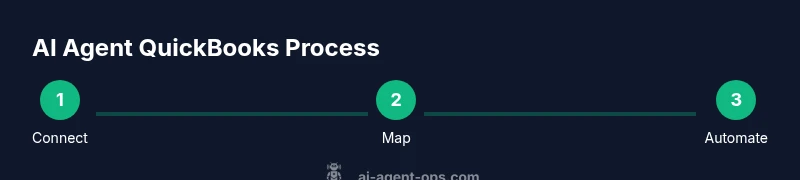
This overview outlines a practical path to a working prototype. It emphasizes speed-to-value while maintaining control over data and results. You’ll learn how to connect QuickBooks, map data, create action templates, and validate outputs in a sandbox. Expect an iterative cycle: design, test, refine, monitor. The goal is to reach a level of confidence where the agent can handle routine entries with human oversight for complex cases.
Safety, governance, and data privacy considerations
When automating QuickBooks workflows with AI agents, governance and data privacy are paramount. Ensure you have documented data flows, data retention policies, and access controls. Use encryption for at-rest and in-transit data, and keep a strict change log for any model or rule updates. Establish a human-in-the-loop review for high-risk postings, such as tax-related entries or large-dollar transactions. Regularly audit API credentials, monitor for unusual activity, and enforce least-privilege permissions for every component of the ai agent quickbooks stack.
Real-world scenarios: Use cases that drive value
Case studies and purple-sky experiments show valuable outcomes from AI-assisted QuickBooks workflows. Common scenarios include automated data entry from receipts, batch posting of recurring expenses, scheduled bank reconciliation checks, and automated aging reports for accounts receivable. In multi-entity organizations, agents can coordinate postings across subsidiaries, ensuring consistency and centralized reporting. The key is to define precise triggers, such as a new bill arriving in the inbox or a daily reconciliation window, and to keep the agent’s scope tightly aligned with policy.
Measuring success: KPIs and dashboards for ai agent quickbooks
Effective measurement focuses on time saved, accuracy improvements, and deployment velocity. Track metrics like posting accuracy rate, reconciliation success rate, time-to-close, and the reduction in manual data-entry hours. Dashboards should provide traceability from source document to ledger entry, showing who executed each action and when. Regular reviews help you identify drift in classification or posting rules and guide iterative improvements. Ai Agent Ops emphasizes tying automation outcomes to business objectives and risk controls.
Common pitfalls and how to avoid them
Avoid assuming perfect data quality or unlimited automation. Common issues include misclassification of transactions, incomplete mappings, insufficient access controls, and inadequate logging. Prevent these by validating inputs, using test datasets, and enforcing strict versioning for prompts and rules. Build rollback procedures for failed postings and establish alerting for anomalies. With careful design and ongoing governance, ai agent quickbooks implementations scale reliably.
Tools & Materials
- QuickBooks Online API access(OAuth 2.0 credentials, sandbox where available)
- OAuth 2.0 client credentials(Least privilege scopes for accounting tasks)
- LLM provider API key(Choose a provider with strong compliance features)
- AI agent framework/runtime(Supports tool orchestration and memory)
- Data mapping schema (chart of accounts, vendors, customers)(Define canonical fields for consistent postings)
- Sandbox QuickBooks account(Important for safe testing of automations)
- Development environment with secret storage(Secure vault for API keys and tokens)
- Testing dataset of sample transactions(Use representative receipts and bank feeds)
Steps
Estimated time: 1-2 hours
- 1
Connect QuickBooks to the agent framework
Establish OAuth credentials and configure the connector to QuickBooks Online. Verify read/write access in a sandbox environment and confirm the agent can fetch a sample transaction list.
Tip: Use a minimal dataset first to confirm basic flow without risking real data. - 2
Define data extraction and field mapping
Create a mapping from receipts, invoices, and bank statements to QuickBooks fields (date, amount, vendor, account, tax). Validate mappings with test records to ensure postings align with your COA.
Tip: Keep a changelog of mappings for auditability and future changes. - 3
Configure intents and actions for common tasks
Specify intended agent actions (classify, post, reconcile) and associate them with triggers (new receipt, daily batch). Build lightweight prompts and rules to guide decisions.
Tip: Use idempotent operations to prevent duplicate postings on retries. - 4
Implement classification rules and posting logic
Layer ML-based classification with rule-based fallbacks to ensure accuracy for edge cases. Implement error handling and fallback to human review when confidence is low.
Tip: Track confidence scores and route low-confidence items to a queue for review. - 5
Set up reconciliation triggers and error handling
Define when to run reconciliations, how to flag mismatches, and how to auto-resolve simple discrepancies. Ensure an auditable trail for every adjustment.
Tip: Test reconciliation with deliberate mismatches to verify alerts. - 6
Validate, test, and iterate in sandbox
Run end-to-end tests using the sandbox dataset, monitor logs, and fix misclassifications. Incrementally broaden scope as confidence grows.
Tip: Reserve time for security and compliance checks before production.
Questions & Answers
What is an AI agent in the context of QuickBooks?
An AI agent in QuickBooks is a software entity that connects to the QuickBooks API, processes transactions, and performs automated tasks such as categorization, posting, and reconciliation while following governance rules.
An AI agent automates QuickBooks tasks by connecting to the API and handling postings and reconciliations under governance rules.
Can an AI agent fully automate QuickBooks workflows?
AI agents can automate many routine tasks, but most implementations require human oversight for complex cases, exceptions, and compliance checks. Start with narrow scopes and scale gradually.
AI agents handle routine tasks, but humans review complex cases and exceptions as you scale.
What prerequisites are needed to start?
You need a QuickBooks Online account with API access, a sandbox for testing, an AI agent framework, an LLM provider, and a clearly defined data mapping and governance plan.
You’ll need API access, a sandbox, an agent framework, and a data mapping plan.
What about data privacy and security?
Implement encryption, access controls, and audit logs. Use least-privilege permissions and review data retention policies to protect financial data.
Protect data with encryption, access controls, and audit logs, and review retention policies.
Which tools are best for building these workflows?
Choose a mature agent framework, a reliable LLM provider, and ensure seamless QuickBooks API integration with secure credential management.
Pick a solid agent framework, a reputable LLM, and secure API integration.
How do you monitor and update the agent?
Set up observability dashboards, alerts for failures, and a process for updating mappings and prompts with version control.
Use dashboards, alerts, and versioned updates to keep the agent healthy.
Watch Video
Key Takeaways
- Map data before you automate to ensure accuracy
- Test thoroughly in a sandbox before production
- Secure credentials and implement least privilege
- Pilot with limited scope and scale iteratively