ai agent n8n tutorial: Build AI Agent Workflows in n8n
A comprehensive, no-code guide to creating AI agent workflows in n8n. Learn prompts, memory, tool integration, testing, and deployment with practical templates and best practices.


ai agent n8n tutorial: In this guide, you’ll learn to build practical AI agent workflows inside n8n, combining prompts, memory, and tool integrations. You’ll start with a simple agent, wire up a memory store, and test end-to-end automation. By the end, you’ll have a reusable pattern for agent orchestration that scales with your projects.
Introducing ai agent n8n tutorial
According to Ai Agent Ops, the ai agent n8n tutorial is a practical blueprint for turning no-code automation into capable AI agents. This approach marries the flexibility of n8n with the power of modern language models, enabling teams to prototype, test, and iterate agent-driven workflows without writing extensive code. In this tutorial, you’ll learn the core concepts, typical architectures, and safety considerations that come with building agent-oriented automations. You’ll see how prompts, memory, and tool integration come together to form an effective agent in real-world scenarios. The content is designed for developers, product teams, and business leaders who want to automate knowledge work, decision making, and routine tasks. Throughout, you’ll find concrete templates, practical tips, and cautionary notes that help you ship reliable agents quickly. The focus remains on no-code or low-code patterns that scale, rather than bespoke integrations that take months to mature. Expect hands-on exercises, example prompts, and a modular approach you can adapt to your organization.
Setting up n8n for AI agents
Before you can build an ai agent n8n tutorial, ensure your environment is ready for no-code automation with AI capabilities. Start with a modern computer and reliable internet access. Install a stable version of Node.js and then install n8n either locally or in your favorite hosting environment. The goal is a responsive workspace where you can rapidly prototype workflows. In this section, you’ll confirm access to your AI service credentials, set up a workspace, and create a reusable skeleton workflow that you’ll extend with prompts, memory, and tools. Expect to spend a short setup window, then move into hands-on building. Remember to use environment variables for secrets and to isolate test data from production data. This preparation is essential for reproducible ai agent n8n tutorial experiments and for maintaining security across iterations.
Designing an AI agent: prompts, memory, and tools
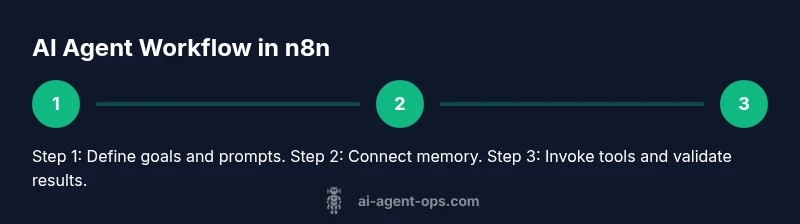
The heart of any ai agent n8n tutorial is how you design prompts, how you store context, and which tools you connect. Start with a clear agent goal and a base prompt that outlines the agent’s role, available tools, and desired outcomes. Implement a memory layer to preserve relevant context across interactions—this can be a simple JSON object stored in a memory node or an external database, depending on scale. Combine these with a tools block that interfaces with APIs, databases, or other services via n8n’s HTTP Request or dedicated integrations. You’ll want templates for common intents (lookup, summarize, decide) and a guardrail mechanism to prevent drift. The block emphasizes modularity: separate prompts, memory, and tool calls so you can swap components without rearchitecting the whole workflow. Throughout, document choices and create small, testable units you can reuse in future ai agent n8n tutorial projects.
Connecting external APIs and tools
A robust ai agent n8n tutorial taps external APIs to enrich agent capabilities. Use the HTTP Request node to call language models, data services, or microservices, and handle responses with structured parsing. Keep prompts dynamic by injecting user input, detected intent, and remembered context into each call. Implement error handling and retries to cope with transient failures. Use secure secret management for API keys and ensure requests are rate-limited and logged for auditability. The workflow should gracefully degrade if a tool is unavailable, providing fallback behavior or user guidance. This section covers typical patterns for orchestrating calls, extracting essential fields from responses, and reusing results to inform subsequent steps in the agent’s decision process.
Orchestrating workflows: agent templates and state management
In the ai agent n8n tutorial, orchestration is the key to scalability. Build templates that represent common agent archetypes (conversational assistant, data assistant, alerting agent) and parameterize them for reuse. Manage state with a simple memory store or a dedicated state machine within n8n, so each interaction can reference prior context. Use branching and conditional nodes to funnel paths based on intent or confidence scores. Document each template with example runs and failure modes. The emphasis is on composable, tested building blocks, not one-off scripts. With strong templates, teams can rapidly roll out multiple agents while preserving consistency and governance across workflows.
Testing, debugging, and monitoring
Testing is a core discipline in the ai agent n8n tutorial. Create unit tests for individual nodes (prompts, memory access, tool calls) and end-to-end tests for complete agent scenarios. Use the built-in execute-run features to validate prompts, responses, and memory updates. Monitor logs, latency, and error rates to identify bottlenecks and improve reliability. Build a simple dashboard or log sink to visualize key metrics like turnaround time and success rate. This section highlights practical debugging techniques, such as simulating user inputs, probing memory states, and injecting controlled failures to verify resilience.
Security, compliance, and reliability
Security is non-negotiable in the ai agent n8n tutorial. Treat API keys as secrets and rotate them regularly. Apply least privilege access to any external services and isolate agent runs from production data when testing. Use input validation and response sanitization to minimize injection or leakage risks. Maintain an auditable trail of prompts, memory changes, and tool invocations. By establishing clear governance, you’ll preserve trust and compliance while scaling agent-based automation across teams.
Real-world patterns and templates
This section of the ai agent n8n tutorial presents practical patterns you can adopt immediately. Start with a conversational agent that gathers user intent, references a memory store for context, and uses a single tool (a search API) to fulfill requests. Expand to a data-lookup agent that fetches records, formats results, and returns neatly structured outputs. Finally, try a monitoring agent that watches for events, triggers appropriate tools, and escalates when thresholds are crossed. Each pattern includes a minimal workflow diagram, a prompt template, and a short test suite to validate behavior. The goal is to provide a library of reusable building blocks you can adapt to your domain.
Next steps and deployment considerations
As you finish the ai agent n8n tutorial, consider how you’ll deploy and scale your agents. Decide between self-hosted or managed deployments, and plan for version control of workflows. Establish a promotion path from test to production with explicit change management and rollback procedures. Create a knowledge base with templates and runbooks so teams can reproduce results. Finally, set up ongoing refinement cycles—gather feedback, measure impact, and iterate prompts, memory schemas, and tool integrations. The aim is to institutionalize agent-driven automation as a repeatable capability within your organization.
Tools & Materials
- Computer with internet access(Used for local development and hosting n8n workflows)
- Node.js (LTS)(Needed to run n8n locally or on server)
- n8n (self-hosted or cloud)(Core platform for building AI agent workflows)
- API keys for AI services (e.g., OpenAI or similar)(Store securely in environment variables or a secrets manager)
- Text editor or IDE(VS Code or similar recommended for editing prompts and configs)
- Postman or HTTP client (optional but helpful)(Useful for testing API calls outside of n8n)
- Secrets management tool(Like Vault, AWS Secrets Manager, or similar for rotation)
- Simple data store (JSON/SQLite or similar)(For persistent memory if needed at scale)
Steps
Estimated time: 90-120 minutes
- 1
Install and configure n8n
Install n8n on your local machine or hosting service, and verify it starts correctly. Create a dedicated workspace for AI agent workflows. This step sets the foundation for all subsequent steps in the ai agent n8n tutorial.
Tip: Use environment variables for secrets and test locally before deploying. - 2
Create a new AI agent workflow
In the n8n editor, add a new workflow and name it after your agent’s role. Plan inputs (user message, context) and outputs (result, actions). This creates a repeatable template you can reuse across projects.
Tip: Keep the workflow modular: prompts, memory, and tools as separate nodes. - 3
Add a prompt node and core memory
Implement a prompt that defines the agent’s role and rules. Add a memory mechanism to store context across turns, using either an in-workflow variable or an external store for persistence.
Tip: Store memory in a structured JSON with timestamps for easier retrieval. - 4
Connect external AI tool via HTTP Request
Configure an HTTP Request node to call your AI service. Pass the user input, memory, and dynamic prompts. Parse the response into a predictable shape for downstream steps.
Tip: Validate response structure and handle errors gracefully. - 5
Wire up tools and actions
Add additional tool calls ( databases, search APIs, or business systems) that the agent can invoke based on intent. Use conditional logic to route outcomes to the correct downstream steps.
Tip: Limit tool calls to only what’s necessary for the current user query. - 6
Test end-to-end behavior
Run the workflow with representative inputs. Inspect memory updates, tool responses, and final outputs. Iterate prompts and memory structure until behavior is stable.
Tip: Enable verbose logging for debugging during the initial phase. - 7
Deploy and monitor
Move from local testing to staging or production. Set up monitoring dashboards for latency, success rates, and error counts. Establish a feedback loop to refine prompts and memory.
Tip: Prefer gradual rollout and rollback controls to minimize risk.
Questions & Answers
What is n8n and why use it for AI agents?
n8n is a no-code workflow automation tool that can orchestrate AI agent tasks. It lets you connect prompts, memory, and external tools without heavy coding, making it ideal for rapid prototyping and scalable automation.
n8n is a no-code workflow tool that helps you build AI agent tasks without coding. It’s great for quick prototypes and scalable automation.
Can I use any AI service with n8n?
Yes. You can connect language models or other AI services via HTTP requests or dedicated nodes. Ensure you manage keys securely and respect rate limits and terms of service.
You can connect language models via HTTP nodes and dedicated integrations, but keep keys secure and respect rate limits.
How do I manage memory in AI agents inside n8n?
Memory can be stored in a local variable, a JSON store, or an external database. The important part is a consistent structure and a retrieval method that preserves context across turns.
Store context in a consistent structure, like a JSON store or database, and retrieve it when needed.
Is this approach production-ready?
With proper monitoring, error handling, secret management, and secure deployment, AI agent workflows in n8n can be deployed to production with governance and observability.
Yes, with proper monitoring and security, these workflows can go to production.
Where should I deploy and run my n8n workflows?
You can run n8n locally for development or deploy to a server/cloud. Choose based on your scalability needs, data residency, and maintenance capabilities.
Run locally for development or on a server for production, depending on your needs.
Watch Video
Key Takeaways
- Define clear agent goals to guide prompts
- Isolate memory, prompts, and tools for reuse
- Test end-to-end to validate real-world behavior
- Secure secrets and monitor performance continuously