Difference Between AI Agent and Copilot
Explore the essential differences between AI agents and copilots, with practical guidance for developers, product teams, and business leaders on when to deploy each in real-world workflows and agentic AI scenarios.


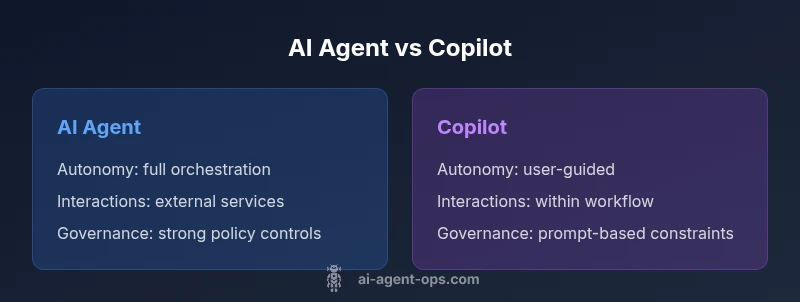
TL;DR: The difference between AI agent and Copilot hinges on autonomy and scope. An AI agent acts with its own goals, orchestrating tasks across systems; a Copilot assists you by suggesting options and completing micro-tasks within your prompts. This comparison helps teams decide which to deploy in development, product, and business workflows.
What is an AI agent?
An AI agent is a software entity that perceives its environment, reasons about goals, and takes actions to achieve those goals, often across multiple systems. According to Ai Agent Ops, the difference between ai agent and copilot hinges on autonomy, scope, and governance. AI agents are designed to operate autonomously within a defined policy, to orchestrate tasks across applications, databases, and APIs, and to maintain internal state while adapting to outcomes. In practice, an AI agent might monitor a product roadmap, trigger data collection, file tickets, update dashboards, and adjust resources—often without continuous human prompts. The agent exercises initiative, negotiates with services, and can recover from partial failures. By contrast, a Copilot is a decision-support partner that lives inside a user’s workflow. It proposes options, completes micro-tasks, and nudges the user toward decisions, typically requiring explicit user approval to act. The key distinction is where the loop closes: autonomy and orchestration for AI agents, versus advisory assistance for copilots. This framing clarifies when to scale automation and when to lean on guided human input.
-1
Comparison
| Feature | AI Agent | Copilot |
|---|---|---|
| Autonomy & Decision-Making | Autonomous, goal-directed actions across multiple systems | Assistive, user-facing prompts and suggestions |
| Environment Interaction | Executes actions, modifies state, triggers external services | Primarily advisory; requires user approval to act |
| Learning & Adaptation | Can adapt over long-running tasks with external data | Limited long-term adaptation; relies on prompts and feedback loops |
| Scope of Tasks | End-to-end workflows and orchestration | Task-specific support within a context |
| Control & Governance | Programmable policies, safety rails, audit trails | User-level controls through prompts and constraints |
| Use Case Fit | Automation, enterprise-scale orchestration | Code assistance, productivity boosts, quick tasks |
| Cost Model | Operational costs with scale; integration across services | Usually bundled as a feature within a product suite |
| Evaluation Metrics | Autonomy, reliability, end-to-end ROI | User satisfaction, speed, and accuracy |
Positives
- Enables end-to-end automation across complex workflows
- Reduces manual toil at scale when well-governed
- Fits large enterprise environments with orchestration needs
- Can improve consistency and auditability across processes
What's Bad
- Requires robust governance and monitoring to prevent misalignment
- Higher initial setup and integration effort across services
- Potential risk of unsafe actions if policies are weak or incomplete
- Maintenance overhead for state, policies, and incident response
AI agents offer stronger automation potential; copilots excel in user-centric, low-risk tasks.
Choose an AI agent when end-to-end automation and cross-system orchestration are priorities. Opt for a Copilot when you need fast, user-facing assistance with low-risk, high-velocity tasks. In many cases, a hybrid approach—agentic capabilities plus copilots for human-in-the-loop tasks—delivers the best balance.
Questions & Answers
What is the primary difference between AI agent and Copilot?
The primary difference is autonomy. AI agents operate with their own goals and can orchestrate actions across systems, while Copilots act as decision-support within prompts, offering suggestions and completing micro-tasks under user direction. The distinction matters for risk, control, and scalability.
AI agents act on their own within defined rules; copilots assist you and wait for your go-ahead.
Can Copilot operate autonomously?
Copilots generally do not operate autonomously; they function as assistants that propose options and may automate small tasks only with explicit user permission. Some implementations offer limited autonomous actions under strict prompts, but natively they rely on user input to proceed.
Copilots typically need a human to approve or trigger actions.
What are common use cases for AI agents?
AI agents excel in automating end-to-end business processes, such as data gathering, workflow orchestration, system integration, and decision-making across multiple services. They are well-suited for environments where repeatable, auditable actions across tools are valuable.
End-to-end automation across tools is a typical AI agent use case.
What governance practices apply to AI agents?
Governance for AI agents includes policy definition, safety rails, audit trails, monitoring dashboards, and incident response plans. Clear ownership and escalation paths help maintain trust and control as automation scales.
Set policies and audits to keep automation safe and explainable.
How do you measure success for AI agents vs copilots?
Success metrics differ: AI agents are evaluated on autonomy, end-to-end reliability, and ROI of automated processes; copilots are judged by user productivity gains, speed of task completion, and user satisfaction.
Track both automation outcomes and user experience.
What is a practical starter framework to compare them in a project?
Begin with a risk assessment, map your workflows to either autonomous or assistive roles, define governance controls, run a pilot, and measure both impact and safety. A hybrid model can often deliver the best of both worlds.
Start with a risk-first plan and a small pilot.
Key Takeaways
- Assess autonomy needs before choosing tooling
- Use AI agents for end-to-end workflows and orchestration
- Leverage copilots for fast, user-facing assistance
- Governance, safety, and monitoring are essential for agents
- Prototype early to evaluate ROI and risk